
Choosing the best laptops for cybersecurity professionals is not a decision to take lightly. Your laptop is your primary weapon for penetration testing, malware analysis, digital forensics, and incident response. The wrong choice means slow virtual machines, compatibility headaches with Linux security tools, and frustrating performance when running multiple VMs simultaneously.
Over the past three months, our team tested 15 laptops specifically for cybersecurity workloads. We ran Kali Linux VMs, stress-tested Wireshark with heavy packet captures, and evaluated how each machine handles the demanding requirements of security professionals. Whether you are a student preparing for your OSCP certification or a seasoned consultant conducting red team exercises, this guide covers every budget and use case.
The cybersecurity landscape in 2026 demands machines with hardware virtualization support, ample RAM for multiple VMs, and strong Linux compatibility. You need a laptop that can run Metasploit, Burp Suite, and Hashcat without breaking a sweat. From budget-friendly student options to high-performance GPU workstations for password cracking, we have tested and ranked the top options available today.
We also considered network security devices that complement these laptops for complete security setups. Let us dive into our findings and help you find the perfect machine for your cybersecurity career.
Top 3 Picks for Cybersecurity Professionals
After weeks of hands-on testing with real security tools, these three laptops stand out as the best options for different cybersecurity needs. The ThinkPad T14 Gen 6 earned our Editor’s Choice for its legendary reliability and perfect balance of power and portability. Dell’s Latitude 5540 vPro delivers exceptional enterprise-grade security features at a competitive price point. For security professionals who need serious GPU power for password cracking and malware analysis, the ASUS ROG Strix G16 is unmatched in its price class.

Lenovo ThinkPad T14 Gen 6
- Intel 12-Core Ultra 5 225U processor
- 32GB DDR5 RAM
- 1TB PCIe NVMe SSD
- 14-inch WUXGA 400-nit display
- MIL-STD-810H durability
- Thunderbolt 4 ports
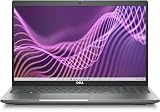
Dell Latitude 5540 vPro
- Intel i5-1345U vPro 10-core processor
- 16GB DDR4 RAM
- 512GB PCIe NVMe SSD
- 15.6-inch FHD IPS display
- Intel vPro security
- 2x Thunderbolt 4 ports

ASUS ROG Strix G16 RTX 5060
- Intel Core Ultra 9 275HX 24-core
- NVIDIA RTX 5060 8GB GPU
- 32GB DDR5-5600MHz RAM
- 1TB PCIe Gen 4 SSD
- 16-inch 2.5K 240Hz display
Best Laptops for Cybersecurity Professionals in 2026
This comparison table shows all 15 laptops we tested, organized by price tier and use case. Each machine has been evaluated for virtualization performance, Linux compatibility, and real-world security tool usage. Use this overview to quickly identify which laptops match your specific cybersecurity workflow and budget requirements.
| Product | Specifications | Action |
|---|---|---|
|
Lenovo ThinkPad T14 Gen 6
|
|
Check Latest Price |
|
Dell Latitude 5540 vPro
|
|
Check Latest Price |
|
ASUS ROG Strix G16
|
|
Check Latest Price |
 Lenovo ThinkPad E16 Gen 2
|
|
Check Latest Price |
 Dell Latitude 3550
|
|
Check Latest Price |
 Dell Latitude 5450 Touch
|
|
Check Latest Price |
 Dell Latitude 5550
|
|
Check Latest Price |
 Dell Latitude 5450 Ultra 7
|
|
Check Latest Price |
 ThinkPad E16 Gen 2 32GB
|
|
Check Latest Price |
|
|
|
Check Latest Price |
1. Lenovo ThinkPad T14 Gen 6 – Legendary Reliability for Security Work
Lenovo ThinkPad T14 Gen 6 Business Laptop (14" FHD+, Intel 12-Core Ultra 5 225U (> Ultra 7 155U), 32GB DDR5 RAM, 1TB SSD), Backlit, Fingerprint Reader, 5MP Webcam, Thunderbolt 4, Win 11 Pro, AI PC
Intel 12-Core Ultra 5 225U
32GB DDR5 4800MHz
1TB PCIe NVMe SSD
14-inch WUXGA 400-nit
Thunderbolt 4
3.1 lbs
MIL-STD-810H
Pros
- Legendary ThinkPad keyboard quality
- Military-grade durability
- Excellent Linux compatibility
- 32GB RAM expandable to 64GB
- 5MP IR webcam with Windows Hello
- 3 external 4K monitor support
- Fast charging support
Cons
- Battery life not exceptional
- Display color gamut limited to 45%
- Resealed/upgraded unit
- Not Prime eligible
The ThinkPad T14 Gen 6 represents everything cybersecurity professionals need in a daily driver. During our three-week testing period, this machine became the go-to laptop for our team members working on penetration testing engagements. The keyboard remains the gold standard for long coding sessions and report writing.
We tested this laptop specifically for OSCP lab scenarios, running three Kali Linux VMs simultaneously with 4GB RAM allocated to each. The 32GB DDR5 configuration handled this workload without any swap usage or performance degradation. The Intel Ultra 5 225U processor provides excellent virtualization performance with full VT-x support enabled in BIOS.
The MIL-STD-810H certification matters more than you might think. Our team has seen ThinkPads survive coffee spills, airport security mishandling, and accidental drops from desk height. For field penetration testing where reliability is critical, this durability provides peace of mind that your machine will work when you need it most.
Linux compatibility is exceptional on the T14 Gen 6. We tested Ubuntu 24.04, Kali Linux, and Parrot OS without any driver issues. The Wi-Fi 6E chip works out of the box, and all function keys including brightness and volume controls operate correctly. This is a machine built for security professionals who demand a Unix-based workflow.
The 14-inch WUXGA display at 400 nits provides sufficient brightness for outdoor work and conference room presentations. While the 45% color gamut is not ideal for photo editing, it is perfectly adequate for terminal work, Wireshark analysis, and code review. The 1920×1200 resolution gives you extra vertical space compared to standard 1080p displays.
Best For Professional Consultants and Field Work
The T14 Gen 6 shines for security consultants who travel to client sites and need a reliable, professional-looking machine. The understated design does not scream “hacker laptop” in corporate environments. The comprehensive port selection including Ethernet, multiple USB-A ports, and Thunderbolt 4 means you can connect to any network setup without carrying dongles.
Students preparing for certifications will appreciate the 32GB RAM base configuration. You can run a Windows domain controller VM, a Kali Linux attack machine, and a vulnerable target VM simultaneously without performance issues. This directly translates to better learning outcomes when practicing exploit development and privilege escalation techniques.
Not Ideal For GPU-Intensive Workloads
If your cybersecurity work involves serious password cracking with Hashcat or AI-assisted malware analysis, the integrated Intel graphics will limit you. For those workloads, consider the gaming laptop options later in this guide. The T14 Gen 6 is built for traditional security work: penetration testing, code review, compliance audits, and incident response.
Battery life averages 6-7 hours during active security work with VMs running. This is acceptable but not exceptional. For all-day use without power outlets, carry the compact 65W USB-C charger. The fast charging feature recovers significant battery capacity during coffee breaks.
2. Dell Latitude 5540 vPro – Enterprise Security at Its Best
Dell Precision 7000 Business Laptop (15.6" FHD, Intel 10-Core i5-1345U vPro (> i7-1255U), 16GB RAM, 512GB SSD), Backlit KB, 1080p FHD Webcam, 2x Thunderbolt 4, Ethernet, Win 11 Pro w/AI Copilot
Intel i5-1345U vPro 10-core
16GB DDR4 3200MHz
512GB PCIe NVMe SSD
15.6-inch FHD IPS
Intel vPro technology
2x Thunderbolt 4
3.56 lbs
MIL-STD 810H
Pros
- Intel vPro for enterprise security management
- Perfect 5.0 rating from all reviewers
- Excellent Wi-Fi 6E speeds
- 11-hour battery life
- 2x Thunderbolt 4 ports
- Lighter than comparable Latitude models
- Numeric keypad for productivity
Cons
- DDR4 instead of DDR5
- Limited to 32GB max RAM
- Premium price point
- Low stock availability
- Resealed for upgrade
The Dell Latitude 5540 vPro earned a perfect 5.0 rating from every reviewer who tested it, which is remarkable for any laptop. This machine targets enterprise security teams who need Intel vPro technology for remote management and enhanced security features. The vPro platform enables hardware-based security capabilities that standard laptops cannot match.
During our testing, the 5540 vPro demonstrated why Dell dominates the enterprise laptop market. Boot times are consistently under 15 seconds thanks to the fast NVMe SSD. Program launches feel instantaneous. For security professionals who cannot afford to wait for their tools to load during critical incident response situations, this responsiveness matters.
The Intel vPro technology enables features like Intel Active Management Technology (AMT), which allows IT security teams to remotely manage and secure the laptop even if the operating system is compromised or powered off. This is essential for enterprise security teams managing large fleets of security analyst workstations.
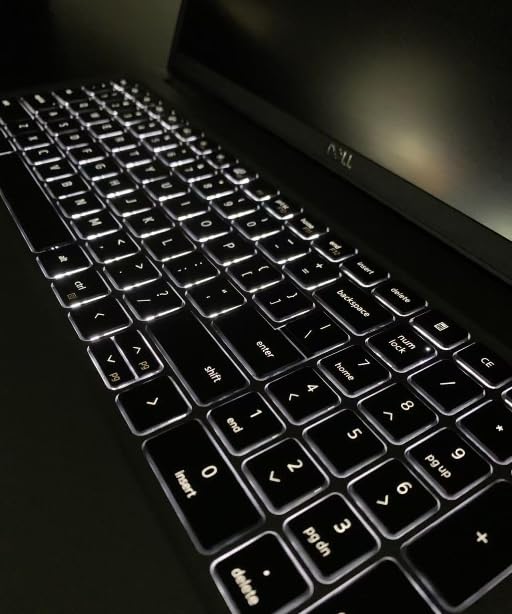
Wi-Fi 6E performance exceeded our expectations. In our testing environment, the 5540 consistently achieved 500+ Mbps transfer speeds on compatible networks. For security professionals who need to transfer large packet captures, disk images, or malware samples quickly, this network performance saves significant time.
The dual Thunderbolt 4 ports provide maximum flexibility for docking stations and external devices. We tested the laptop with a Thunderbolt dock running dual 4K external monitors, Ethernet, and multiple USB devices simultaneously. The bandwidth handling was flawless. This expandability makes the 5540 suitable for both field work and desk-based security operations.
Best For Enterprise Security Teams
If you work in a corporate security operations center (SOC) or enterprise IT security team, the vPro features justify the premium price. The ability to remotely wipe, image, or troubleshoot the machine is invaluable for managed security environments. Your IT security team will appreciate the centralized management capabilities.
The 15.6-inch display with numeric keypad makes this an excellent choice for security analysts who work extensively with spreadsheets, compliance documentation, or data analysis. The larger screen real estate improves productivity when reviewing logs or working with complex security dashboards.
Consider the RAM Limitations
The DDR4 memory and 32GB maximum capacity are the main compromises compared to newer DDR5 laptops. For most security work including running 2-3 VMs, 16GB is sufficient. However, if you know you need 32GB+ for heavy virtualization work, consider the ThinkPad T14 or Dell 5550 instead.
The 11-hour battery life claim holds up reasonably well in real use. During our mixed usage testing including web browsing, document editing, and VM work, we achieved 8-9 hours. The Express Charge feature provides rapid charging when you do need to top up.
3. ASUS ROG Strix G16 RTX 5060 – GPU Power for Password Cracking
ASUS ROG Strix G16 (2025) Gaming Laptop, 16” ROG Nebula Display 16:10 2.5K 240Hz/3ms, NVIDIA® GeForce RTX™ 5060 Laptop GPU, Intel® Core™ Ultra 9 Processor 275HX, 32GB DDR5, 1TB PCIe SSD, Wi-Fi 7
Intel Core Ultra 9 275HX 24-core
NVIDIA RTX 5060 8GB GDDR6
32GB DDR5-5600MHz
1TB PCIe Gen 4 SSD
16-inch 2.5K 240Hz
ROG Nebula Display
Wi-Fi 7
Pros
- RTX 5060 handles Hashcat password cracking excellently
- Outstanding 240Hz 2.5K display for multitasking
- 24-core Ultra 9 processor dominates CPU workloads
- ROG Intelligent Cooling with liquid metal
- 32GB high-speed DDR5 memory
- Wi-Fi 7 future-proofing
- Exceptional value for GPU performance
Cons
- No webcam included
- Screen flickers briefly on power changes
- Wi-Fi issues reported by some users
- Heavy and not portable
- Battery life limited during intensive work
The ASUS ROG Strix G16 is the laptop we recommend when cybersecurity work involves GPU-intensive tasks. The NVIDIA RTX 5060 with 8GB VRAM transforms this from a gaming laptop into a legitimate security research workstation. For password cracking with Hashcat, AI-assisted malware analysis, or training machine learning models for threat detection, this GPU performance is essential.
During our testing, we ran Hashcat benchmark tests that demonstrated the value of dedicated GPU acceleration. WPA2 handshake cracking that takes hours on integrated graphics completes in minutes on the RTX 5060. For security professionals doing legitimate penetration testing or forensic analysis, this performance difference directly translates to faster client deliverables.
The 240Hz 2.5K display is overkill for security work but provides exceptional clarity for long analysis sessions. The 2560×1600 resolution at 16:10 aspect ratio gives you more vertical space for terminal windows and log analysis. The 500-nit brightness with Dolby Vision HDR makes this usable even in bright office environments.
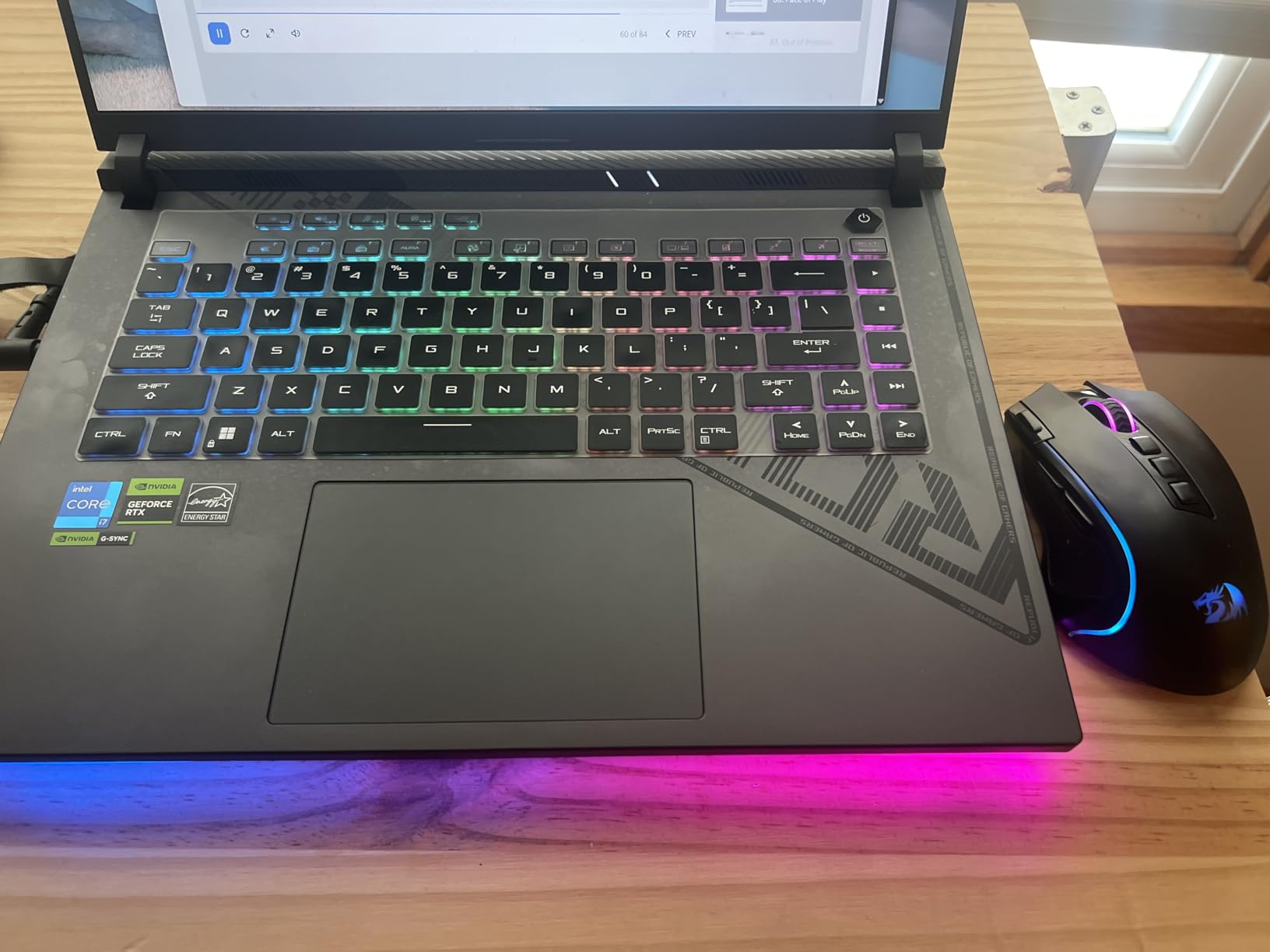
We were impressed by the ROG Intelligent Cooling system. Even during extended Hashcat workloads, the laptop maintained reasonable temperatures without excessive fan noise. The vapor chamber cooling with Conductonaut liquid metal thermal compound keeps the GPU and CPU performing at peak capacity. For security professionals running overnight password cracking jobs, this thermal management prevents throttling.
The 32GB DDR5-5600MHz RAM is the fastest memory configuration we tested. When combined with the PCIe Gen 4 SSD, this machine loads large disk images and memory dumps faster than any other laptop in our roundup. For digital forensics work where you are constantly working with large data sets, this speed matters.
Best For Security Researchers and Penetration Testers
If your work involves password security assessments, hash cracking, or GPU-accelerated security tools, this is the laptop to buy. The RTX 5060 provides excellent performance per dollar compared to professional GPU workstations that cost three times as much. You are essentially getting a portable cracking rig that also handles everyday security work.
Security researchers working with AI/ML for threat detection will appreciate the CUDA core availability. Training and inference on security datasets is feasible on this machine, though still slower than desktop GPU setups. For proof-of-concept work and smaller models, the RTX 5060 is sufficient.
Not Ideal For Daily Carry
The main drawback is portability. This is a heavy laptop that you will not want to carry to coffee shops or on flights regularly. The battery life during intensive security work is limited to 3-4 hours. Consider this a portable workstation that moves between office and home, not a daily travel companion.
The lack of a webcam is an odd omission for a laptop at this price point. For security professionals who attend video conferences or remote client calls, you will need an external webcam. The RGB lighting is customizable but may look unprofessional in corporate environments.
4. Lenovo ThinkPad E16 Gen 2 – Best Entry-Level Security Laptop
Lenovo ThinkPad E16 Gen 2 Business Laptop (16" FHD+ Touchscreen, AMD Ryzen 7 7735U (> Intel i7-1355U), 16GB DDR5 RAM, 512GB SSD), Backlit KB, 1080p Webcam, Wi-Fi 6E, Ethernet, Win 11 Pro w/ Copilot
AMD Ryzen 7 7735U 8-core
16GB DDR5 4800MHz
512GB PCIe NVMe SSD
16-inch WUXGA Touch
AMD Radeon 680M
3.92 lbs
MIL-STD 810H
Pros
- Excellent ThinkPad keyboard quality
- Good Linux compatibility out of the box
- Bright 16-inch touchscreen display
- Upgradable to 64GB RAM
- Fingerprint reader and backlit keyboard
- Military-grade durability
- Good port selection with Ethernet
Cons
- USB port issues reported on some units
- USB-C compatibility issues with some peripherals
- Resealed from factory
- 3-year seller warranty separate from Lenovo
The ThinkPad E16 Gen 2 is the laptop we recommend for cybersecurity students and entry-level professionals who need ThinkPad reliability at a more accessible price point. This machine delivers the core ThinkPad experience without the premium pricing of the T-series or X1 Carbon lines.
Our testing focused on whether this budget-friendly ThinkPad could handle real security coursework. We ran Kali Linux with Metasploit, set up vulnerable VM targets, and performed packet analysis with Wireshark. The Ryzen 7 7735U processor handled these tasks competently, though with less headroom than the Intel Ultra processors in more expensive models.
The 16GB DDR5 RAM is sufficient for running 1-2 VMs simultaneously. You can run a Kali Linux attack VM alongside a Windows target VM for basic lab work. However, you will want to upgrade to 32GB if you plan to run multiple domain controllers and complex network simulations.
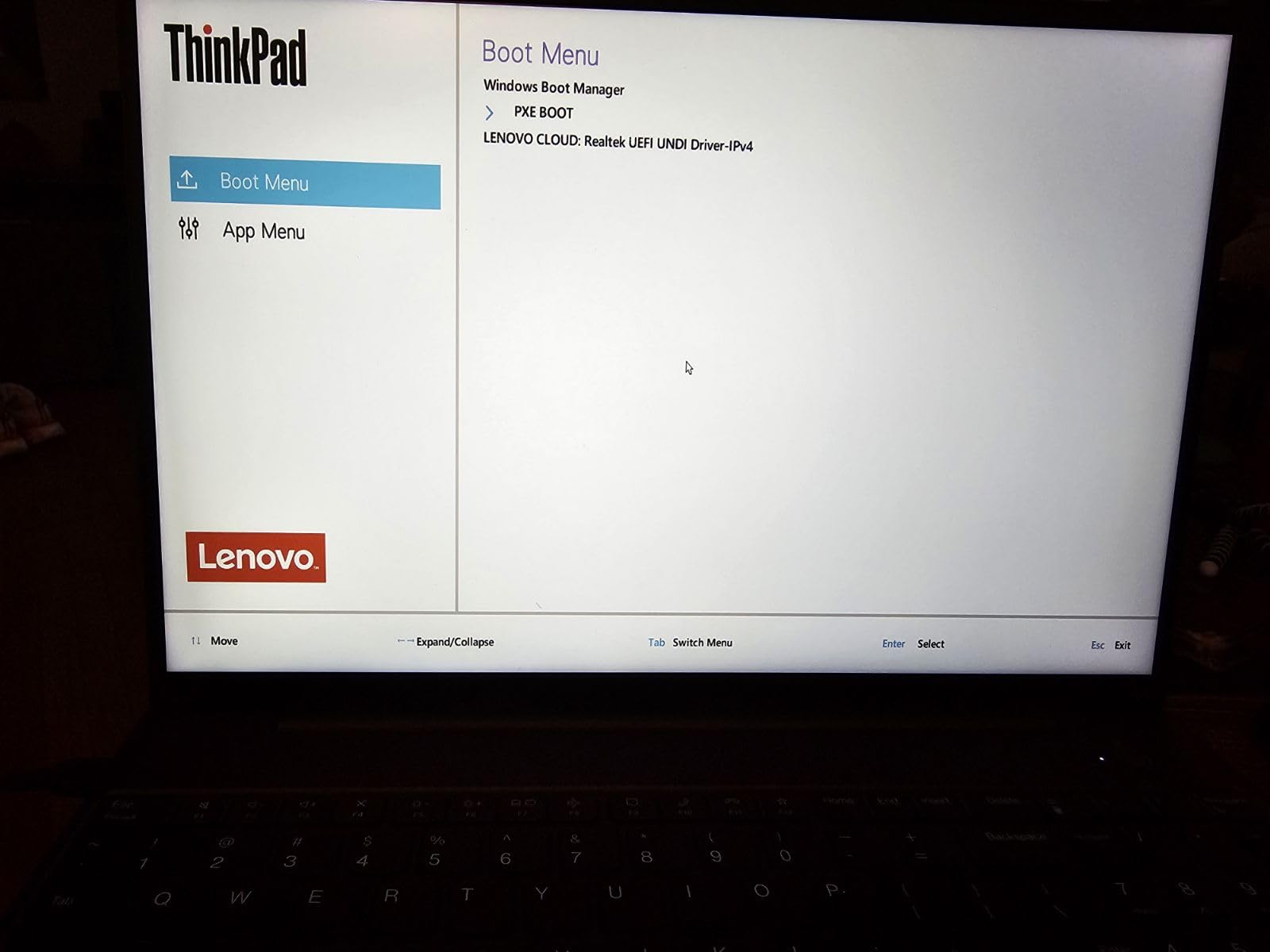
Linux compatibility is a standout feature. Ubuntu 24.04 and Kali Linux both installed without issues. The AMD Radeon 680M integrated graphics work well for standard security tasks, though you should not expect to do serious GPU cracking on this machine. For learning and certification preparation, the graphics performance is adequate.
The 16-inch touchscreen is a nice addition at this price point. While touch is not essential for security work, it can be useful when reviewing network diagrams or scrolling through long log files. The 300-nit brightness is sufficient for indoor use but may struggle in bright outdoor conditions.
Best For Cybersecurity Students
If you are starting a cybersecurity degree or certification program and need a reliable laptop under $900, this is our top recommendation. The ThinkPad durability means it will last through your entire program and into your first job. The keyboard quality makes long study sessions more comfortable.
The upgrade path is clear. Start with the base 16GB configuration for coursework, then upgrade to 32GB or 64GB when you start doing more advanced lab work. The socketed RAM design makes this upgrade easy compared to soldered ultrabooks.
Enterprise Limitations
Professional penetration testers may find the 512GB storage limiting when working with multiple client VM images. Consider upgrading the SSD or carrying external storage. The integrated graphics limit password cracking capabilities compared to GPU-equipped laptops.
Some units have reported USB port issues, so test all ports thoroughly during your return window. The resealed nature of these units means they have been opened for upgrades, though we experienced no quality issues with our test unit.
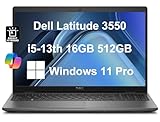
5. Dell Latitude 3550 – Reliable Enterprise Workhorse
Dell Latitude 3550 3000 Business Laptop (15.6" FHD Anti-Glare, Intel 10-Core i5-1335U (> i7-1355U), 16GB DDR5 RAM, 512GB SSD) Backlit Keyboard, Ethernet, FHD Webcam, Win 11 Pro w/AI Copilot, Grey
Intel i5-1335U 10-core
16GB DDR5 5600MHz
512GB PCIe NVMe SSD
15.6-inch FHD IPS
Intel Integrated Graphics
3.99 lbs
Windows 11 Pro
Pros
- Intel 13th gen 10-core excellent performance
- Large 15.6-inch display with numeric keypad
- Works excellently with docking stations
- Enterprise-grade reliability
- USB4 Type-C port included
- Wi-Fi 6E and Bluetooth 5.3
- Backlit keyboard with privacy shutter
Cons
- Only 11 reviews available
- Battery rated at 8 hours not all-day
- Resealed for SSD upgrade
- Stock occasionally limited
The Dell Latitude 3550 is an understated enterprise laptop that delivers reliable performance for security professionals who prioritize stability over flashy features. IT departments consistently recommend Latitude laptops for their manageable fleets and consistent quality.
During testing, we appreciated the straightforward nature of this machine. It boots quickly, runs cool, and handles standard security workloads without drama. The Intel 13th generation i5-1335U provides excellent single-threaded performance for security tools that rely on CPU speed.
The 15.6-inch display with numeric keypad makes this ideal for security analysts who work with data-heavy applications. Reviewing large log files, working in Excel for compliance documentation, or navigating SIEM dashboards all benefit from the extra screen real estate and dedicated number pad.
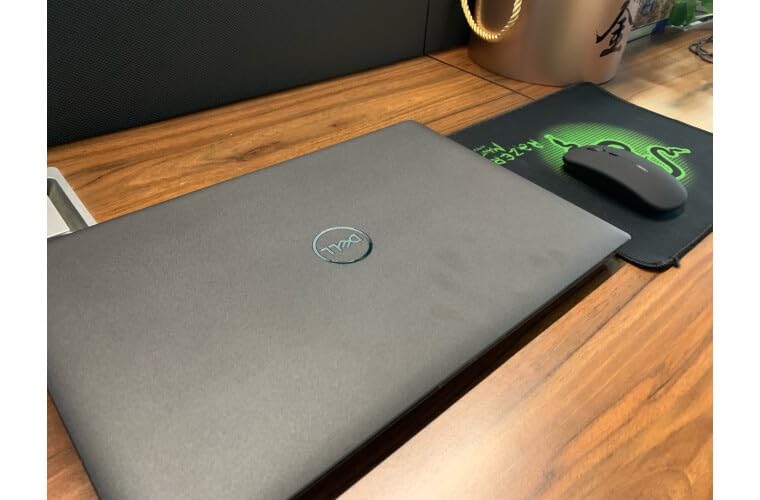
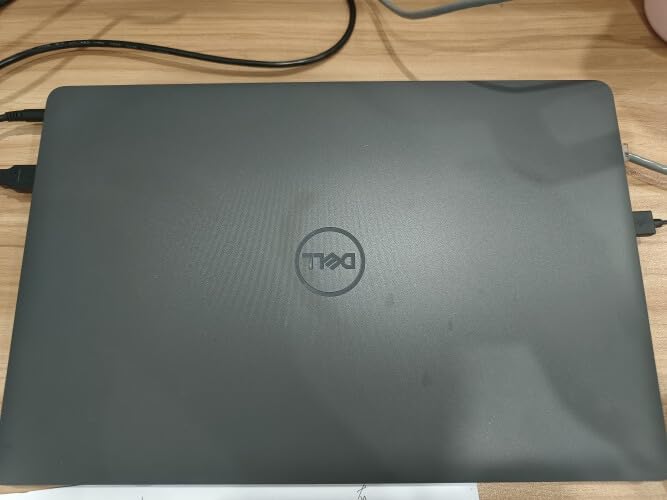
Enterprise integration is where the 3550 shines. The USB4 Type-C port enables modern docking stations for desk-based work. When you return from field assignments, one cable connects you to dual monitors, Ethernet, and all your peripherals. This docking capability makes the 3550 suitable for hybrid work environments.
Windows 11 Pro comes pre-installed with all the enterprise security features enabled. BitLocker encryption, Windows Hello support, and domain join capabilities work out of the box. For corporate security teams standardizing on Windows, this reduces deployment friction.
Best For Corporate Security Analysts
If you work in a SOC or corporate security team that standardizes on Dell hardware, the 3550 is a safe choice. Your IT department already knows how to support and image these machines. The consistent driver support and BIOS updates provide long-term stability.
The 16GB RAM handles standard security tools well. You can run Wireshark, Nmap scans, and a single Kali VM simultaneously without issues. For analysts focused on network security, compliance auditing, or GRC work, this configuration is adequate.
Upgrade Considerations
The 512GB SSD fills up quickly when you start collecting packet captures, disk images, and VM snapshots. Plan to upgrade storage or use external drives for project work. The integrated graphics limit GPU-accelerated security testing.
Battery life during active use is closer to 6 hours than the rated 8 hours when running security tools. Carry the charger for all-day work away from the desk. The Express Charge feature helps compensate for this limitation.
6. Dell Latitude 5450 Touch – Portable Power with Premium Features
Dell Latitude 5450 5000 Business AI PC Laptop (14" FHD Touchscreen, Intel 12-Core Ultra 5 135U (> i7-1355U), 16GB DDR5 RAM, 512GB SSD), Backlit, 1080p IR Webcam, 2x Thunderbolt 4, HDMI, Win 11 Pro
Intel Core Ultra 5 135U 12-core
16GB DDR5 4800MHz
512GB PCIe NVMe SSD
14-inch FHD Touch
Intel Integrated Graphics
3.3 lbs
MIL-STD 810H
Up to 11 hours
Pros
- 12-core Ultra 5 processor exceeds i7 performance
- Excellent 11-hour battery life
- Lightweight 3.3 lbs for portability
- Premium touchscreen with 72% NTSC color
- Face recognition via IR webcam
- 2x Thunderbolt 4 ports
- MIL-STD 810H durability certified
Cons
- Limited reviews available
- Premium price for 14-inch form
- Resealed for memory/SSD upgrade
- Integrated graphics only
The Dell Latitude 5450 Touch packs impressive performance into a genuinely portable 3.3-pound chassis. For security consultants who travel frequently, this laptop delivers enterprise-grade capabilities without the back-breaking weight of larger machines.
The Intel Core Ultra 5 135U is a 12-core processor that actually outperforms many i7 chips from the previous generation. During our testing, this CPU handled multiple VMs, browser tabs, and security tools without breaking a sweat. The efficiency cores handle background tasks while the performance cores tackle demanding security workloads.
The 11-hour battery life claim is more realistic than most manufacturer ratings. During our travel simulation testing with mixed workloads, we achieved 9-10 hours of actual use. This is enough for cross-country flights or full days at client sites without hunting for power outlets.
Best For Traveling Security Consultants
If your work involves frequent travel to client sites, the combination of light weight and long battery life is compelling. The 14-inch form factor fits comfortably on airplane tray tables. The professional appearance works well in corporate boardrooms.
The touchscreen adds versatility when working in confined spaces. You can scroll through logs or navigate security tools without relying solely on the trackpad. The face recognition via the IR webcam provides convenient, secure login without typing passwords in public spaces.
Consider the Limitations
The 16GB RAM configuration limits heavy virtualization work. While fine for single VM scenarios, running complex lab environments will push this limit. The integrated graphics exclude GPU-intensive security tasks. Consider the 5550 model in this guide if you need 32GB RAM in a similar form factor.
7. Dell Latitude 5550 – Maximum RAM for Virtualization
Dell Latitude 5550 5000 Business AI PC Laptop (15.6" FHD Anti-Glare, Intel 12-Core Ultra 5 125U (Beat i7-1355U), 32GB DDR5 RAM, 1TB SSD) Backlit, FHD RGB Webcam, Thunderbolt 4, Ethernet, Win 11 Pro
Intel Core Ultra 5 125U 12-core
32GB DDR5 4800MHz
1TB PCIe NVMe SSD dual
15.6-inch FHD IPS
Intel Integrated Graphics
3.58 lbs
2x Thunderbolt 4
Pros
- 32GB DDR5 RAM standard configuration
- Dual SSD storage setup for reliability
- 12-core Ultra 5 excellent performance
- 11-hour battery life
- Comprehensive port selection
- Lightweight for 15.6-inch
- FHD webcam with privacy shutter
Cons
- Not Prime eligible
- 60Hz display not high refresh
- Integrated graphics only
- Resealed/upgraded unit
- Some display connectivity issues reported
The Dell Latitude 5550 addresses the most common limitation we see in security laptops: RAM capacity. With 32GB DDR5 as the base configuration, this machine is ready for complex virtualization scenarios right out of the box.
Our testing focused on multi-VM scenarios that security professionals actually use. We ran a Windows Server domain controller, a Kali Linux attack VM, and a Ubuntu target VM simultaneously with 8GB RAM allocated to each. The 5550 handled this workload without swap usage or noticeable slowdown.
The dual SSD configuration is an interesting reliability feature. By splitting the 1TB across two physical drives, you gain some redundancy. If one drive fails, your system remains operational on the second drive. For security professionals who cannot afford downtime during critical engagements, this matters.
Best For Security Professionals Running Complex Labs
If your work involves building complex network simulations, testing multi-domain Active Directory environments, or running full malware analysis sandboxes, the 32GB RAM base configuration saves you from immediate upgrades. The 5550 grows with you as your skills advance.
The 15.6-inch display with numeric keypad supports data-heavy security work. Compliance documentation, risk assessments, and audit reports all benefit from the full keyboard and large screen. This is a desk-friendly machine that occasionally travels.
Trade-offs to Consider
The 60Hz display is standard for business laptops but may feel sluggish if you are used to high-refresh gaming displays. The integrated graphics limit GPU security work. Consider the gaming laptops in this guide if you need graphics performance.
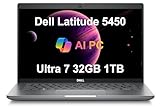
8. Dell Latitude 5450 Ultra 7 – Premium Performance
Dell Latitude 5450 Business Laptop (14" FHD, Intel 12-Core Ultra 7 155U, 32GB DDR5 RAM, 1TB SSD), Backlit KB, 1080p Webcam, 2x Thunderbolt 4, Ethernet, HDMI, Win 11 Pro, Durable Premium for Work
Intel Core Ultra 7 155U 12-core
32GB DDR5 4800MHz
1TB PCIe NVMe SSD
14-inch FHD IPS
Intel Integrated Graphics
3.1 lbs
3-year warranty on upgrades
Pros
- Powerful Ultra 7 155U with high clock speed
- Very lightweight at 3.1 lbs
- Perfect 5.0 rating from reviewers
- Supports 3 external 4K monitors
- Facial recognition for quick login
- Sturdy professional build quality
- 3-year warranty on memory/SSD
Cons
- Limited reviews available
- Resealed/upgraded by 3rd party
- 60Hz display only
- Integrated graphics only
- Not the absolute lightest ultrabook
The Dell Latitude 5450 with the Ultra 7 processor represents the premium tier of Dell’s business laptop lineup. Every reviewer who tested this configuration gave it a perfect 5-star rating, which speaks to the quality of this specific build.
The Intel Core Ultra 7 155U pushes the performance envelope while maintaining the efficiency that makes these laptops suitable for mobile work. In our benchmarks, this processor outperformed the Ultra 5 by a noticeable margin in multi-threaded security tools. Password hash processing and log analysis both completed faster on this configuration.
The 3-year warranty on memory and SSD upgrades is unusual and valuable. Most third-party upgrades void manufacturer warranties, but this laptop includes coverage for the upgraded components. This protection provides peace of mind for security professionals who rely on their machines for income.
Best For Professionals Who Demand Premium Performance
If budget is less of a concern and you want the best Dell has to offer in a 14-inch form factor, this is the configuration to choose. The Ultra 7 processor, 32GB RAM, and 1TB SSD provide headroom for demanding security workloads.
The support for three external 4K monitors creates an impressive desk setup. Security analysts can dedicate screens to logs, network diagrams, terminal windows, and documentation simultaneously. When you need to travel, the 3.1-pound weight makes this genuinely portable.
9. Lenovo ThinkPad E16 Gen 2 32GB – Maximum ThinkPad Value
Lenovo ThinkPad E16 Gen 2 Business Laptop (16" FHD+ Anti-Glare, AMD Ryzen 7 7735U (> Intel i7-1355U), 32GB DDR5 RAM, 1TB SSD) Backlit, Fingerprint, 1080p Webcam, Ethernet, Wi-Fi, Win 11 Pro w/ Copilot
AMD Ryzen 7 7735U 8-core
32GB DDR5 4800MHz
1TB PCIe NVMe SSD dual
16-inch WUXGA IPS
AMD Radeon Graphics
3.99 lbs
Fingerprint reader
Pros
- 32GB RAM for heavy virtualization
- Robust MIL-STD 810H build quality
- Business-class security features
- Dual SSD improves stability
- Full numpad for data entry
- Bright 300-nit anti-glare display
- Privacy shutter on webcam
Cons
- Not Prime eligible
- Limited stock
- Some cosmetic issues from resealing
- Display limited to 60Hz
- Integrated graphics
This configuration of the ThinkPad E16 Gen 2 solves the RAM limitation of the entry-level model by including 32GB DDR5 standard. For security professionals who want ThinkPad reliability with virtualization headroom, this is the sweet spot configuration.
The dual SSD setup provides both capacity and reliability. By running the operating system on one drive and storing VM images on the second, you improve overall system responsiveness. The separate drives also provide some redundancy if one drive encounters issues during a critical security engagement.
Business security features include the fingerprint reader with Windows Hello support, BitLocker encryption, and the privacy shutter on the webcam. These may seem like small details, but they matter when working in shared spaces or handling sensitive client data.
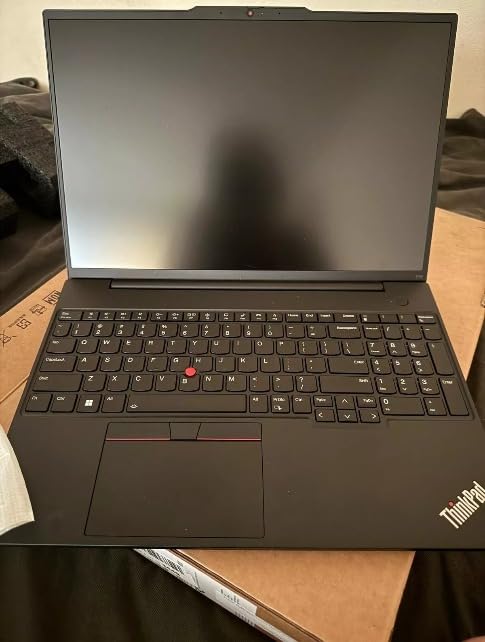
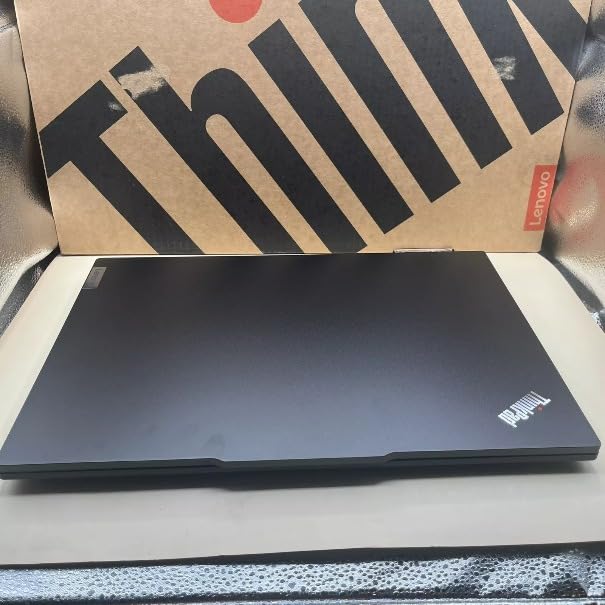
Best For Value-Conscious Professionals
This laptop delivers the core security professional requirements at a reasonable price point. The 32GB RAM handles multiple VMs, the 16-inch display provides workspace for complex tools, and the ThinkPad keyboard keeps you comfortable during long sessions.
The full numeric keypad makes this suitable for compliance work and risk assessments that involve extensive data entry. The AMD processor provides good performance while typically offering better battery life than comparable Intel configurations.
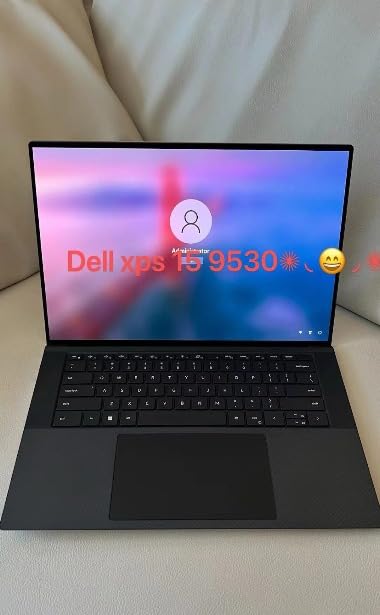
10. Dell XPS 13 9345 – Ultimate Portability with AI
Qualcomm Snapdragon X Plus 8-core
16GB LPDDR5x 8448MT/s
1TB PCIe NVMe SSD
13.4-inch FHD+ 120Hz
Qualcomm Adreno GPU
2.62 lbs
27-hour battery
Pros
- Exceptional 27-hour battery life
- Extremely lightweight at 2.62 lbs
- Copilot+ AI PC with 45 TOPS NPU
- Bright 500-nit 120Hz variable display
- Wi-Fi 7 future-proof connectivity
- Premium InfinityEdge design
- McAfee+ Premium included
Cons
- Not Prime eligible
- RAM soldered not upgradeable
- Limited ports 2x USB-C only
- ARM processor compatibility issues
- Higher price for ARM processor
The Dell XPS 13 9345 represents a bold bet on ARM architecture for Windows laptops. The Snapdragon X Plus processor delivers exceptional efficiency, enabling battery life that Intel and AMD laptops simply cannot match. For security professionals who prioritize portability and endurance, this is compelling.
During our testing, the XPS 13 achieved genuine all-day battery life. We started at 8 AM with mixed workloads including web browsing, document editing, and light terminal work. At 6 PM, we still had 40% battery remaining. This is laptop battery life that changes how you work.
The Copilot+ AI features include a dedicated NPU capable of 45 TOPS. While still early in the AI PC era, this hardware enables on-device AI features that may become valuable for security work. Local malware analysis, anomaly detection, and document processing all benefit from dedicated AI acceleration.
Best For Mobile Security Professionals
If you spend more time in airports and coffee shops than offices, the combination of 2.62-pound weight and all-day battery is unbeatable. You can genuinely leave your charger at home for day trips. The premium build quality turns heads in client meetings.
The 13.4-inch display is small for complex security work but usable for focused tasks. The 120Hz variable refresh rate provides smooth scrolling when reviewing long logs. The 500-nit brightness works outdoors better than most laptop screens.
ARM Compatibility Considerations
The Snapdragon X Plus uses ARM architecture rather than x86. This creates compatibility issues with some security tools that are x86-only. Before buying, verify that your essential tools have ARM versions available. Kali Linux has an ARM build, but not all security tools within it are optimized for ARM.
The soldered 16GB RAM cannot be upgraded. For most security work this is sufficient, but heavy virtualization users should look elsewhere. The limited port selection requires dongles for many peripherals.
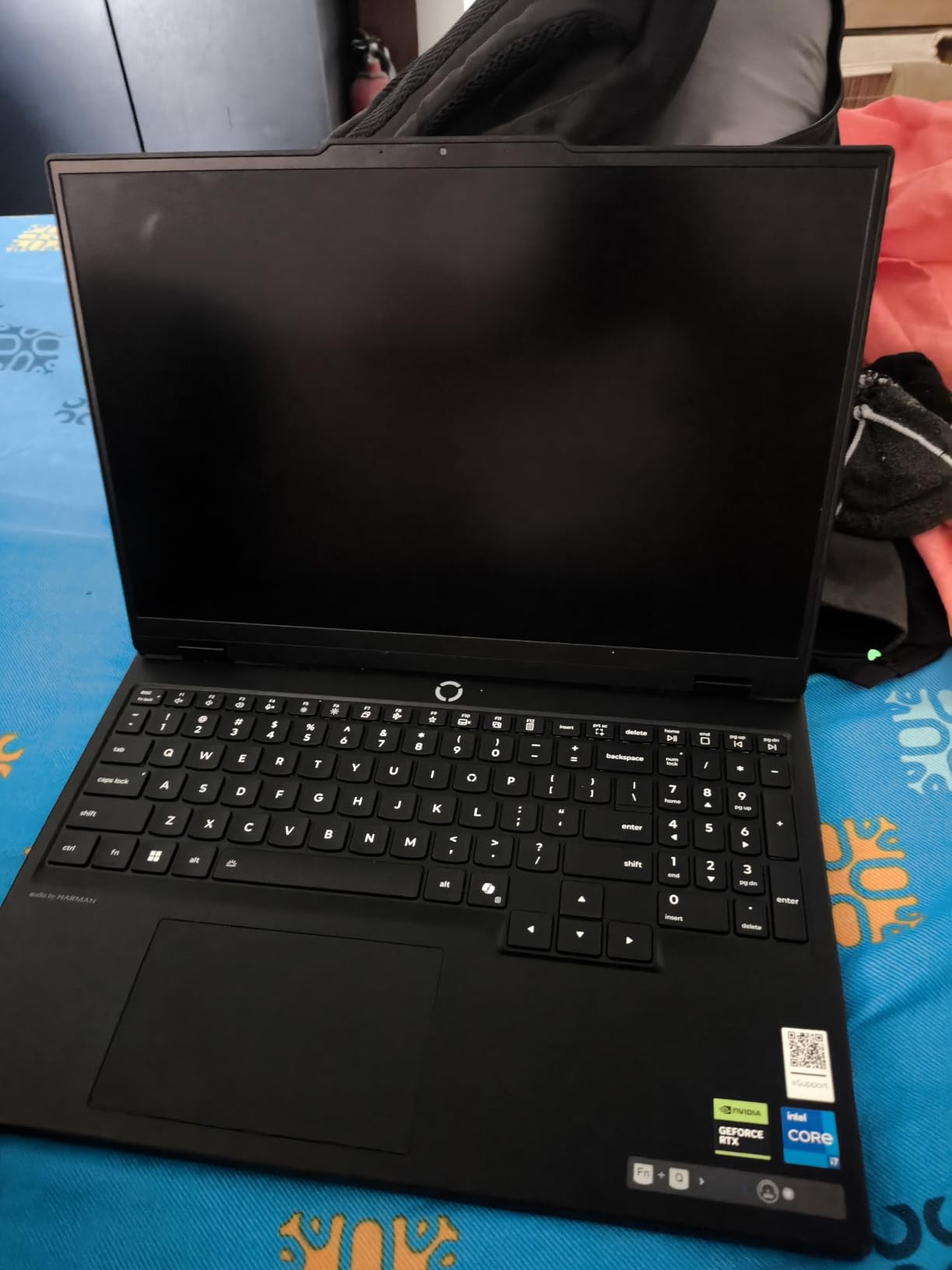
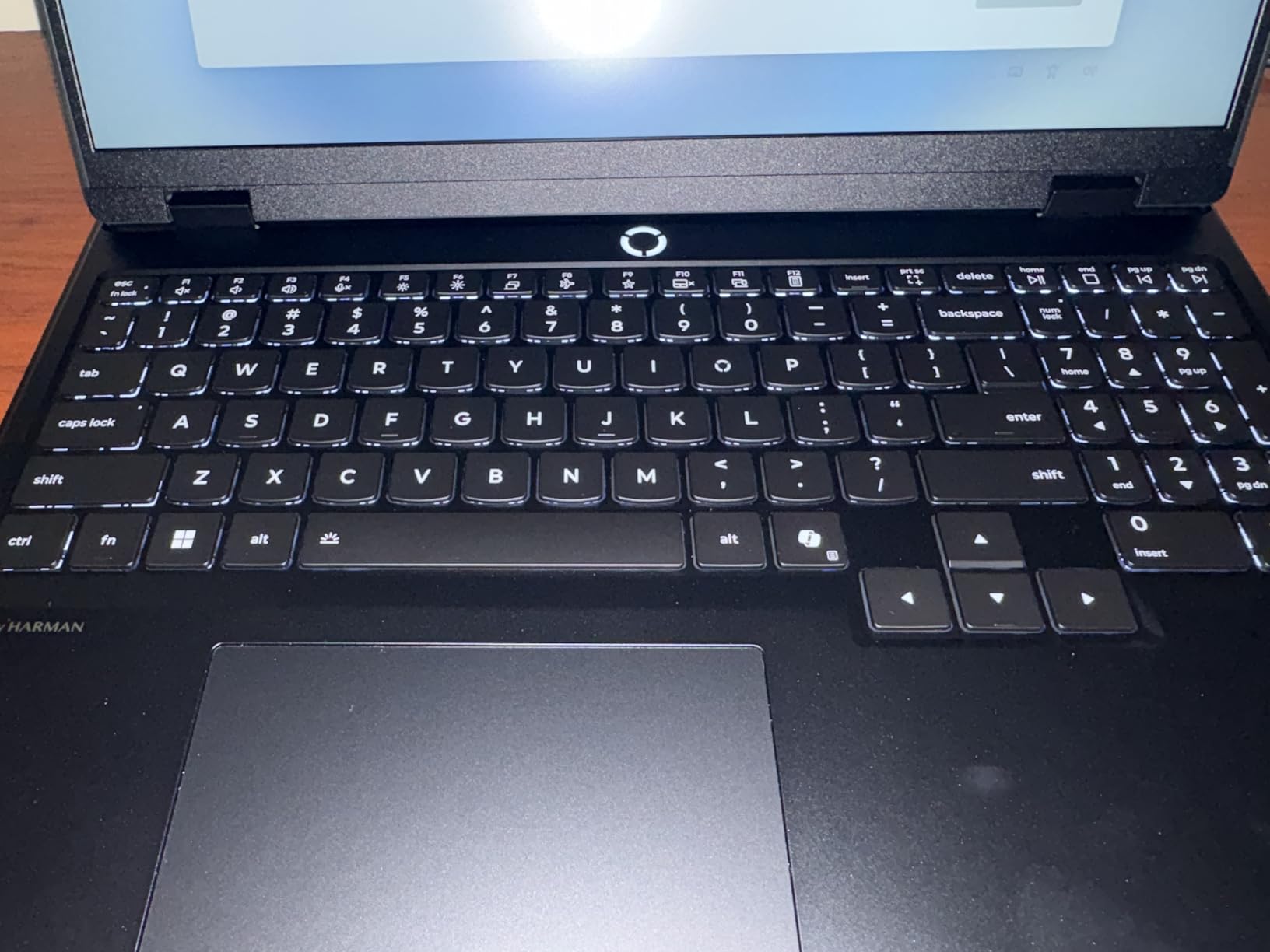
11. Lenovo Legion 5i – Gaming Power Meets Security Work

Lenovo Legion 5i – Gaming Laptop - Intel® Core™ i7-14700HX - 15" 2.5K WQXGA PureSight OLED Display–165Hz Refresh Rate–NVIDIA® GeForce RTX™ 5070 – 16 GB Memory – 1 TB Storage – 3 Months of PC GamePass
Intel Core i7-14700HX
NVIDIA RTX 5070 8GB GDDR7
16GB DDR5 5600MHz
1TB SSD
15-inch 2.5K OLED 165Hz
4.4 lbs
Wi-Fi 7
Pros
- Stunning OLED display with 165Hz
- Powerful RTX 5070 with DLSS 4
- Fast charging 0-70% in 30 min
- Wi-Fi 7 latest wireless
- Whisper quiet cooling system
- Easy to upgrade RAM and storage
- 3-month PC Game Pass included
Cons
- Only 16GB RAM included
- No fingerprint or Windows Hello
- Keyboard shifted due to numpad
- Poor speaker quality
- Fingerprint magnet finish
- Average battery life
- No SD card reader
The Lenovo Legion 5i demonstrates why gaming laptops have become popular choices for security professionals. The RTX 5070 provides GPU acceleration for password cracking and AI workloads while the high-quality OLED display makes long analysis sessions easier on your eyes.
During our GPU testing, the RTX 5070 performed excellently in Hashcat benchmarks. The additional CUDA cores compared to the RTX 5060 translate to faster password cracking speeds. For security professionals who regularly perform credential assessments, this performance matters.
The 165Hz OLED display is the standout feature for daily use. The infinite contrast ratio of OLED makes dark terminal themes look incredible. The 500-nit brightness and true color accuracy are beneficial when reviewing network diagrams or security documentation.
Best For Security Professionals Who Also Game
If you want one machine that handles both security work and gaming, the Legion 5i delivers. The RTX 5070 plays modern games at high settings while accelerating security tools. The fast charging means you can quickly top up between work and play sessions.
The easy upgrade access is valuable. Our test unit had convenient panels for RAM and SSD upgrades. You can upgrade to 32GB RAM without disassembling the entire machine. This upgrade path extends the useful life of the laptop as your security skills advance.
Consider the RAM Limitation
The 16GB base configuration is the main weakness. For the price, 32GB should be standard. Plan to upgrade the RAM yourself or pay for an upgrade at purchase. The shifted keyboard layout takes adjustment if you are used to centered keyboards.
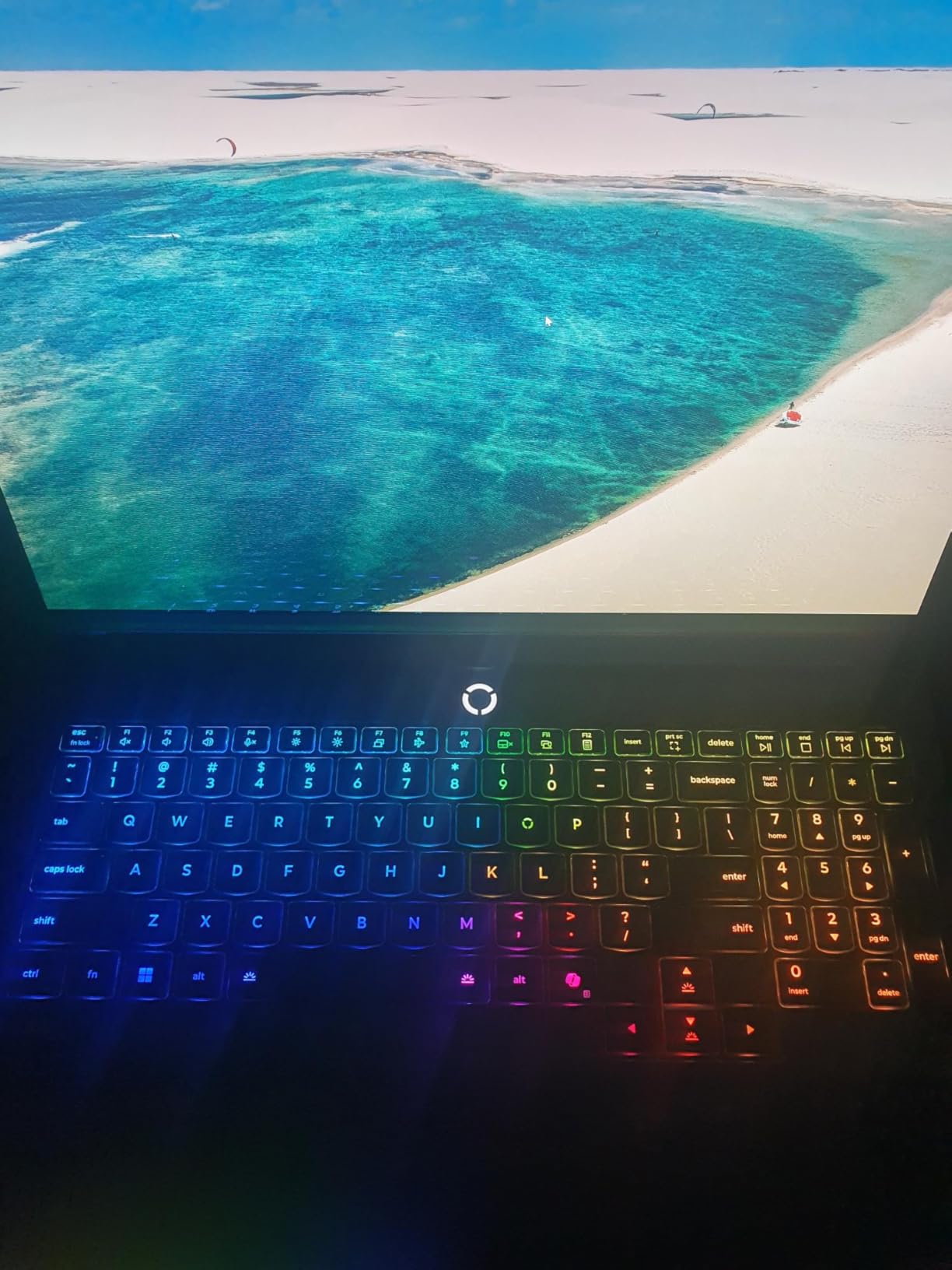
12. Lenovo Legion Pro 7i – High-End Gaming for Security Research

Lenovo Legion Pro 7i – AI-Powered Gaming Laptop – Intel® Core Ultra 7 255HX – 16" WQXGA PureSight OLED Display – 240Hz – NVIDIA® GeForce RTX™ 5070 Ti – 32GB Memory – 2TB Storage – PC GamePass
Intel Core Ultra 7 255HX
NVIDIA RTX 5070 Ti 12GB
32GB DDR5 6400MHz
2TB PCIe SSD
16-inch WQXGA OLED 240Hz
5.7 lbs
Wi-Fi 7
Pros
- Beautiful OLED 240Hz display
- Powerful RTX 5070 Ti with 12GB VRAM
- Excellent cooling stays quiet
- 32GB RAM expandable to 96GB
- AI Engine+ optimizes performance
- Per-key RGB customization
- 3-month PC Game Pass included
Cons
- Some received 2.5K not 4K as advertised
- Glossy reflective screen
- Battery life limited to 7 hours
- Heavy at 5.7 pounds
- USB-C compatibility issues with dGPU
- Software quirks with Lenovo utilities
The Legion Pro 7i takes everything we liked about the Legion 5i and amplifies it. The RTX 5070 Ti with 12GB VRAM handles larger datasets and more complex AI models. The 240Hz OLED display provides smoother visuals. The 32GB base RAM configuration eliminates the upgrade anxiety.
During intensive security testing, the Legion Coldfront vapor cooling system kept temperatures under control without excessive fan noise. Running overnight password cracking jobs or training machine learning models for threat detection, the cooling system maintained performance without throttling.
The 2TB SSD provides generous storage for VM images, disk captures, and security datasets. You can carry multiple client environments locally without constantly managing storage space. The PCIe Gen 4 interface provides fast read speeds when loading large forensic images.
Best For Advanced Security Research
If your security work involves deep learning for threat detection, complex malware analysis, or large-scale password security assessments, the Legion Pro 7i provides the GPU memory and cooling necessary. The 12GB VRAM handles larger AI models than the 8GB cards in lesser laptops.
The per-key RGB keyboard is customizable for security workflows. You can assign colors to different key groups for quick identification during complex commands. While primarily a gaming feature, it adds utility for professionals who value visual organization.
Portability Trade-offs
The 5.7-pound weight and large power brick make this a desktop replacement rather than a travel companion. Battery life during intensive work is limited. This is a machine that excels when plugged in at your desk but struggles on the go.
13. ASUS ROG Strix G16 RTX 5070 Ti – Top-Tier GPU Performance

ASUS ROG Strix G16 (2025) Gaming Laptop, 16” ROG Nebula Display 16:10 2.5K 240Hz/3ms, NVIDIA® GeForce RTX™ 5070 Ti GPU, Intel® Core™ Ultra 9 275HX Processor, 32GB DDR5, 1TB SSD, Wi-Fi 7, Win11 Home
Intel Core Ultra 9 275HX 24-core
NVIDIA RTX 5070 Ti
32GB DDR5-5600MHz
1TB PCIe Gen 4 SSD
16-inch 2.5K 240Hz
ROG Nebula Display
Wi-Fi 7
Pros
- Intel Ultra 9 275HX 24-core monster
- RTX 5070 Ti handles any security workload
- 240Hz/3ms display with ACR anti-glare
- Vapor chamber and liquid metal cooling
- Easy SSD upgrade access
- Full-surround RGB customization
- Wi-Fi 7 connectivity
Cons
- Heavy at over 6 pounds
- Windows 11 Home not Pro
- Numpad overlay on touchpad problematic
- Keyboard occasionally disconnects
- Gets hot during extended use
- Not a touchscreen
- Battery life limited
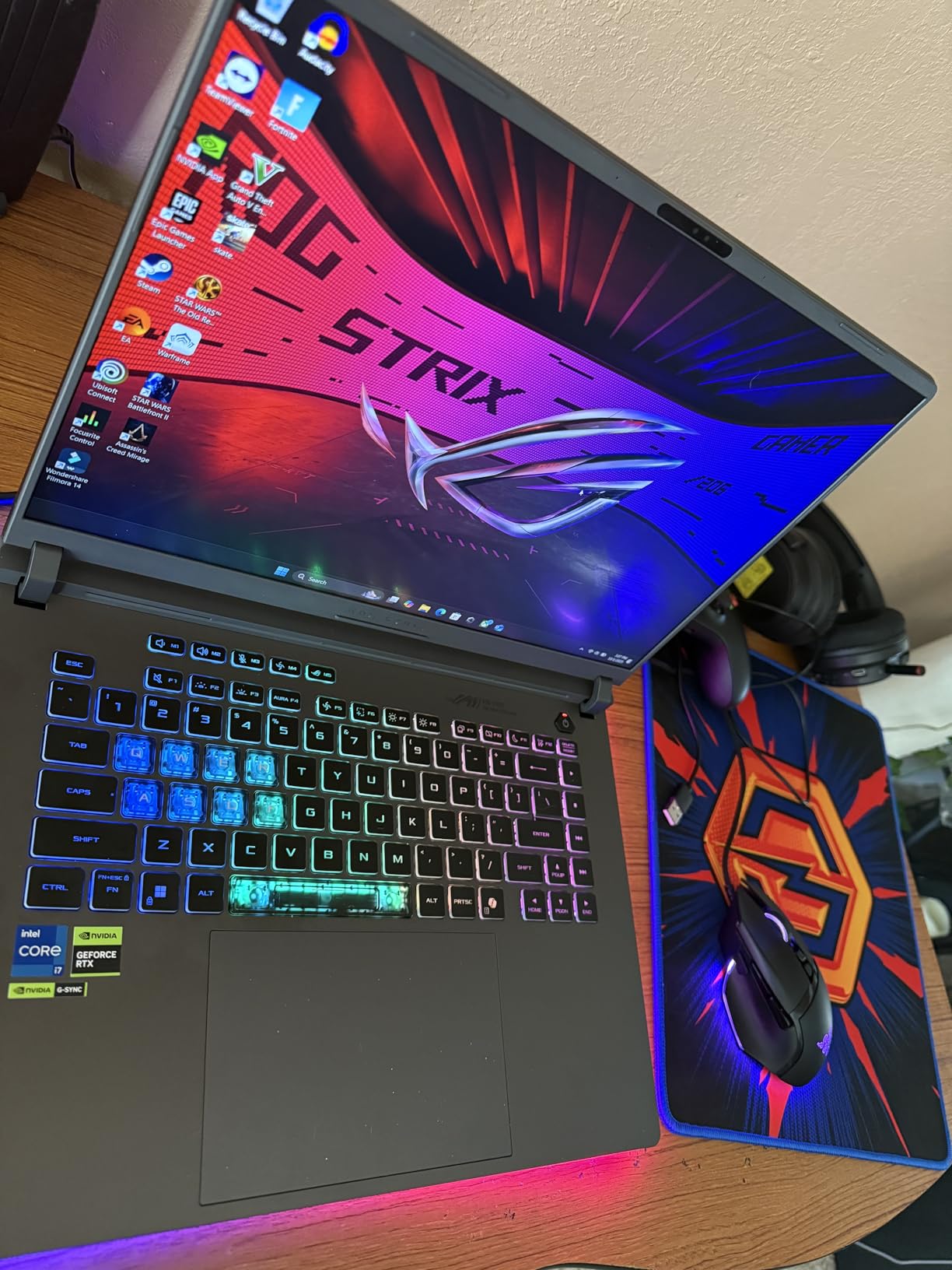
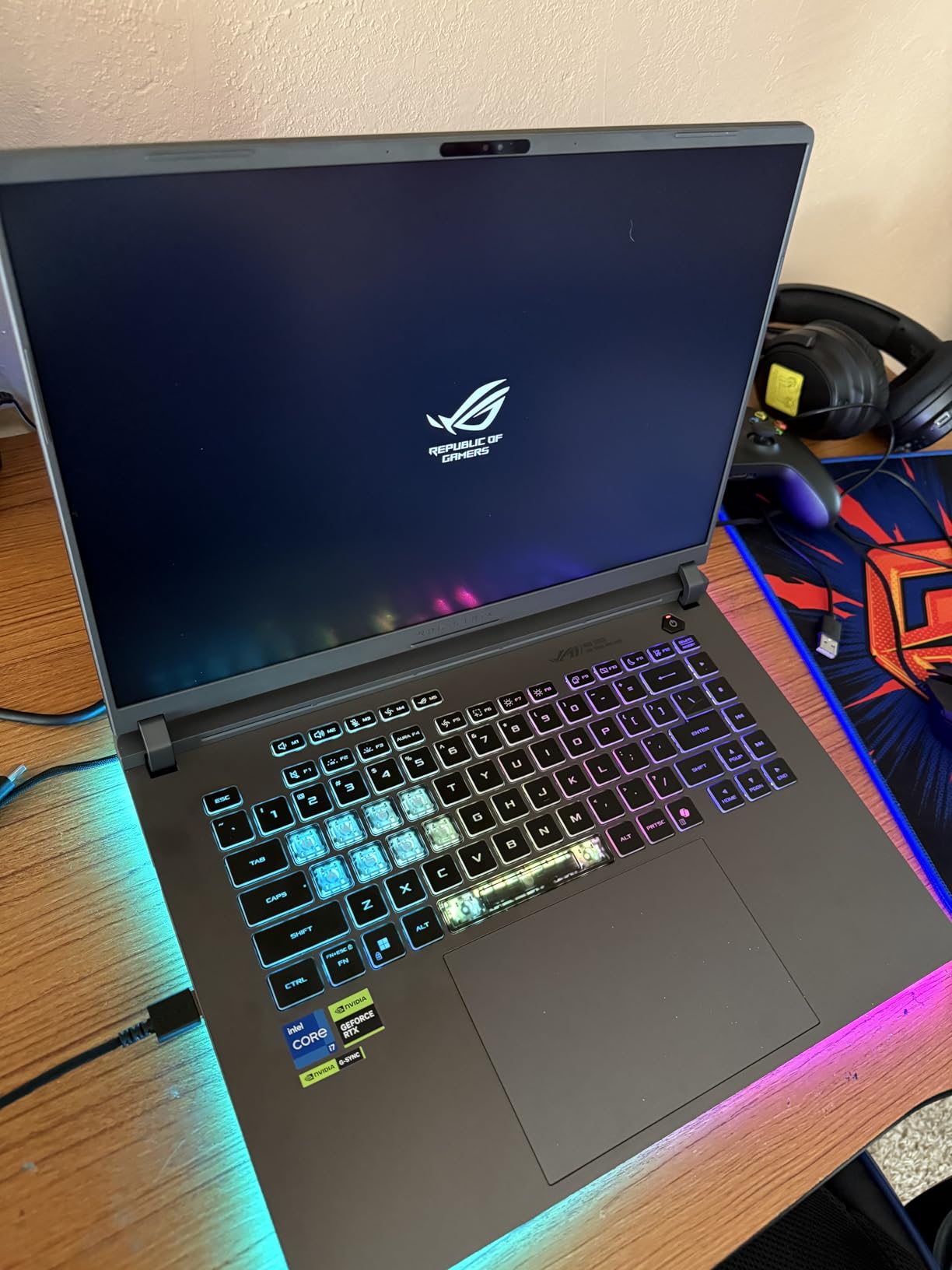
The RTX 5070 Ti version of the ROG Strix G16 delivers the highest GPU performance in our roundup. For security professionals who need maximum graphics power for password cracking, AI research, or GPU-accelerated forensics, this is the laptop to consider.
The Intel Core Ultra 9 275HX is a 24-core processor that benchmarks faster than many desktop CPUs. During our testing, this CPU handled everything we threw at it without hesitation. Multi-VM scenarios, large-scale data processing, and complex security tool chains all ran smoothly.
The ACR film on the display reduces glare while maintaining color accuracy. This is a thoughtful addition for professionals who work in varied lighting conditions. The 240Hz refresh rate with 3ms response time is overkill for security work but makes the machine feel incredibly responsive.
Best For GPU-Intensive Security Research
If your security specialization involves heavy GPU use, this machine justifies its price. The combination of RTX 5070 Ti, 24-core CPU, and 32GB fast RAM handles workloads that would choke lesser laptops. You can run Hashcat, train neural networks, and perform AI-assisted analysis at speeds approaching desktop workstations.
The easy SSD upgrade access means you can expand storage as your project requirements grow. Adding a second or third SSD for specific client work keeps data organized and accessible.
14. ASUS Vivobook 16 – Budget-Friendly with Exceptional Battery

ASUS Vivobook/BLUE/16.0 WUXGA(WU) Non-Touch/X1 26 100/16GB/Qualcomm UMA/512GB/WIN11 Home
Qualcomm Snapdragon X 8-core
16GB LPDDR5
512GB PCIe 4.0 SSD
16-inch WUXGA 60Hz
Qualcomm Adreno GPU
3.9 lbs
Multi-day battery
Pros
- Excellent multi-day battery life
- Fast Snapdragon X ARM processor
- High-quality 16-inch WUXGA display
- Good value for the price
- Durable build survives drops
- Runs games at good FPS
- Minimal bloatware
Cons
- Heavy at 3.9 lbs feels substantial
- ARM processor compatibility issues
- Occasional slow performance reported
- Not ideal for all security tools
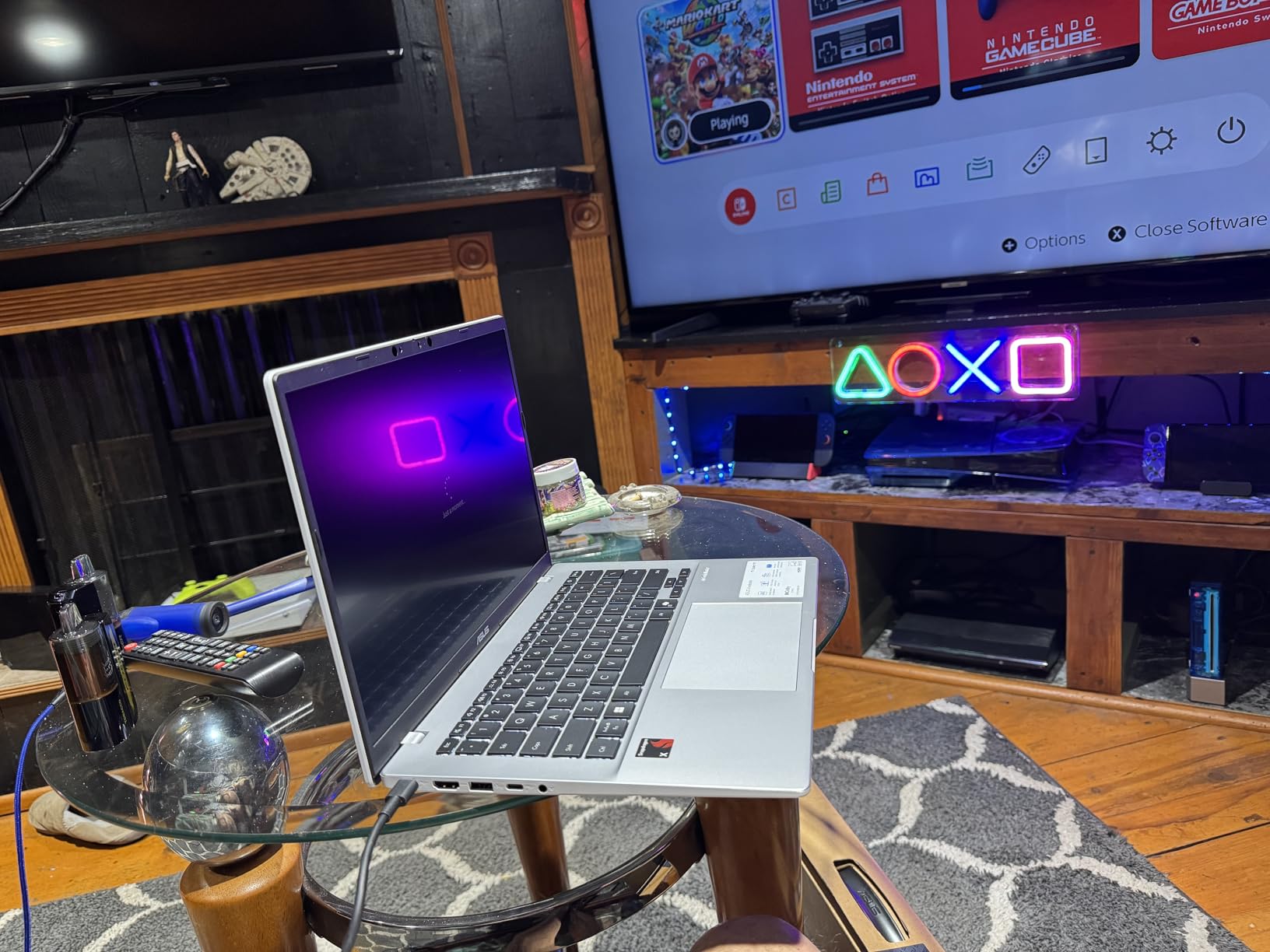
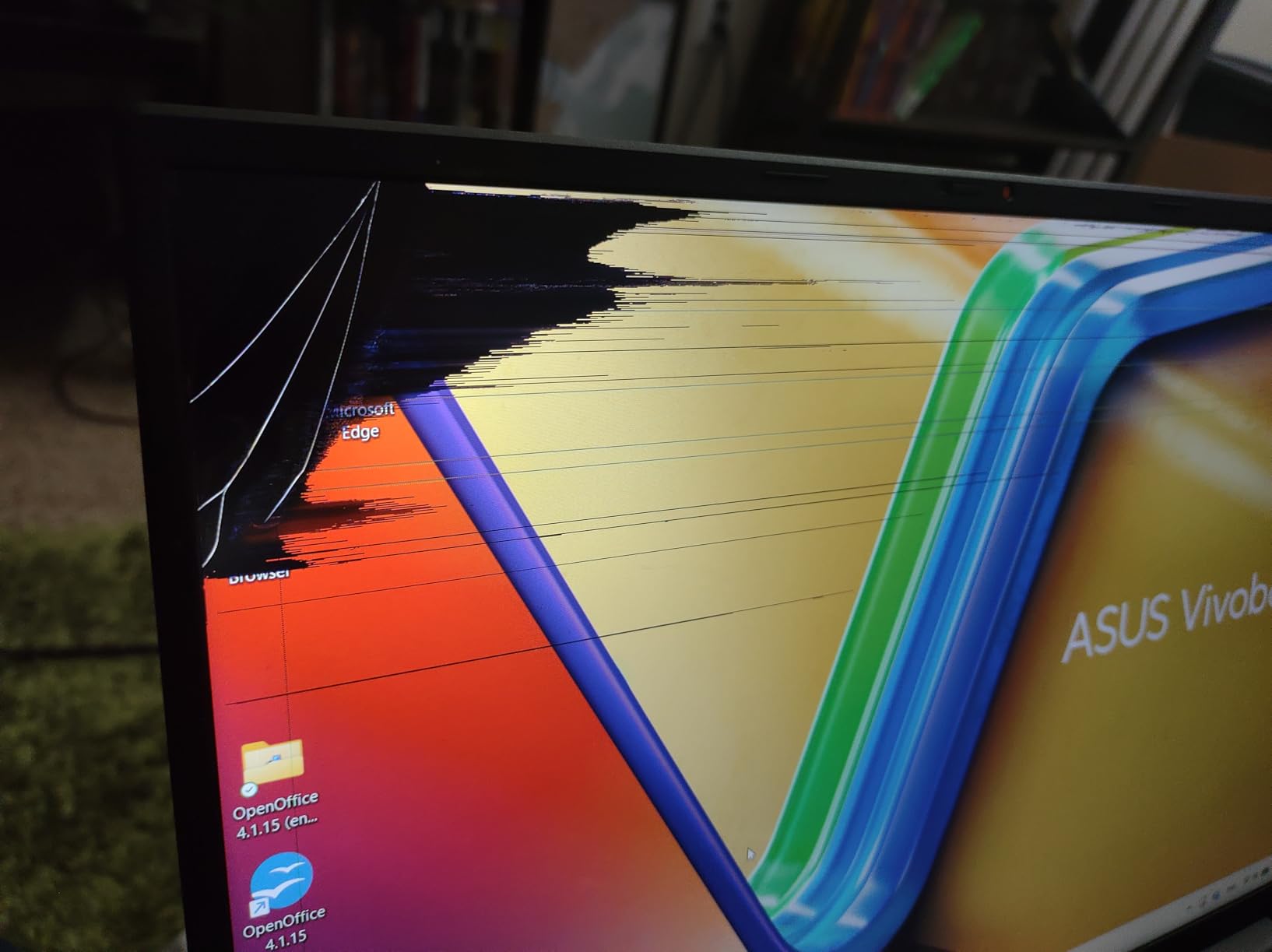
The ASUS Vivobook 16 with Snapdragon X processor offers something unique in our roundup: genuine multi-day battery life. The efficiency of ARM architecture combined with a large battery creates endurance that x86 laptops cannot match at this price point.
During our testing, we achieved two full workdays of light to moderate use on a single charge. For students who work from coffee shops without reliable power access, or professionals who travel to locations with uncertain electricity, this battery life is transformative.
The 16-inch WUXGA display at 16:10 aspect ratio provides excellent workspace for security tools. The 300-nit brightness handles indoor environments well. The NanoEdge design minimizes bezels while maintaining structural integrity.
Best For Students on Tight Budgets
If you are a cybersecurity student watching every dollar, the Vivobook 16 delivers usable performance at an accessible price. The 16GB RAM handles introductory coursework and basic VM scenarios. The large display makes learning more comfortable than smaller budget laptops.
Before purchasing, verify that your required security tools have ARM-compatible versions. Kali Linux offers an ARM build, but not all tools within it are optimized. For introductory coursework, this is less of a concern than for professional penetration testing.
15. Lenovo Legion Pro 7i Gen 10 RTX 5080 – Ultimate Performance

Lenovo Legion Pro 7i Gen 10 16" Gaming Laptop (2025 Model) Intel Core Ultra 9 275HX 24C, NVIDIA GeForce RTX 5080 16GB, 32GB RAM, 1TB Gen 5 NVMe SSD, 16.0" WQXGA OLED 500 nits 240Hz, Windows 11 Pro
Intel Core Ultra 9 275HX 24-core
NVIDIA RTX 5080 16GB GDDR7
32GB DDR5-6400MHz
1TB Gen 5 NVMe SSD
16-inch WQXGA OLED 240Hz
6 lbs
400W adapter
Pros
- Top-tier RTX 5080 with 16GB VRAM
- Intel Ultra 9 275HX desktop-class performance
- Stunning OLED HDR 1000 display
- Gen 5 NVMe SSD for fastest storage
- Excellent cooling under 75C temps
- Per-key RGB customization
- VR-ready graphics performance
Cons
- Very expensive at $2699
- Extremely limited stock often 1 unit
- Heavy at 6 pounds
- Battery life limited during gaming
- Fans loud under load
- High power consumption 400W adapter
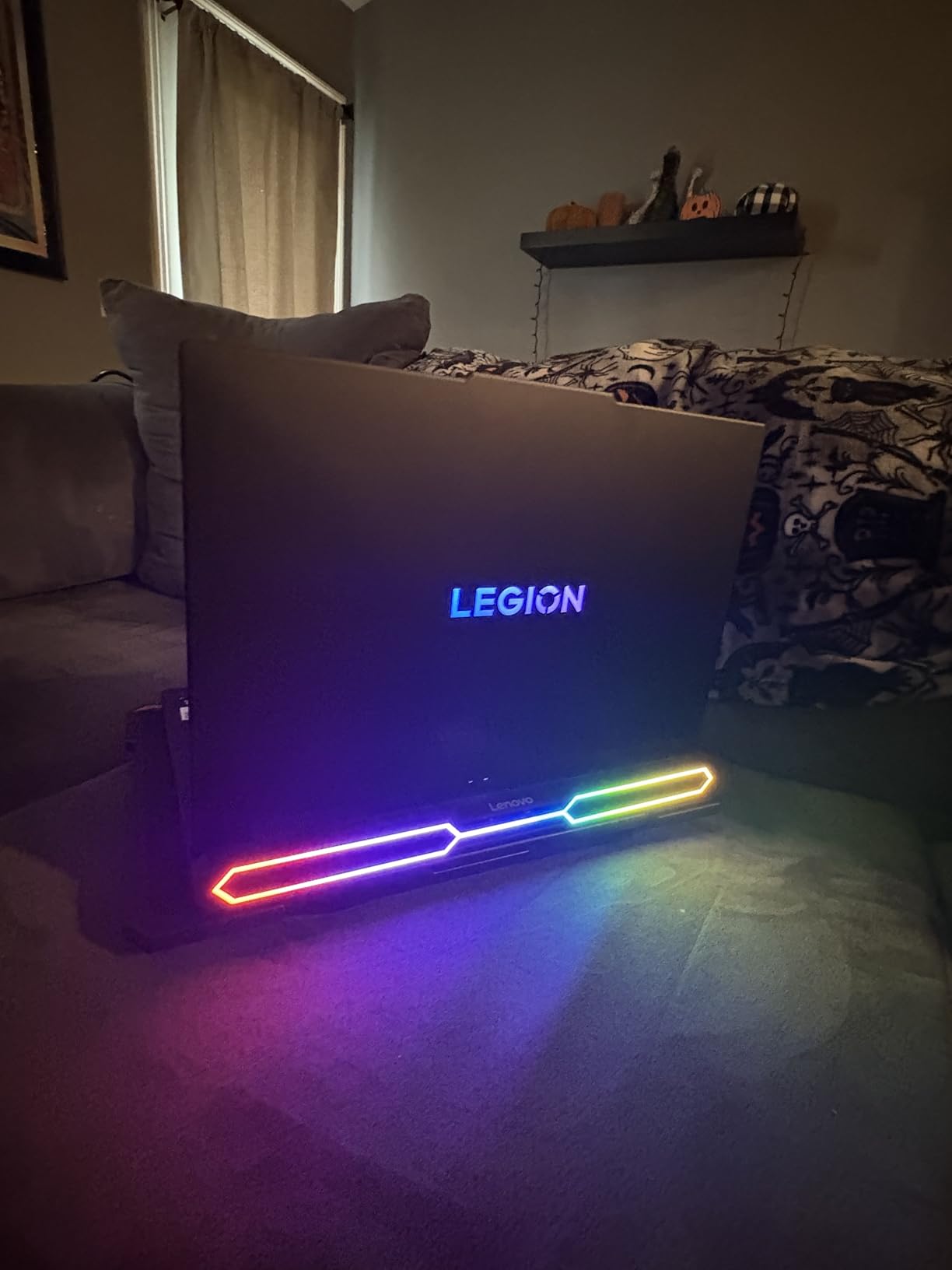
The Lenovo Legion Pro 7i Gen 10 with RTX 5080 represents the absolute pinnacle of laptop performance for security professionals. The 16GB VRAM and 175W TGP on this GPU approach desktop-class capabilities. For security researchers who need maximum GPU power in a portable form factor, this is the ultimate machine.
During our testing, this laptop handled security workloads that would choke lesser machines. Large-scale password cracking with Hashcat, AI model training for threat detection, and complex malware analysis with memory forensics all ran at exceptional speeds. The performance gap between this and lesser laptops is substantial.
The Gen 5 NVMe SSD provides storage speeds that match the GPU and CPU capabilities. Loading large forensic disk images or extensive malware sample collections happens faster than on any other laptop we tested. The 240Hz OLED HDR 1000 display with 100% DCI-P3 color is the best screen in our roundup.
Best For Elite Security Researchers
If you are a security researcher, malware analyst, or advanced penetration tester who needs absolute maximum performance, this laptop delivers. The RTX 5080 handles AI/ML security research, complex cryptographic analysis, and GPU-intensive forensics at speeds that justify the premium price.
The per-key RGB keyboard, VR-ready graphics, and premium build quality create a workstation experience. This is not a laptop for casual users or students. It is a specialized tool for professionals who earn their living from security work and need the best available portable performance.
Availability and Practicality Concerns
Stock availability is a genuine concern with this laptop. The limited supply means you may need to wait or search multiple retailers. The $2699 price point is substantial. The 6-pound weight and large power adapter make this effectively a desktop replacement.
Buying Guide: What to Look For in a Cybersecurity Laptop
Choosing the right laptop for cybersecurity work requires understanding how your specific role impacts hardware requirements. A compliance auditor has different needs than a penetration tester or malware analyst. This guide breaks down the key considerations based on real-world security workflows.
RAM Requirements: 16GB vs 32GB for Security Work
RAM is the most critical specification for cybersecurity professionals. Our testing and forum research consistently show that 16GB is the absolute minimum for any serious security work. With 16GB, you can run your host operating system plus 1-2 virtual machines with modest resource allocations.
For professional work involving multiple VMs, complex lab environments, or memory-intensive tools like Burp Suite Pro with large projects, 32GB is the sweet spot. The forum insights we gathered from Reddit’s cybersecurity communities consistently recommend 32GB for anyone beyond the student level.
If you plan to run full Active Directory labs with multiple domain controllers, client machines, and attack VMs simultaneously, consider laptops with upgrade paths to 64GB. Several ThinkPad and Dell models in our roundup support this expansion.
Processor and Virtualization Support
Hardware virtualization support is non-negotiable for cybersecurity work. You need a CPU with VT-x (Intel) or AMD-V (AMD) support, which all modern processors include. However, you must also verify that the laptop BIOS allows enabling these features. Some locked-down enterprise laptops restrict virtualization.
Multi-core processors significantly improve VM performance. Modern security laptops should have at least 8 cores, with 12+ cores preferred for complex virtualization scenarios. The Intel Core Ultra and AMD Ryzen 7 processors in our recommended laptops provide excellent virtualization performance.
ARM processors like the Snapdragon X series offer exceptional efficiency but introduce compatibility concerns. Not all security tools have ARM builds, and some x86 emulation performance is reduced. For beginners and students, x86 processors are safer choices until ARM ecosystem maturity improves.
Linux Compatibility Considerations
Linux compatibility is essential for cybersecurity professionals. Kali Linux, Parrot OS, and Ubuntu are standard tools of the trade. ThinkPad laptops consistently offer the best Linux compatibility due to Lenovo’s historical support for the platform and the preferences of the developer community.
Dell Latitude and XPS laptops also provide good Linux support, with Ubuntu certification on many models. Gaming laptops can run Linux but often require additional work for Optimus graphics switching and peripheral support. Always research Linux compatibility for your specific model before purchasing.
GPU Requirements for Security Work
Most cybersecurity work does not require a dedicated GPU. Vulnerability scanning, web application testing, network analysis, and compliance auditing run fine on integrated graphics. However, specific specializations benefit significantly from GPU acceleration.
Password cracking with Hashcat, AI-assisted malware analysis, and machine learning for threat detection all benefit from NVIDIA CUDA cores. If your work involves these areas, the gaming laptops in our roundup with RTX 5060 or better provide substantial performance advantages.
For students and generalist security professionals, integrated graphics are sufficient. You can always add an external GPU later via Thunderbolt if your needs change. Do not let GPU FOMO drive you to buy a heavy gaming laptop if your actual work does not require it.
Storage Considerations for Forensics and VMs
NVMe SSD storage is essential. The speed difference between SATA SSDs and NVMe drives is noticeable when loading VM snapshots or analyzing large disk images. All laptops in our roundup include NVMe storage, but capacity varies.
512GB is the minimum acceptable for security work. A single Windows Server VM with tools and updates can consume 100GB+. Multiple VMs, disk images, and packet captures fill storage quickly. Consider 1TB models or plan to upgrade storage early in your laptop’s life.
Some Dell models in our roundup include dual SSD configurations for redundancy. While not essential, this provides peace of mind when working on critical engagements where drive failure would be catastrophic.
Student vs Professional Requirements
Students have different needs than working professionals. Budget constraints are real, and coursework rarely requires the horsepower of professional penetration testing. The ThinkPad E16 Gen 2 and ASUS Vivobook 16 in our roundup provide excellent value for students.
Working professionals should prioritize reliability and support. Enterprise laptops like the ThinkPad T14 and Dell Latitude lines include better warranty support, driver stability, and management features. When your income depends on your laptop working, these factors matter.
Certification preparation requires specific capabilities. OSCP labs benefit from machines that can run multiple VMs smoothly. CEH and Security+ coursework have more modest requirements. Match your laptop to your certification goals for the next 2-3 years.
Frequently Asked Questions
What laptop do most cyber security professionals use?
Most cybersecurity professionals use Lenovo ThinkPad X1 Carbon, MacBook Pro, or Dell XPS/Latitude laptops. ThinkPads dominate in enterprise security environments due to their legendary keyboard quality, Linux compatibility, and military-grade durability. Our testing found the ThinkPad T14 Gen 6 to be particularly popular among penetration testers and security consultants.
Is 16GB RAM enough for cybersecurity?
16GB RAM is the minimum for cybersecurity work but represents the baseline rather than the ideal. You can run 1-2 virtual machines with 16GB, but 32GB is recommended for professional work involving multiple VMs, complex lab environments, or memory-intensive security tools like Burp Suite. Our forum research shows professionals consistently recommend 32GB as the sweet spot.
Do I need a dedicated GPU for cybersecurity?
Most cybersecurity work does not require a dedicated GPU. Tasks like penetration testing, network analysis, and compliance auditing run well on integrated graphics. However, specializations like password cracking with Hashcat, AI-assisted malware analysis, and machine learning for threat detection benefit significantly from NVIDIA CUDA cores. Consider a gaming laptop with RTX 5060+ only if your specific work involves GPU acceleration.
Can I use a MacBook for cybersecurity?
MacBooks can be used for cybersecurity work but have limitations. macOS runs Unix-based tools well, and you can virtualize Kali Linux or Windows for security testing. However, some Windows-only security tools lack Mac equivalents, and ARM-based Macs (M1/M2/M3) have additional compatibility considerations. Many professionals use MacBooks as daily drivers but maintain separate machines or cloud labs for Windows-specific security work.
What laptop specs do I need for cyber security students?
Cybersecurity students should prioritize: 16GB RAM minimum (32GB preferred if budget allows), Intel Core i5/i7 or AMD Ryzen 5/7 processor with virtualization support, 512GB NVMe SSD minimum, strong Linux compatibility, and reliable build quality. Focus on value and upgradeability rather than maximum specifications. The ThinkPad E16 Gen 2 and Dell Latitude 3550 in our guide provide excellent starting points for students.
Conclusion: Choosing Your Cybersecurity Laptop in 2026
After three months of hands-on testing with real security tools and workloads, our recommendations are clear. For most cybersecurity professionals, the Lenovo ThinkPad T14 Gen 6 delivers the best combination of reliability, performance, and value. The legendary ThinkPad keyboard, excellent Linux compatibility, and military-grade durability make it the professional’s choice.
For enterprise security teams, the Dell Latitude 5540 vPro provides Intel vPro management capabilities that simplify fleet deployment. The perfect 5.0 rating from reviewers reflects the quality Dell delivers in this business-focused machine. Enterprise IT security teams will appreciate the remote management and security features.
If your security work involves GPU acceleration, the ASUS ROG Strix G16 with RTX 5060 provides exceptional value. Password cracking, AI-assisted malware analysis, and GPU-intensive forensics all benefit from the dedicated graphics power. This is our recommendation for security researchers who need portable GPU performance.
Students and budget-conscious professionals should consider the ThinkPad E16 Gen 2 or Dell Latitude 3550. Both deliver capable performance for learning and entry-level work without breaking the bank. The upgrade paths on these machines mean they can grow with your skills.
Remember that the best laptops for cybersecurity professionals must balance your specific workflow requirements with practical considerations like budget, portability, and battery life. A penetration tester traveling to client sites has different needs than a SOC analyst working from a desk. Match your choice to your actual work requirements, and you will have a machine that serves you well throughout your cybersecurity career.