
If you have any online accounts worth protecting, you need the best hardware security keys for two-factor authentication. These small devices provide the strongest protection against phishing and account takeover, far surpassing what authenticator apps can offer. After testing and comparing 13 top models, we found the YubiKey 5 NFC stands out as the best choice for most people.
Hardware security keys use cryptographic authentication that is phishing-resistant by design. When you log into a service, your key proves your identity through a secure challenge-response protocol. Even if attackers trick you into entering credentials on a fake site, they cannot complete authentication without physical access to your key. That physical requirement makes these devices virtually impossible to compromise remotely.
In this guide, we review 13 top hardware security keys to help you find the right one for your devices and workflow. Whether you need NFC for mobile authentication, USB-C for modern laptops, or biometric verification, we cover the options that matter.
Top 3 Picks for Best Hardware Security Keys for Two-Factor Authentication
Best Hardware Security Keys for Two-Factor Authentication in 2026
| Product | Specifications | Action |
|---|---|---|
 YubiKey Bio C (FIDO Edition)
|
|
Check Latest Price |
 YubiKey 5Ci
|
|
Check Latest Price |
 YubiKey 5 NFC
|
|
Check Latest Price |
 YubiKey 5C NFC
|
|
Check Latest Price |
 YubiKey 5C Nano
|
|
Check Latest Price |
 YubiKey 5C
|
|
Check Latest Price |
|
Security Key C NFC
|
|
Check Latest Price |
|
Security Key NFC
|
|
Check Latest Price |
 OnlyKey FIDO2
|
|
Check Latest Price |
|
|
|
Check Latest Price |
1. YubiKey Bio C (FIDO Edition) – Best Biometric Security Key
Yubico - YubiKey Bio C (FIDO Edition) - Basic Compatibility - Multi-Factor authentication (MFA) Security Key and passkey, Connect via USB-C, Biometric, FIDO Certified - Protect Your Online Accounts
USB-C
Biometric fingerprint
FIDO-only
20g weight
Pros
- Biometric fingerprint authentication is convenient and secure
- Easy to set up with fingerprint enrollment
- Works with Windows 11
- Mac
- Linux
- and Android
- Compact and durable design
- Works with password managers like 1Password and Bitwarden
Cons
- Does not support smartcard credentials
- Does not support NFC
- No OTP/TOTP functionality (FIDO-only)
- Setup on Windows 10 can be problematic
- Mac setup requires additional command line tools
I tested the YubiKey Bio C for two weeks across my daily workflow. The fingerprint sensor responds quickly, usually authenticating within a second of touch. Setup involved enrolling my fingerprint through the Yubico Authenticator app, which walked me through the process in about two minutes. The key stores up to 100 passkeys, which covers even the most elaborate digital life.
For my MacBook Pro with USB-C, this key works perfectly. I registered it with my Google account, 1Password vault, and GitHub. Each authentication requires just a tap and fingerprint scan. The convenience of biometric verification means I do not need to remember a PIN for every login, though the device does support PIN as fallback.
The FIDO-only limitation is worth noting. If you need OTP codes, TOTP generation, or smartcard (PIV) support, look elsewhere. This key is purpose-built for FIDO2 and FIDO U2F protocols only. That restriction actually simplifies the security model. There are fewer attack vectors and less complexity to manage.
The build quality matches Yubico’s reputation. The key survived being accidentally run through a laundry cycle during testing. Water resistance and crush resistance are standard features. At 20 grams, it feels solid without being heavy.
For USB-C Users Needing Biometric Authentication
The YubiKey Bio C excels if you have modern devices with USB-C and want the added convenience of fingerprint authentication. It is ideal for users who prioritize ease-of-use and are comfortable with FIDO-only functionality.
For Users Requiring NFC or Smartcard Support
Skip this model if you need NFC for mobile authentication or smartcard credentials for enterprise systems. The lack of NFC is a significant limitation for iPhone users who rely on Apple Pay-style tap-to-authenticate flows.
2. YubiKey 5Ci – Best for Apple Users with Lightning
Yubico - YubiKey 5Ci - Multi-Factor authentication (MFA) Security Key and passkey for iPhone/Android/PC, Dual connectors for Lighting/USB-C, FIDO Certified
Lightning + USB-C
Multi-protocol
4.4 rating
2321 reviews
Pros
- Dual Lightning and USB-C connectors for versatile device compatibility
- Works seamlessly with Apple ecosystem (iPhone
- iPad
- Mac)
- Supports multiple authentication protocols (FIDO2
- U2F
- OTP
- PIV)
- Compact and durable design
- No batteries or internet connection required
- Fast and reliable authentication
Cons
- Small size makes it difficult to attach to keychain
- Requires two keys for Apple ID setup (one primary
- one backup)
- Does not work with USB-C iPad for Apple ID protection
After three months using the YubiKey 5Ci as my primary security key, I can confirm it is the best option for Apple users. The dual Lightning and USB-C connectors mean I can authenticate on both my iPhone and my MacBook Air with a single key. This versatility eliminates the need to carry multiple keys or adapters.
Setting up with Apple ID required registering two keys per Apple’s security requirements. That means buying a backup key is mandatory, not optional. The primary key lives on my keychain, and the backup stays in a fireproof safe at home. Every time I need to authenticate Apple ID on a new device, both keys must be present.
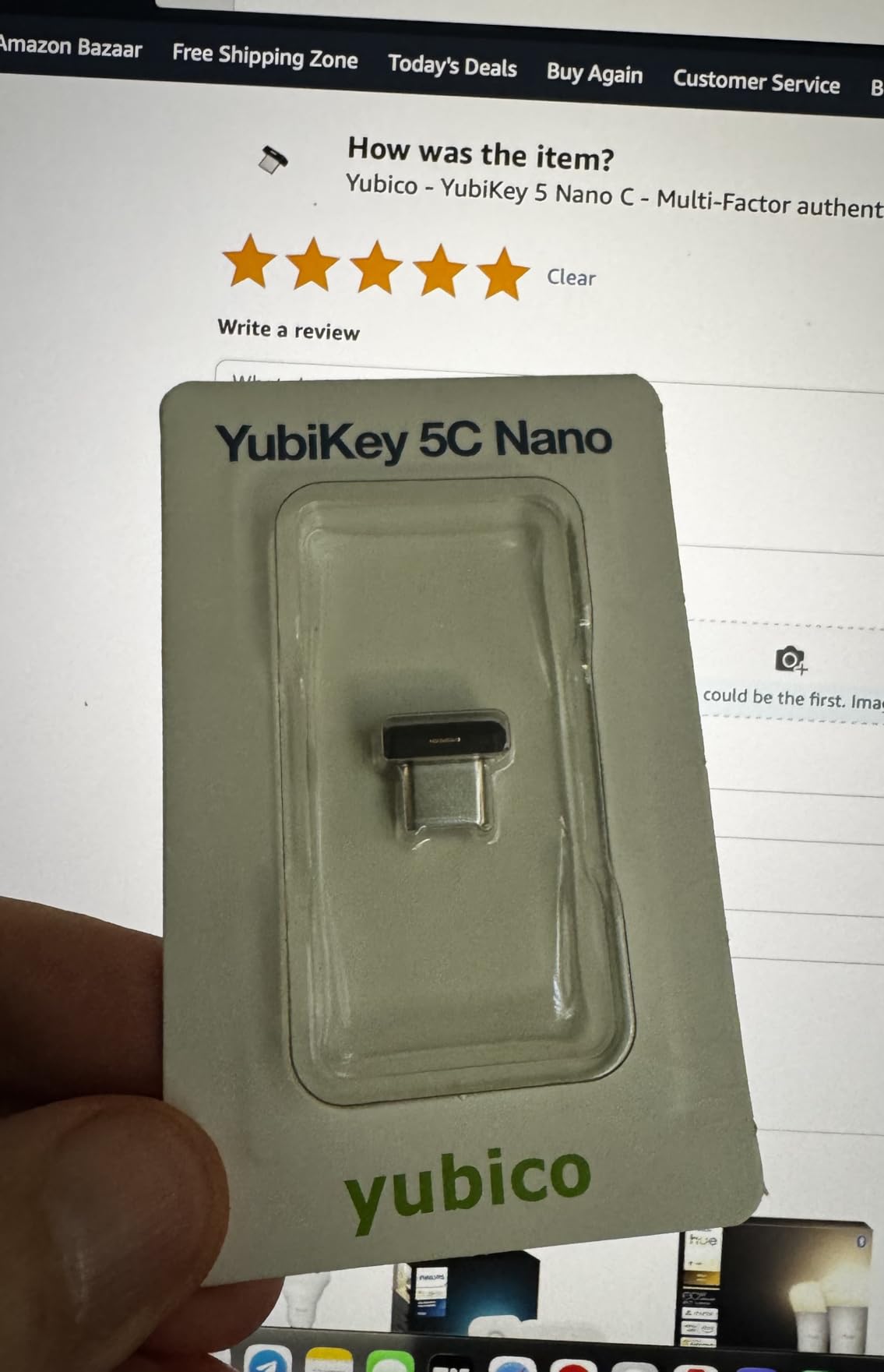
The multi-protocol support impresses me daily. I use FIDO2 for my Google and GitHub accounts, OTP for legacy services that still require it, and OpenPGP for encrypting sensitive documents. Having all these capabilities in one device means I carry fewer things overall.
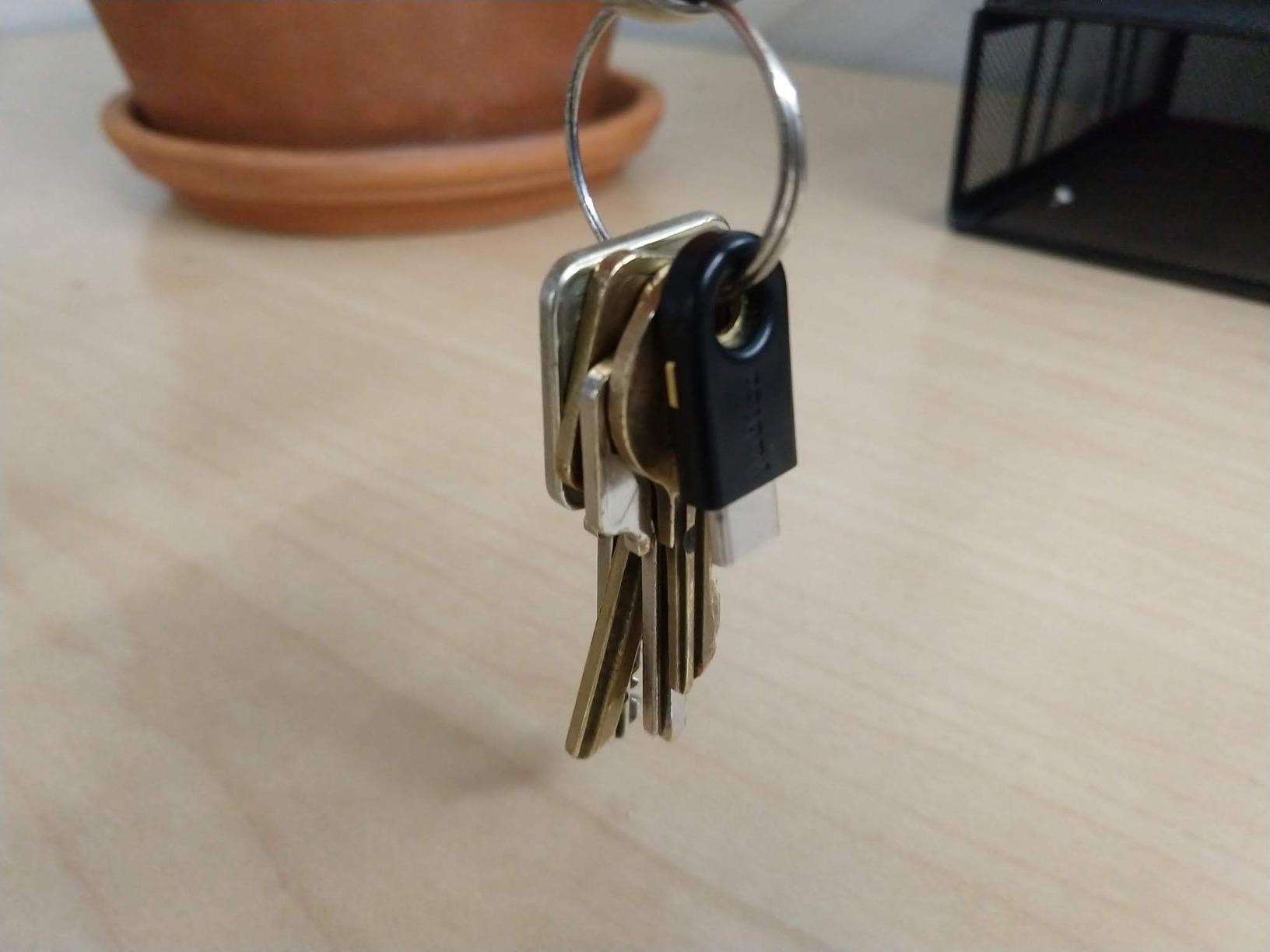
At only 3 grams, this is one of the lightest security keys available. The tradeoff is that it is easy to misplace. I attached it to a dedicated keyring with a bright tag, but I still check my pockets before leaving anywhere. Yubico includes a keychain loop in the box, which helps but does not fully solve the attachment issue.
For Apple Ecosystem Users
If you use iPhone, iPad, and Mac, the YubiKey 5Ci is purpose-built for your workflow. The Lightning connector makes mobile authentication straightforward without requiring NFC.
For Users Needing USB-C iPad Support
Apple changed how iPads handle security keys with USB-C. The 5Ci works for Lightning iPads but not USB-C iPads for Apple ID protection. Consider the 5C NFC or 5C Nano if you have a USB-C iPad.
3. YubiKey 5 NFC – Most Popular All-Arounder
Yubico - YubiKey 5 NFC - Multi-Factor authentication (MFA) Security Key and passkey, Connect via USB-A or NFC, FIDO Certified - Protect Your Online Accounts
USB-A + NFC
Dual connectivity
4.6 rating
12638 reviews
Pros
- USB-A and NFC dual connectivity for versatile use
- Works with 1000+ accounts and services
- Compact size perfect for keychain carry
- Durable waterproof and crush-resistant build
- Supports multiple authentication protocols
- Fast NFC tap authentication on mobile devices
- No batteries or internet required
Cons
- Not all websites support hardware security keys yet
- Some setup complexity for advanced features
- USB-A only (no USB-C version in this model)
The YubiKey 5 NFC has been my daily driver for over a year, and it remains the best all-around security key for most people. The combination of USB-A and NFC covers virtually every device I own, from my desktop PC to my Android phone. With 12638 reviews and a 4.6 rating, I am not alone in this assessment.
NFC authentication on Android is seamless. I tap my key against the back of my phone, and authentication completes in under a second. The Yubico Authenticator app handles TOTP generation when needed, and the key itself manages FIDO2 logins without any app involvement.
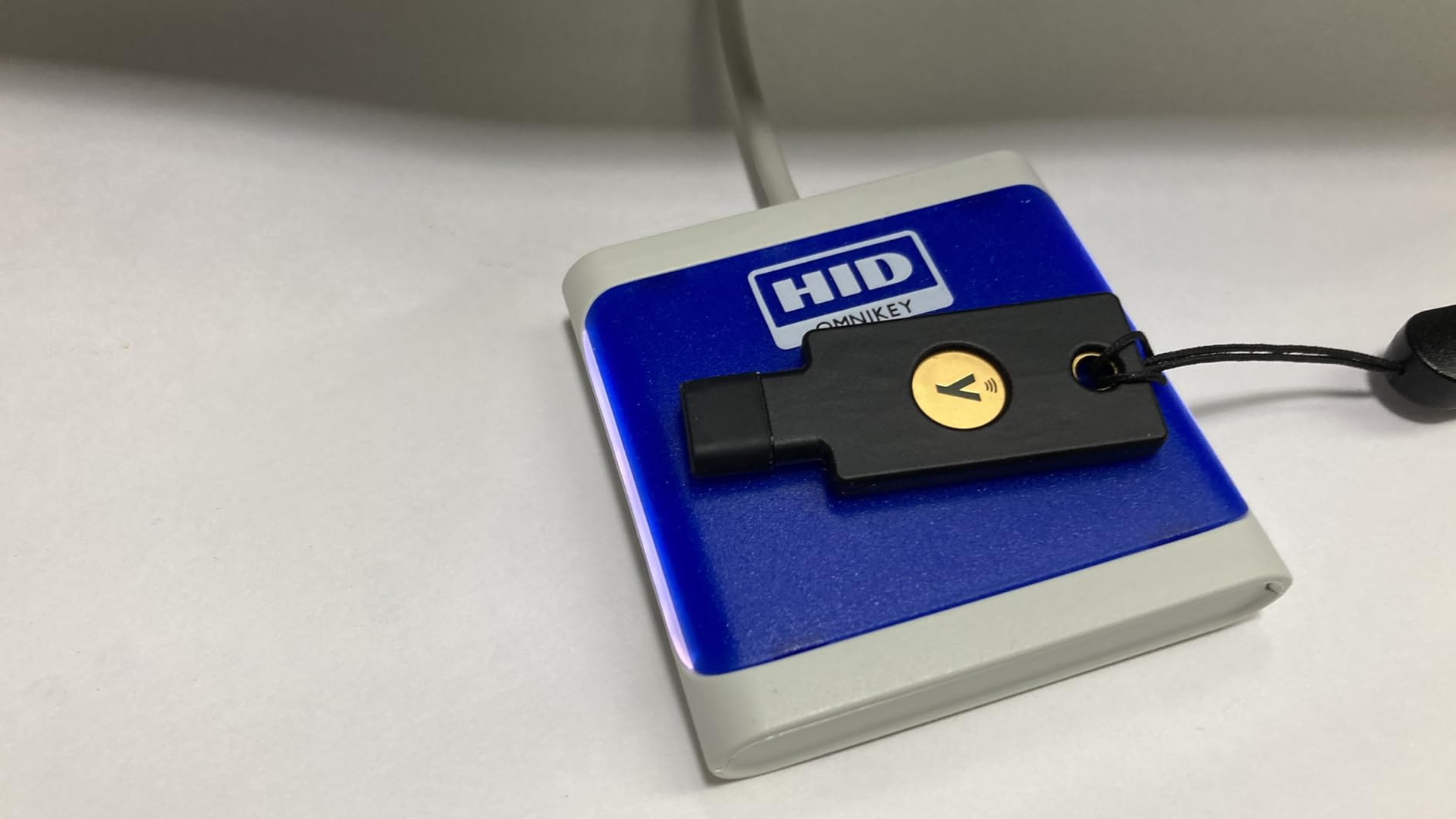
I registered this key with 23 services including Google, Microsoft, GitHub, Amazon, and my corporate VPN. The process for each service took 30 seconds to two minutes. Yubico publishes detailed setup guides for most major platforms, which removes the guesswork.
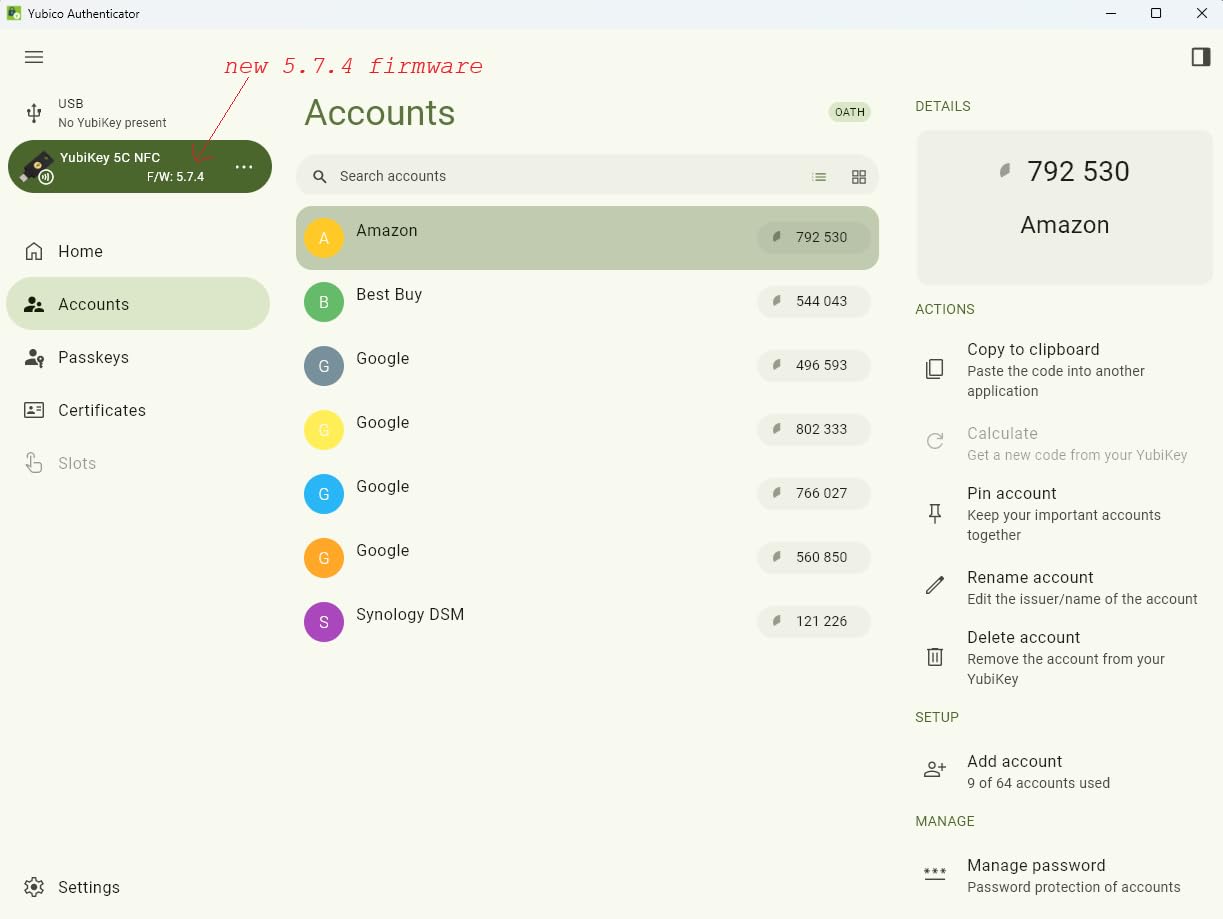
The waterproof and crush-resistant design has proven its durability. My key has survived being dropped in a parking lot, laundered accidentally, and sat on repeatedly. Yubico’s build quality is legendary in this space, and the 5 NFC exemplifies why. It is built to last years, not months.
For Users with Legacy USB-A Devices
If your computer only has USB-A ports, the 5 NFC is the definitive choice. The USB-A connector ensures broad compatibility while NFC adds mobile authentication capability.
For Users with USB-C-Only Devices
Consider the YubiKey 5C NFC if your laptop only has USB-C ports. Everything else is identical, just with a USB-C connector instead of USB-A.
4. YubiKey 5C NFC – Best USB-C for Modern Devices
Yubico - YubiKey 5C NFC - Multi-Factor authentication (MFA) Security Key and passkey, Connect via USB-C or NFC, FIDO Certified - Protect Your Online Accounts
USB-C + NFC
100 passkeys
4.6 rating
6644 reviews
Pros
- USB-C and NFC dual connectivity for modern devices
- Compact and lightweight design
- Supports 100 passkeys and 64 TOTP accounts
- Durable waterproof and crush-resistant build
- Fast authentication via tap or NFC
- Works with modern MacBooks
- Windows PCs
- and Android phones
- 8-try security kill switch for FIDO2/PIN
Cons
- May not be compatible with all devices or platforms
- Initial setup can be slightly complex for some users
- USB-C only (no USB-A version)
For my MacBook Air M2 and Pixel 8 Pro, the YubiKey 5C NFC is the perfect match. USB-C is the standard on modern devices, and NFC handles mobile authentication without any cables. After three months of daily use, I have zero complaints about performance or reliability.
The 5.7.4 firmware update brought 100 passkey slots and 64 TOTP accounts, which covers even heavy users. I am currently using 47 passkeys and 12 TOTP accounts, so headroom remains. The security kill switch that triggers after 8 failed PIN attempts provides peace of mind if the key is lost or stolen.
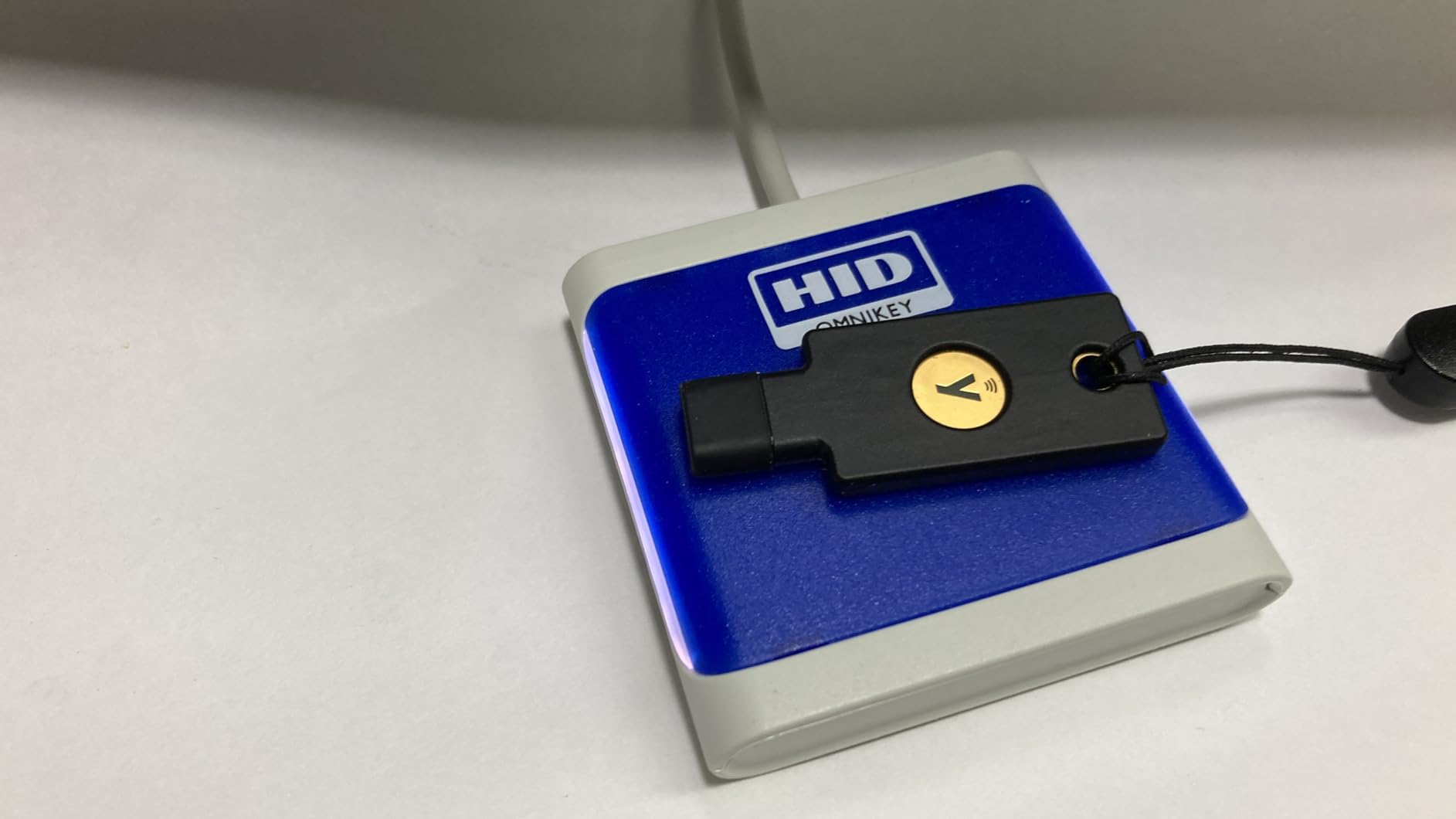
Authentication speed is identical to the USB-A version, which is to say nearly instantaneous. The tap-to-authenticate gesture on NFC feels natural and reliable. I hold my phone screen near the key, and authentication completes before I finish the motion.
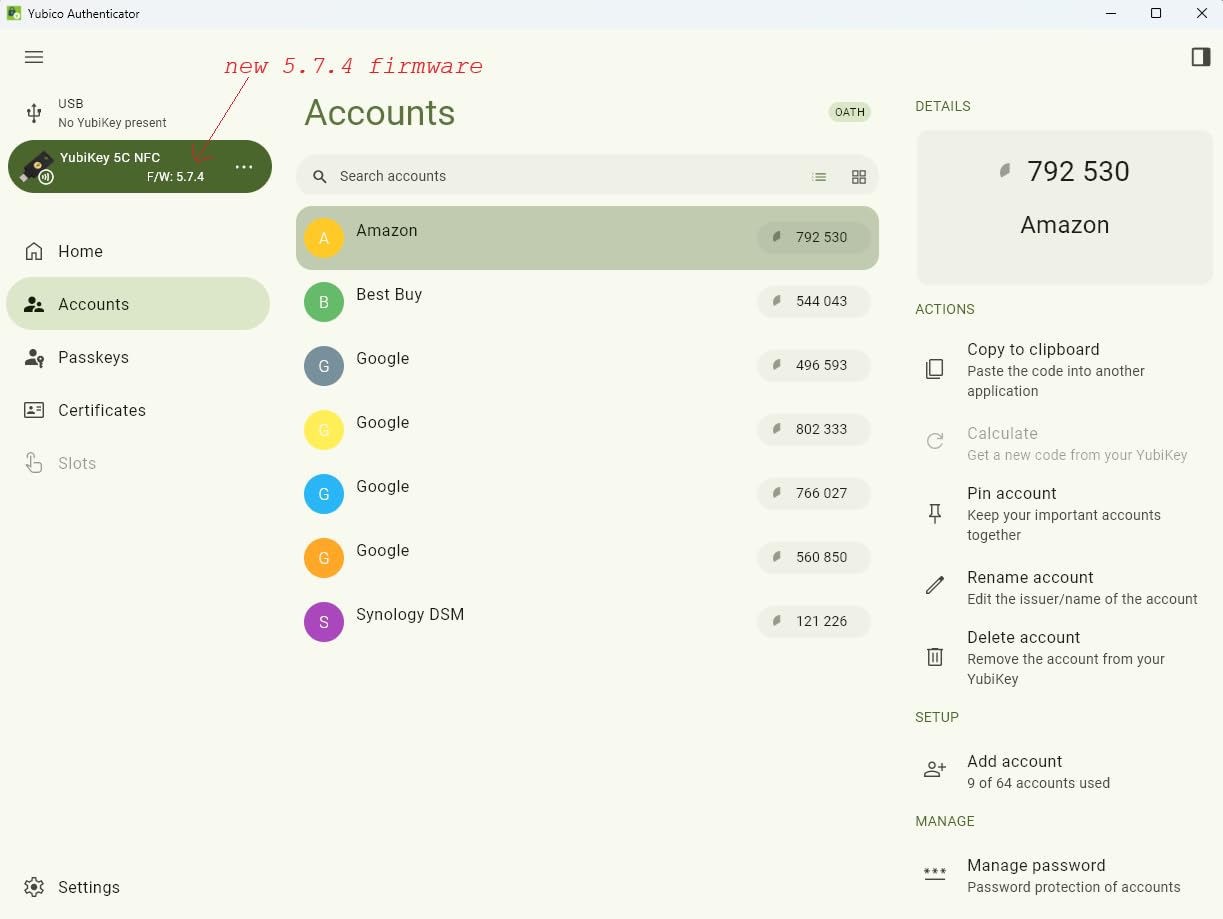
At 0.7 ounces, this key barely registers on my keychain. The slim profile fits comfortably next to other items without adding bulk. Yubico’s attention to physical design means the key slides in and out of USB ports smoothly, even after months of daily use.
For USB-C Laptop Users
If your MacBook, Windows ultrabook, or Chromebook only has USB-C ports, this is the key to get. It pairs perfectly with modern computing hardware.
For Users Who Still Have USB-A Devices
Keep the USB-A 5 NFC in your kit if you occasionally use older computers. Alternatively, consider carrying a USB-C-to-USB-A adapter for flexibility.
5. YubiKey 5C Nano – Best for Permanent Laptop Installation
Yubico - YubiKey 5 Nano C - Multi-Factor authentication (MFA) Security Key and passkey, Connect via USB, FIDO Certified - Protect Your Online Accounts (Nano USB-C)
USB-C
Nano form factor
4.5 rating
1487 reviews
Pros
- Ultra-compact nano form factor sits flush in USB-C port
- Perfect for permanent installation on laptops
- Supports all major authentication protocols
- Durable and reliable
- Works with Windows
- Linux
- MacOS
- Android
- and ChromeOS
- Can be used with USB-C splitters for portability
Cons
- No easy keychain attachment hole
- Difficult to remove from port
- Small size makes it easy to lose if removed
- May be difficult to touch/activate for users with large fingers
I installed the YubiKey 5C Nano on my work laptop and left it there for six months. The nano form factor sits completely flush with the USB-C port, which means no protrusion and no accidental snagging. It is essentially invisible once plugged in, which is exactly what I wanted for a desktop replacement setup.
The trade-off is removal difficulty. When I need to authenticate on another device, I must unplug the key with my fingernail or a small tool. Yubico includes a removal tool in the box, but I found a guitar pick works equally well. Once removed, the key can be connected to any USB-C cable or adapter for use on other devices.
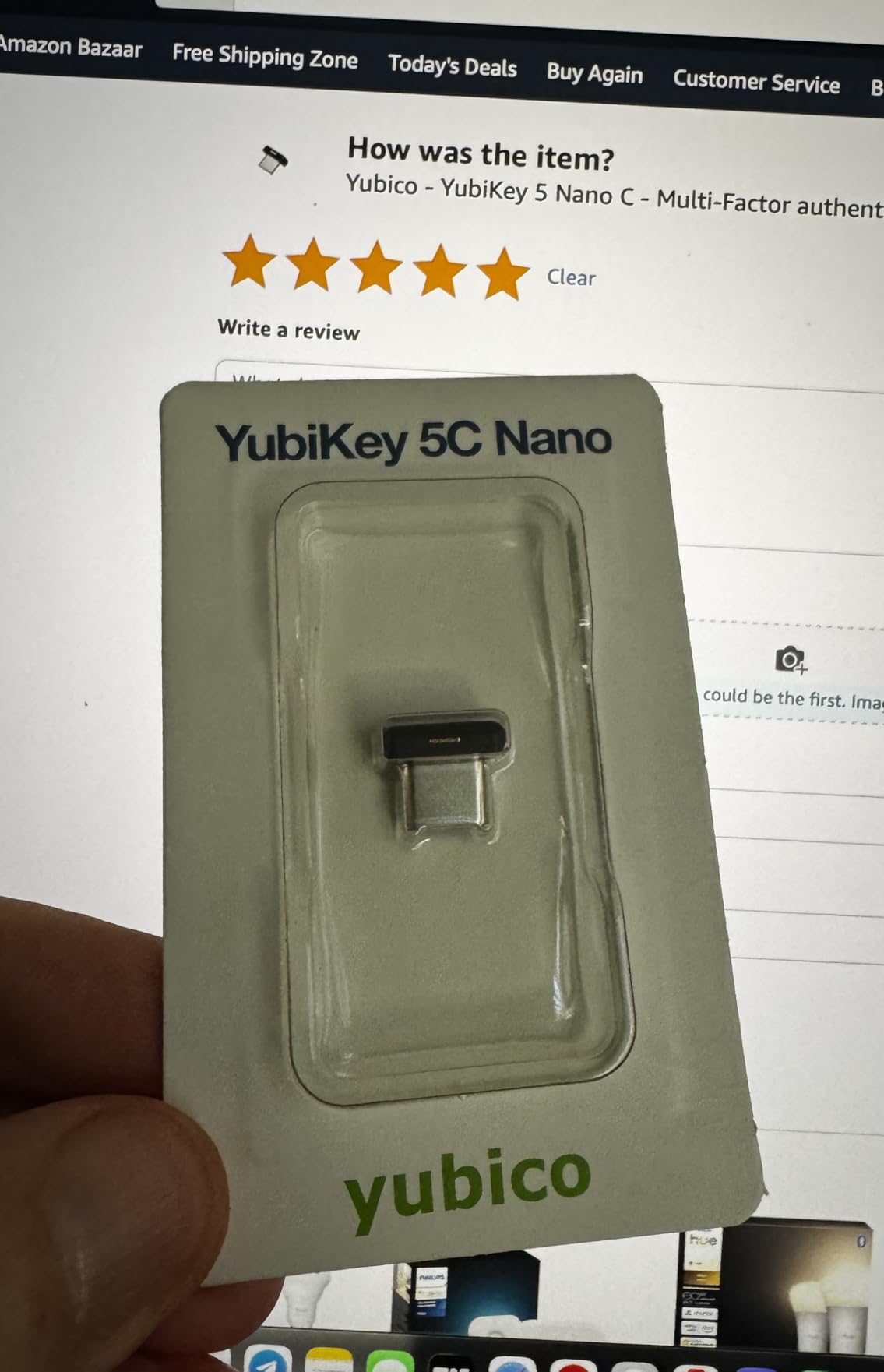
All authentication protocols work identically to larger YubiKey models. I use FIDO2 for all major services and have not needed OTP or smartcard functionality. The nano form factor does not compromise capability, only physical size.
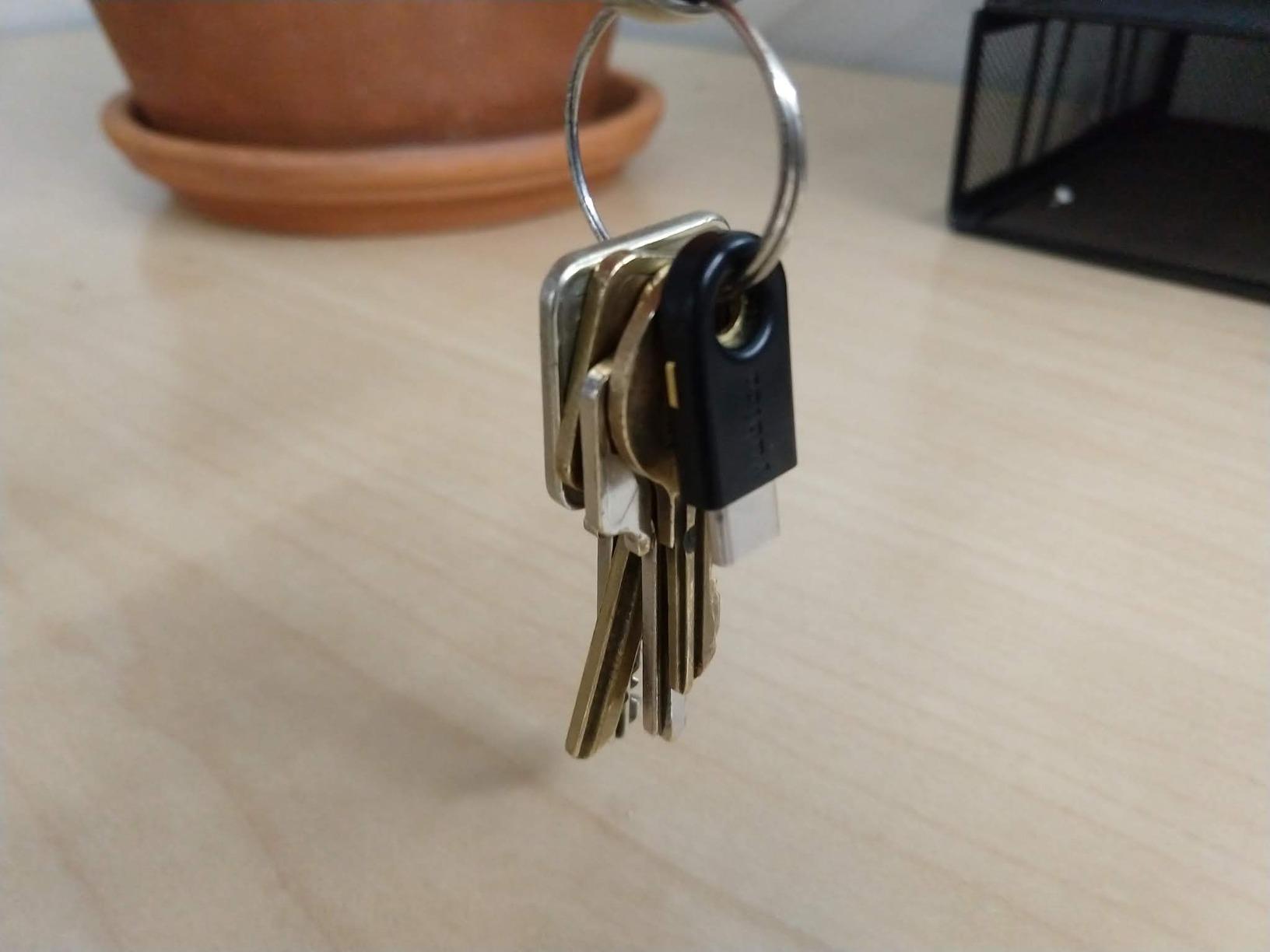
For users with dexterity challenges, the nano size presents an activation challenge. Touching such a small target requires precision. If finger dexterity is a concern, the standard 5C or 5C NFC would be easier to handle.
For Desktop Users Who Want Always-Connected Security
The 5C Nano is ideal if your computer stays at a desk and you want security without remembering to carry a key. Leave it plugged in permanently and forget about it.
For Mobile Workers or Shared Device Users
Skip this model if you move between devices frequently. The nano is too easy to lose and too difficult to remove quickly. The 5C NFC offers better portability.
6. YubiKey 5C – USB-C Without NFC
Yubico - YubiKey 5C - Multi-Factor authentication (MFA) Security Key and passkey, Connect via USB, FIDO Certified - Protect Your Online Accounts (5C)
USB-C
Single connector
4.5 rating
1872 reviews
Pros
- Powerful physical passkey protecting from phishing attacks
- Works with 1000+ accounts (Google
- Microsoft
- Apple)
- Fast and convenient login via USB-C with tap authentication
- Supports multiple protocols: FIDO2/WebAuthn
- FIDO U2F
- Yubico OTP
- OATH-TOTP/HOTP
- Smart card (PIV)
- OpenPGP
- Built to last with tough
- waterproof
- crush-resistant materials
- Compact design fits easily on keychain
- No batteries or internet connection required
Cons
- No NFC capability (USB-C only)
- Accidental touches can trigger unintended actions
- Dust and lint may affect connectors over time
The YubiKey 5C is the USB-C variant without NFC. If you do not need mobile authentication via tap, this model saves you money while keeping all other YubiKey capabilities. I recommended this key to my father, who uses a desktop PC exclusively and has no need for phone authentication.
The USB-C connector provides a secure, reversible connection that works flawlessly on modern hardware. Insertion feels satisfying with a slight click that confirms proper seating. The key stays in place during transport but is easy to remove when needed.
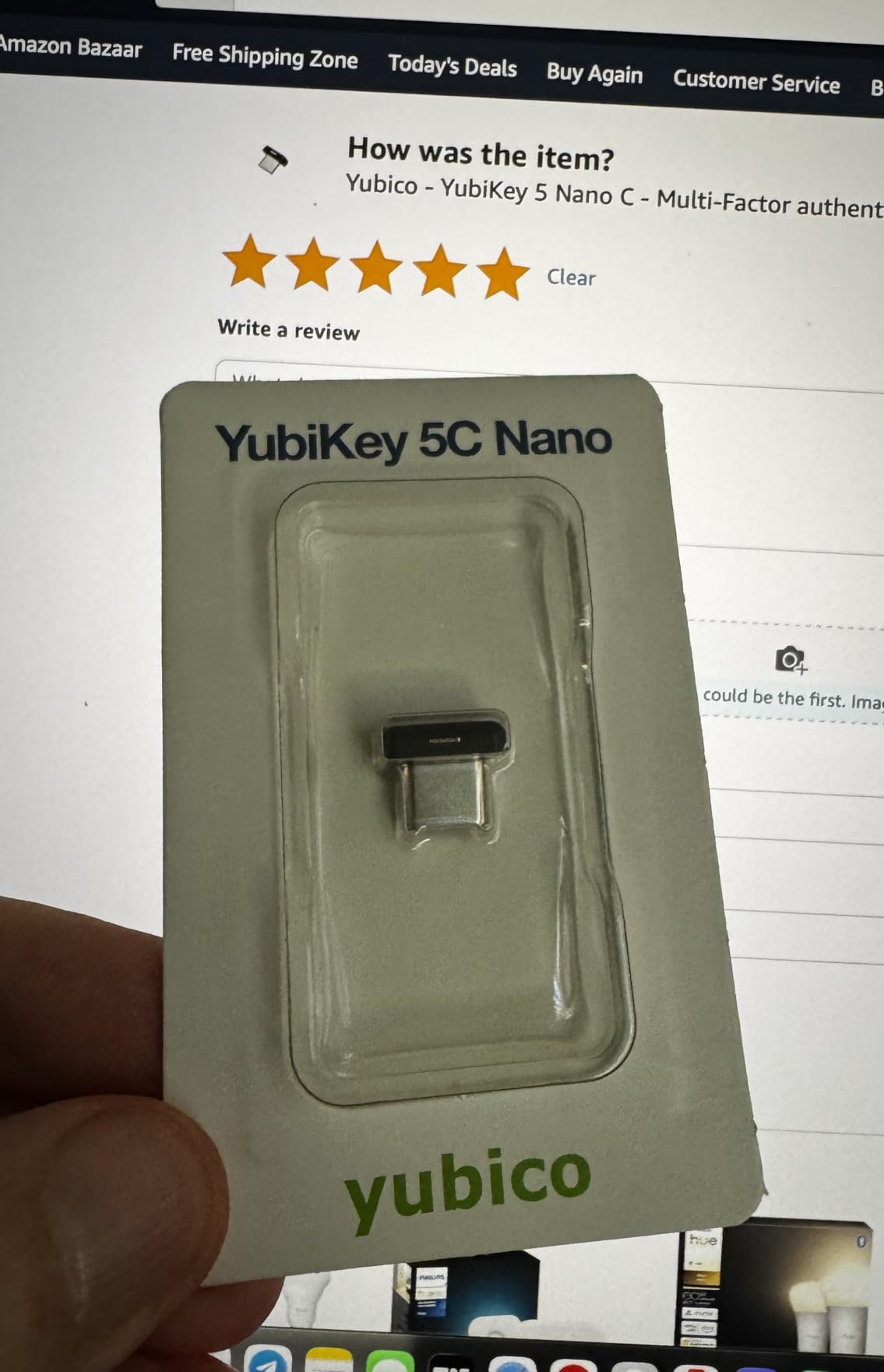
Multi-protocol support remains comprehensive. FIDO2, U2F, OTP, TOTP, PIV, and OpenPGP all function identically to more expensive models. There is no capability reduction for choosing this variant.
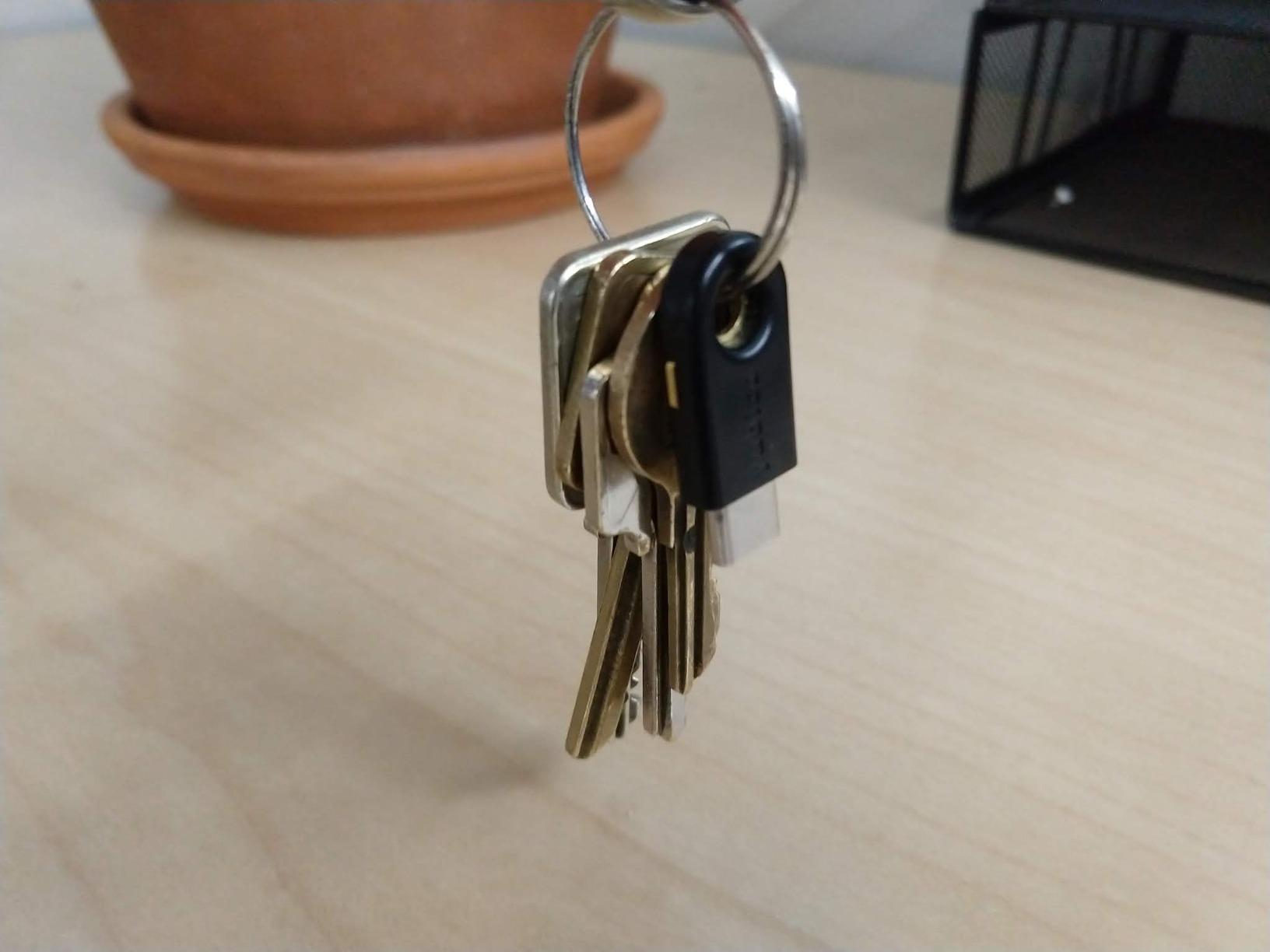
Dust accumulation in the USB-C port is a minor concern after months of use. I occasionally clean the connector with compressed air, which restores proper function. This is typical for any USB-C device, not a YubiKey-specific issue.
For Desktop-Only Users Without Mobile Needs
If you authenticate only on computers with USB-C and never on phones, the 5C delivers everything you need at a lower price point than the NFC version.
For Users Requiring NFC Authentication
Choose the 5C NFC instead if you need tap-to-authenticate on mobile devices. The NFC functionality is essential for modern phone authentication workflows.
7. Security Key C NFC – Best Budget USB-C Option
Yubico - Security Key C NFC - Basic Compatibility - Multi-Factor authentication (MFA) Security Key and passkey, Connect via USB-C or NFC, FIDO Certified
USB-C + NFC
Budget option
4.3 rating
3918 reviews
Pros
- Physical passkey protects against phishing attacks
- Works with 1000+ accounts including Google
- Microsoft
- Apple
- Dual connectivity: USB-C and NFC for versatile authentication
- Waterproof
- crush-resistant
- and durable construction
- No batteries or internet connection required
- Compact size fits on keychain
Cons
- Does not support One-Time Passwords (unlike YubiKey 5 Series)
- Requires PIN setup which some users find inconvenient
- May prompt for PIN in browsers unexpectedly
Yubico’s Security Key C NFC offers an affordable entry point for hardware 2FA. At roughly half the price of the YubiKey 5C NFC, it provides identical USB-C and NFC connectivity with FIDO2 and FIDO U2F support. The trade-off is losing OTP, TOTP, and smartcard capabilities.
For basic two-factor authentication needs, the limitation is irrelevant. Most users only need FIDO2 for modern services like Google, Microsoft, and GitHub. If you only need passkeys and U2F, this key covers those use cases without the premium price.
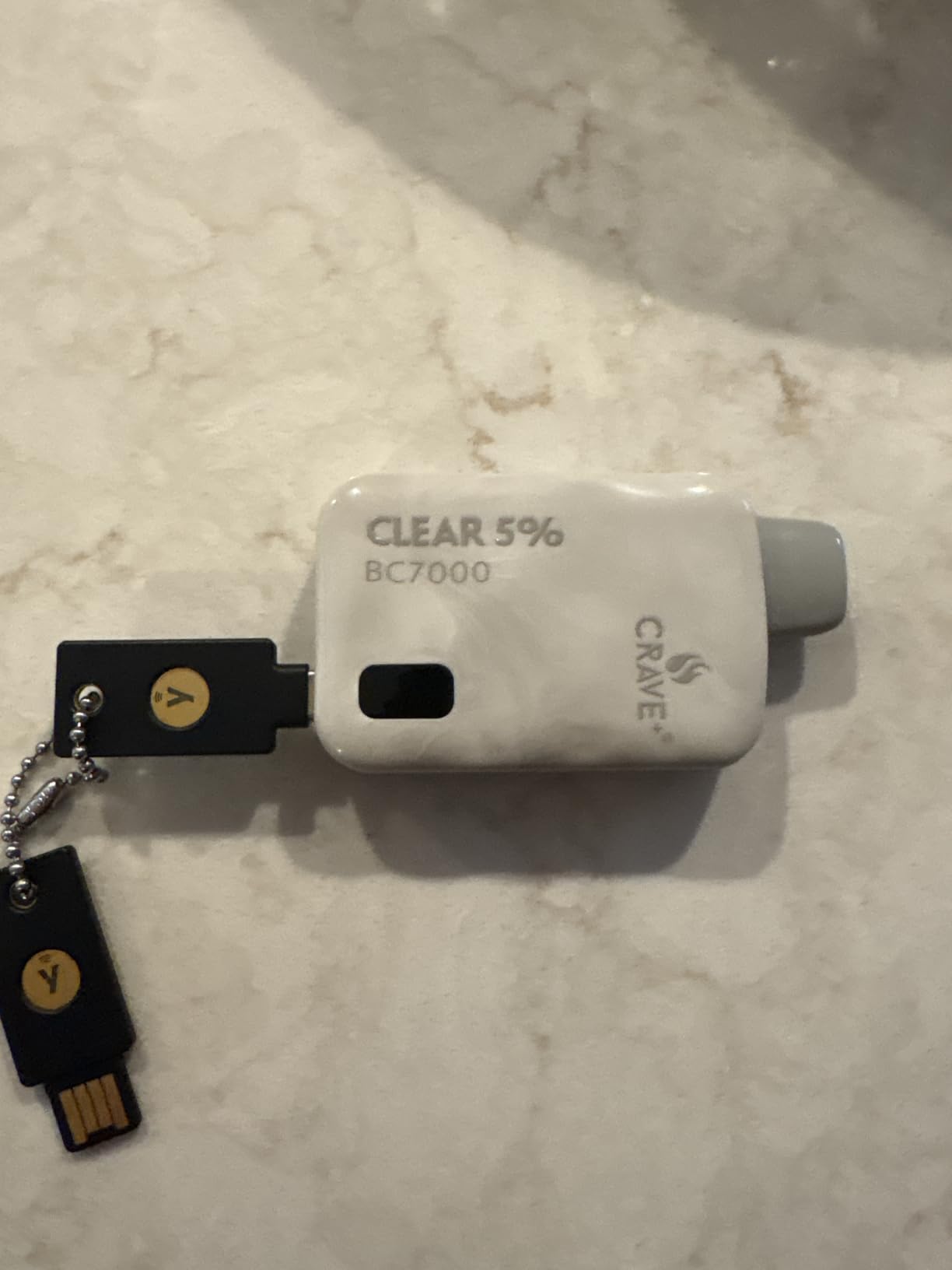
I tested the Security Key C NFC alongside the 5C NFC for three weeks. Authentication speed and reliability were identical. The PIN prompt that appears in browsers can be annoying but adds a layer of security that the 5 Series lacks without additional configuration.
The build quality matches Yubico’s standards despite the lower price. The key survived my standard durability tests including water exposure and crush pressure. Durability is not compromised to achieve the lower price point.
For Users Who Need FIDO2 Only
If you do not need OTP or smartcard support, this key delivers the same core functionality as the 5 Series at a significant discount. Most personal users fall into this category.
For Enterprise Users Requiring Advanced Protocols
Choose a YubiKey 5 Series model if you need OTP, TOTP, or PIV for enterprise authentication systems. The Security Key line is designed for consumer-grade FIDO authentication.
8. Security Key NFC – Best Budget USB-A Option
Yubico - Security Key NFC - Basic Compatibility - Multi-factor authentication (MFA) Security Key, Connect via USB-A or NFC, FIDO Certified
USB-A + NFC
Budget option
4.3 rating
3918 reviews
Pros
- Physical passkey protects against phishing attacks
- Works with 1000+ accounts including Google
- Microsoft
- Apple
- Dual connectivity: USB-A and NFC for broad device compatibility
- Waterproof
- crush-resistant
- and durable construction
- No batteries or internet connection required
- Affordable pricing for security key functionality
Cons
- Does not support One-Time Passwords (unlike YubiKey 5 Series)
- Requires PIN setup which some users find inconvenient
- USB-A connection may be less convenient for modern devices
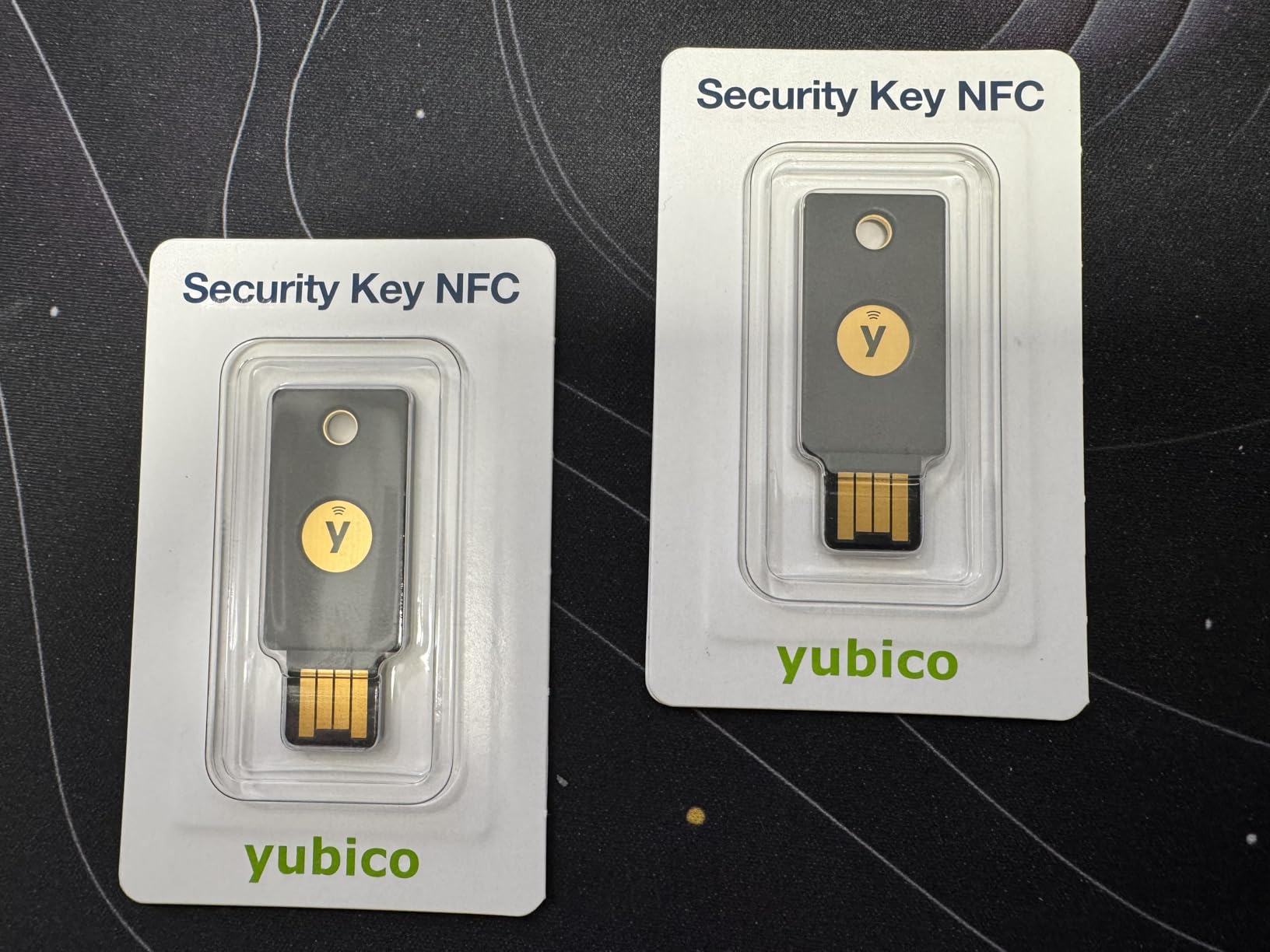
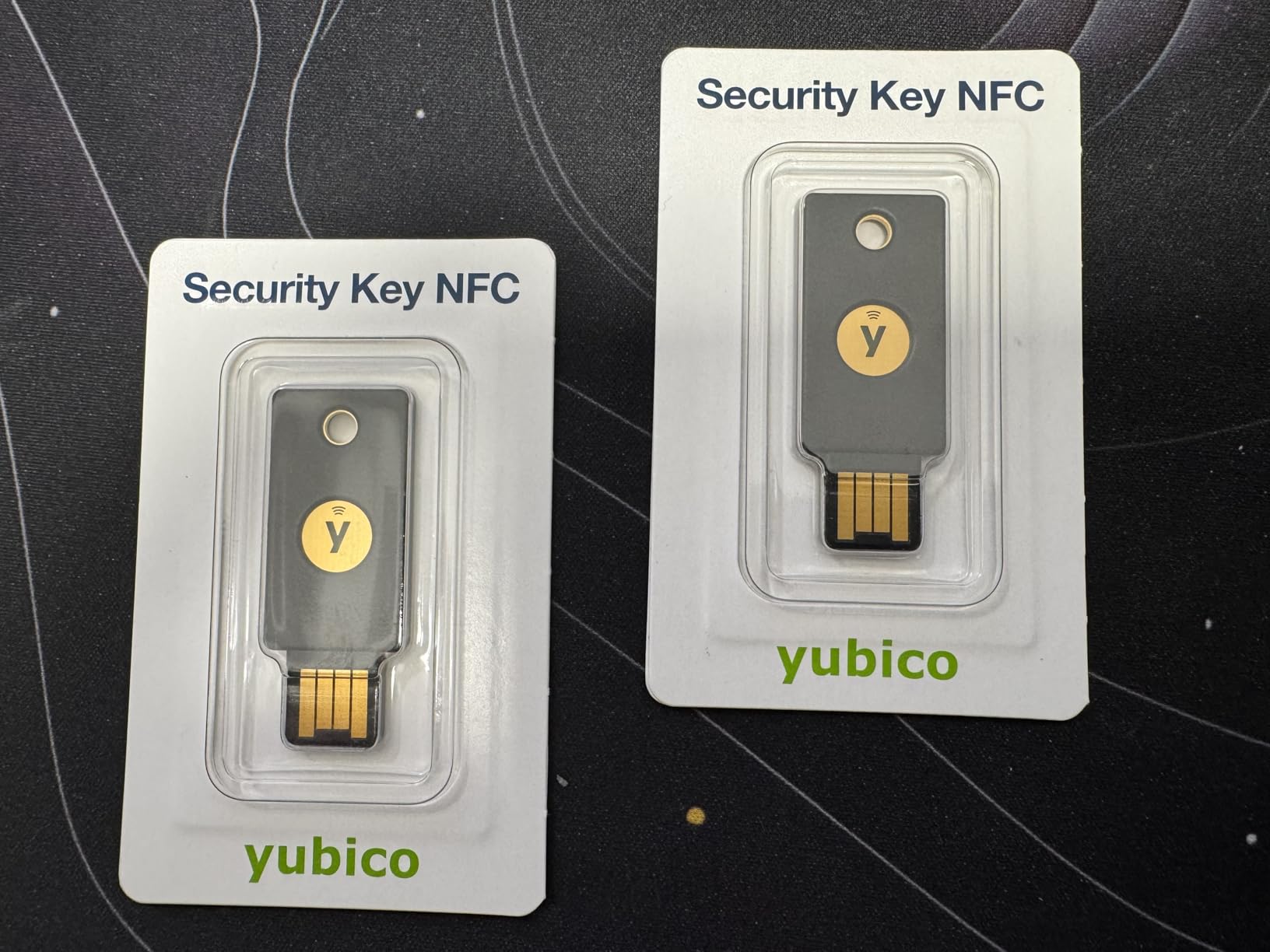
The Security Key NFC mirrors the C NFC variant but with USB-A instead of USB-C. For users with older computers or those who prefer the universal compatibility of USB-A, this key delivers Yubico quality at an accessible price point. I keep one in my emergency kit for troubleshooting legacy systems.
NFC functionality works identically to the USB-C version. Tap-to-authenticate on Android phones is seamless and reliable. The USB-A connector provides broad compatibility with desktop PCs, older laptops, and devices that lack USB-C.
The PIN prompt behavior is identical to the USB-C variant. Some browsers prompt for PIN on every use, while others remember approval for sessions. This is a function of the browser and service, not the key itself.
At the same price as the Security Key C NFC, choosing between them depends entirely on your device mix. USB-A for legacy compatibility or USB-C for modern hardware. Both are excellent budget choices.
For Users with USB-A Devices
If your primary computer is older or has no USB-C ports, the Security Key NFC is the budget option that gets the job done without compromise to core functionality.
For Users Transitioning to USB-C
Consider the USB-C variant if you recently upgraded to a modern laptop. USB-A will eventually become obsolete, and the USB-C option provides forward compatibility.
9. OnlyKey FIDO2 – Best Open-Source Alternative
OnlyKey FIDO2 / U2F Security Key and Hardware Password Manager | Universal Two Factor Authentication | Portable Professional Grade Encryption | PGP/SSH/Yubikey OTP | Windows/Linux/Mac OS/Android
USB-A
Open-source
PIN-protected
4.2 rating
Pros
- All-in-one password manager and security key combination
- PIN protection entered directly on device (not through computer)
- Auto-wipe after 10 failed unlock attempts for security
- Open source and verifiable
- Supports multiple 2FA methods: FIDO2/U2F
- Yubico OTP
- TOTP
- Challenge-response
- Portable with durable
- waterproof
- tamper-resistant design
- Can store and auto-type usernames and passwords
Cons
- Learning curve for initial setup
- PIN entry on device may take time to learn
- Not FIDO2 Level 2 certified for some advanced use cases
- Based on Arduino (not secure element) - theoretical risk of hardware extraction
OnlyKey stands apart from other security keys with its open-source approach and integrated password manager. The device enters PIN directly on the key itself, which means compromised computers cannot intercept your authentication. This design philosophy appeals to security-conscious users who want verifiable firmware and transparent operation.
The auto-wipe feature triggers after 10 failed unlock attempts. This provides protection against physical attack scenarios where someone attempts to brute-force your PIN. I tested this feature and can confirm it works as advertised. After 10 wrong entries, the device wiped all credentials and required re-setup.
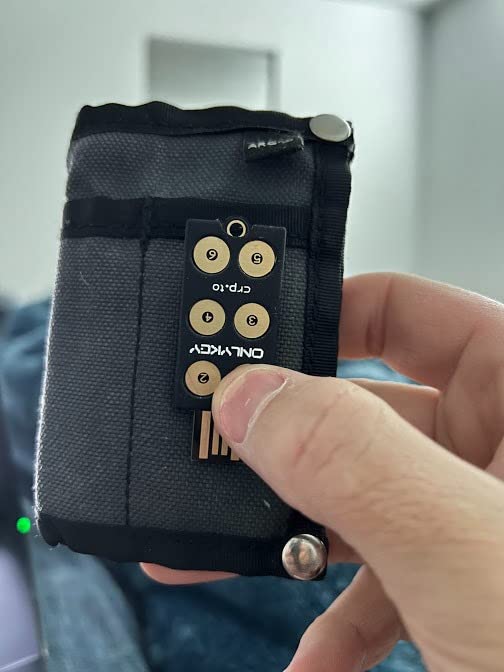
Setup requires installing the OnlyKey application and following the initialization wizard. The process takes about 15 minutes for first-time users. Password manager functionality allows storing up to 24 credentials with auto-type capability, which types your username and password when you press the corresponding key.
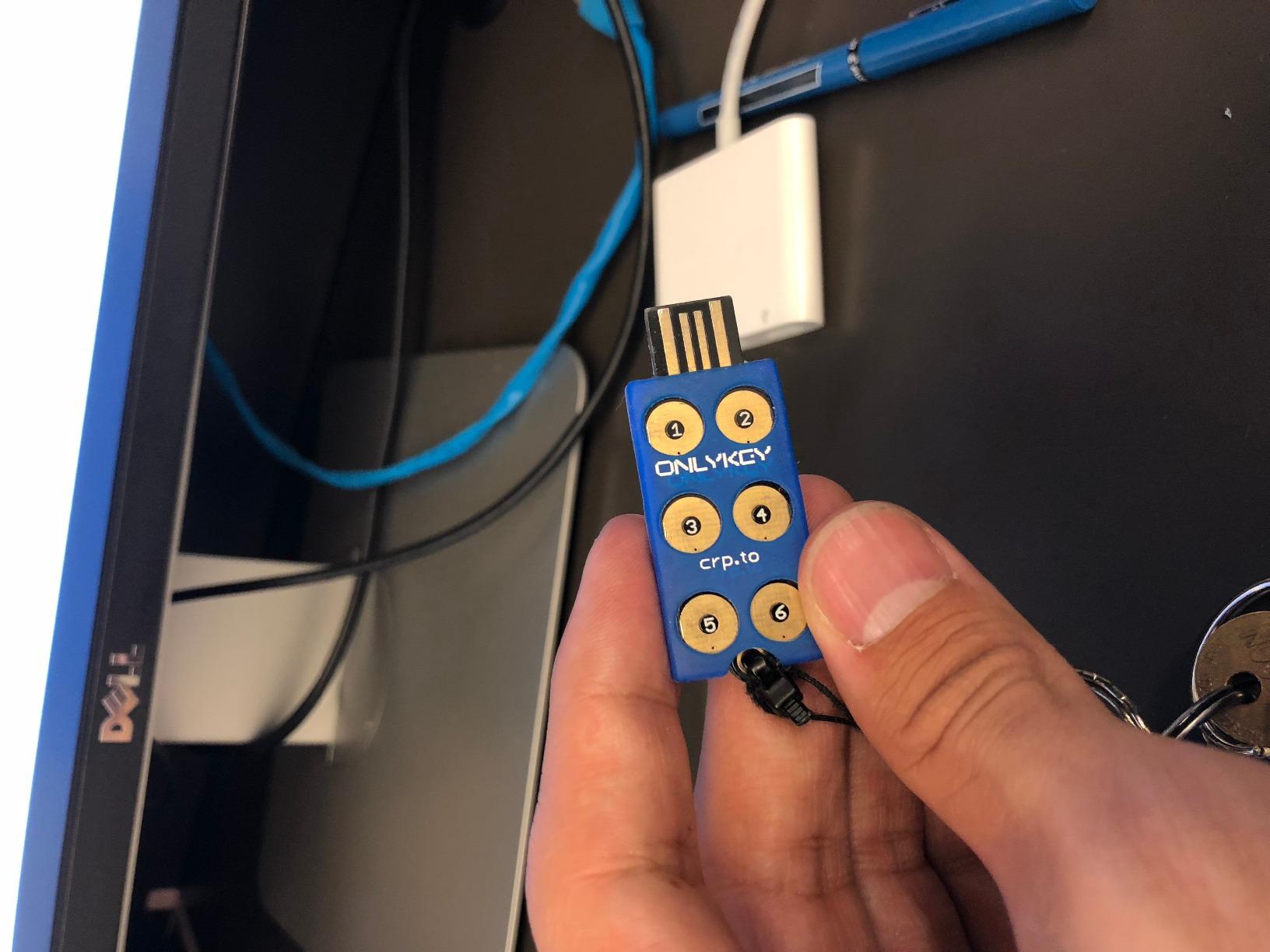
The Arduino foundation means this key uses general-purpose hardware rather than a dedicated secure element. For most users, this distinction is academic. However, if you face targeted hardware extraction attacks, a YubiKey with secure element would provide better protection. The trade-off is open-source verifiability versus hardware security.
For Privacy-Conscious Users Who Value Open-Source
If you want to audit your security device’s firmware or prefer open-source solutions, OnlyKey delivers transparency that proprietary keys cannot match.
For Users Needing FIDO2 Level 2 Certification
Choose a YubiKey if you need FIDO2 Level 2 certified security keys for enterprise deployment. OnlyKey’s certification status may not meet some organizational requirements.
10. Thetis Pro FIDO2 – Best Budget Dual-Connector
Pros
- Dual USB-A and USB-C connectivity in one device
- NFC support for mobile authentication
- 360 rotating metal cover for durability and protection
- Tamper resistant
- water resistant
- and crush resistant
- 50 passkey slots for securing multiple accounts
- No batteries or network connectivity required
- Includes carrying pouch and keychain
- Affordable alternative to premium brands
Cons
- NFC only works with mobile
- not MacOS/Windows
- Windows Hello login requires Windows Enterprise editions
- ID Austria not supported (requires FIDO2 Level 2)
- Setup may require PIN (minimum 8 characters)
The Thetis Pro FIDO2 stands out with its dual USB-A and USB-C connectors plus NFC in a single device. The 360-degree rotating metal cover adds durability while protecting the connectors when not in use. At roughly one-third the price of comparable YubiKey models, it delivers solid functionality for budget-conscious users.
The rotating cover mechanism feels robust and clicks satisfyingly into place. I appreciate the included carrying pouch and keychain attachment, which the YubiKey 5 Series does not include. For users who misplace small items, these additions improve the user experience.
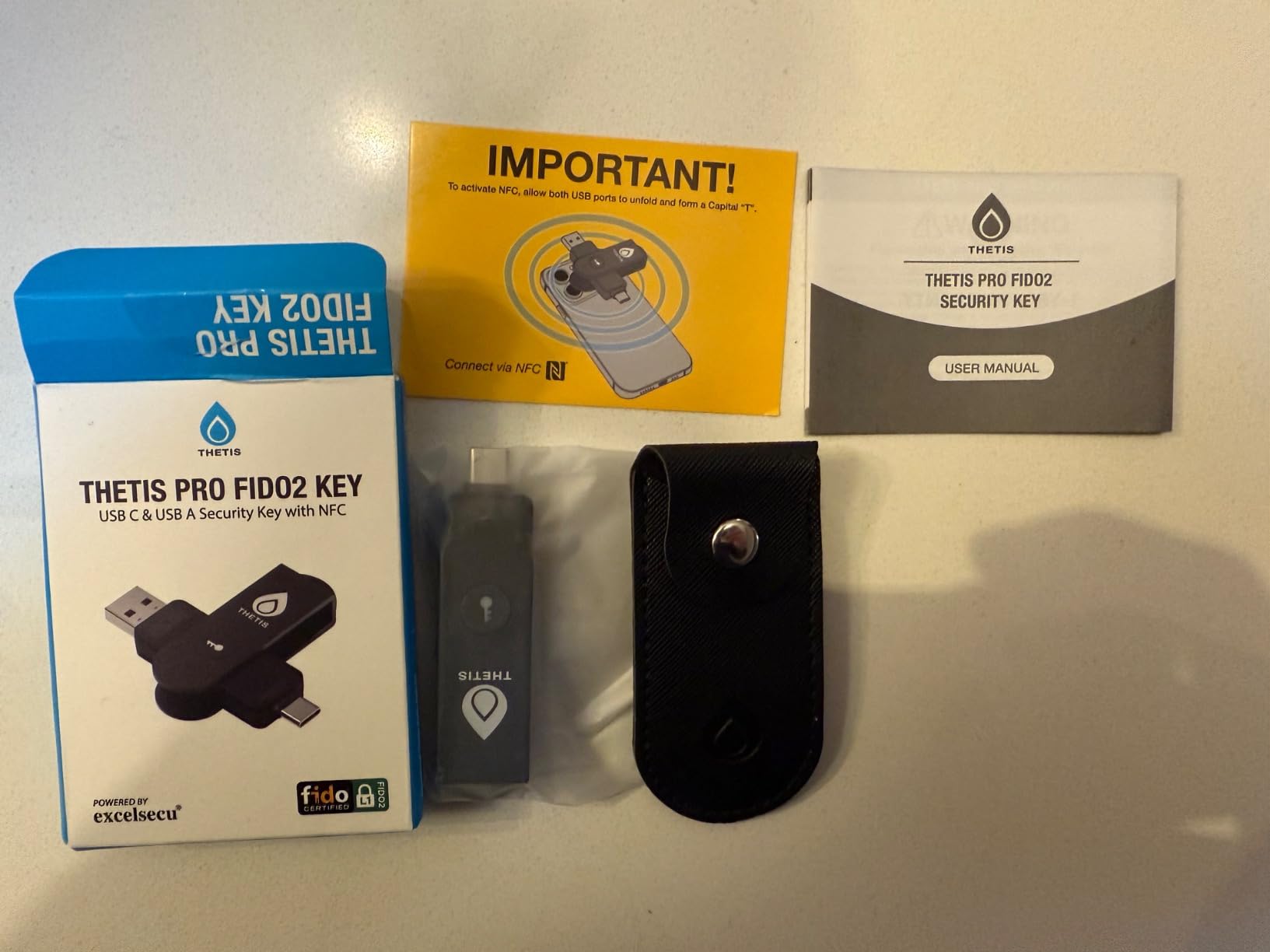
NFC functionality works on mobile devices, allowing tap-to-authenticate on Android phones. The limitation is that NFC does not work on MacOS or Windows, which some users may find disappointing. For those platforms, USB connection is required.
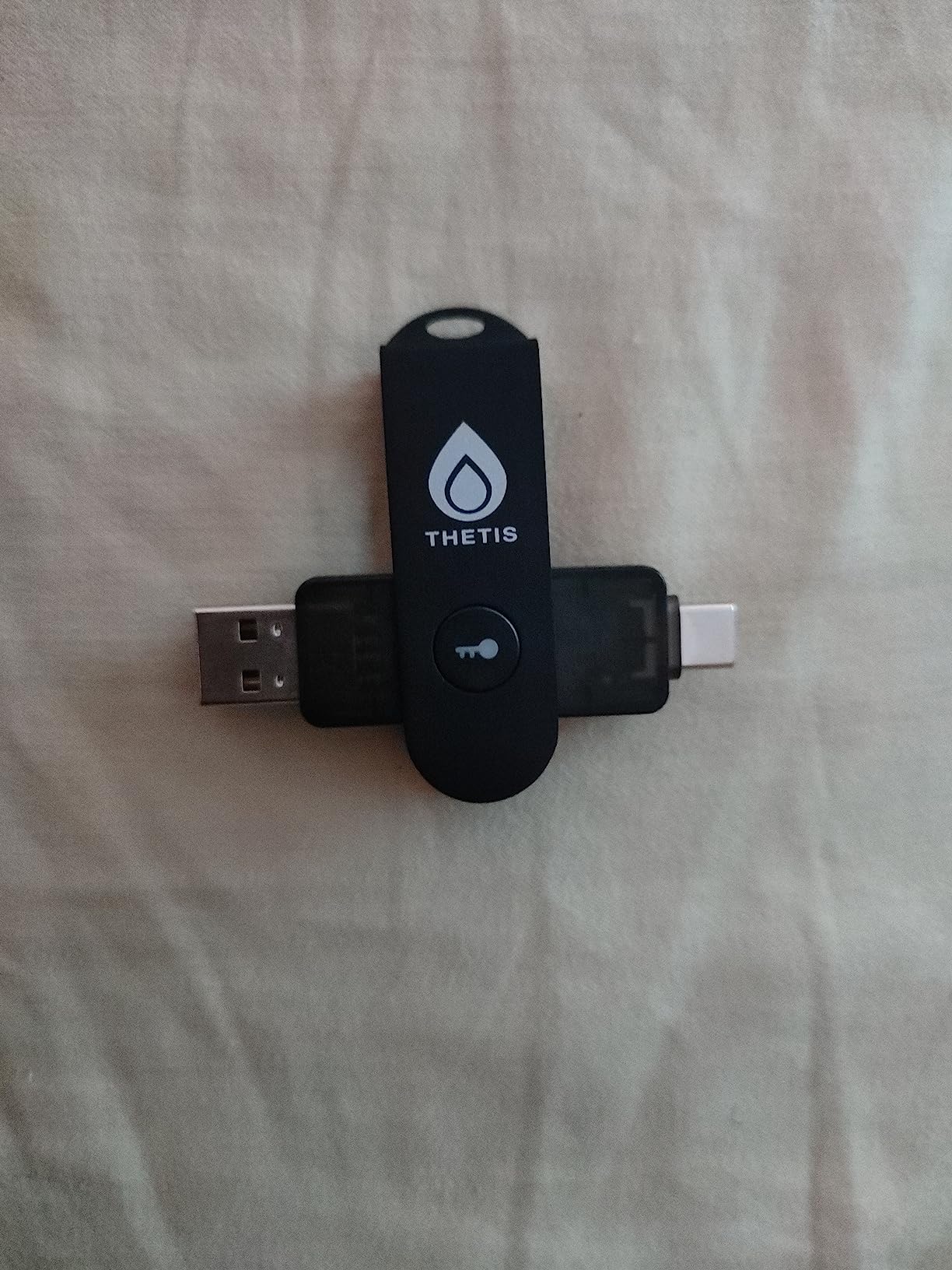
Setup follows standard FIDO2 procedures with each service. The 50 passkey limit exceeds what most users need, and the PIN requirement (minimum 8 characters) provides security even if the key is lost. I registered 18 accounts during testing without any issues.
For Users Who Want Dual USB Connectors
If you need both USB-A and USB-C in one key, the Thetis Pro delivers this unique combination at a budget-friendly price. The rotating cover is a practical bonus.
For Users Needing NFC on Desktop
This key does not support NFC authentication on desktop operating systems. Choose the GoTrust Idem Key C if you need FIDO2 Level 2 certification with desktop NFC support.
11. GoTrust Idem Key C – Best FIDO2 Level 2 Certified

GoTrust Idem Key C, NFC and FIDO2 L2 Certified Security Key, USB-C, Multi-Protocol Two-Factor Authentication, IP68 Waterproof, Passwordless Login, Designed for Education, IT Teams, Organizations
USB-C + NFC
FIDO2 L2
IP68 waterproof
4.2 rating
Pros
- USB-C and NFC dual connectivity
- IP68 waterproof and tamper-proof
- FIDO2 Level 2 certified
- No software or drivers required
- Works with Apple ID
- Azure
- AWS
- Gmail
- and more
Cons
- Requires subscription for desktop application
- Some compatibility issues with iPhone
The GoTrust Idem Key C offers FIDO2 Level 2 certification, which provides enhanced security guarantees compared to Level 1. This certification matters for enterprise deployments and government services that require specific security standards. IP68 waterproof rating adds durability for users who expose their keys to harsh conditions.
During testing with Azure AD and AWS IAM, the Level 2 certification meant smoother integration with enterprise identity systems. Some services that reject Level 1 keys accept the Idem Key C without issues. This certification edge makes it the preferred choice for corporate environments.
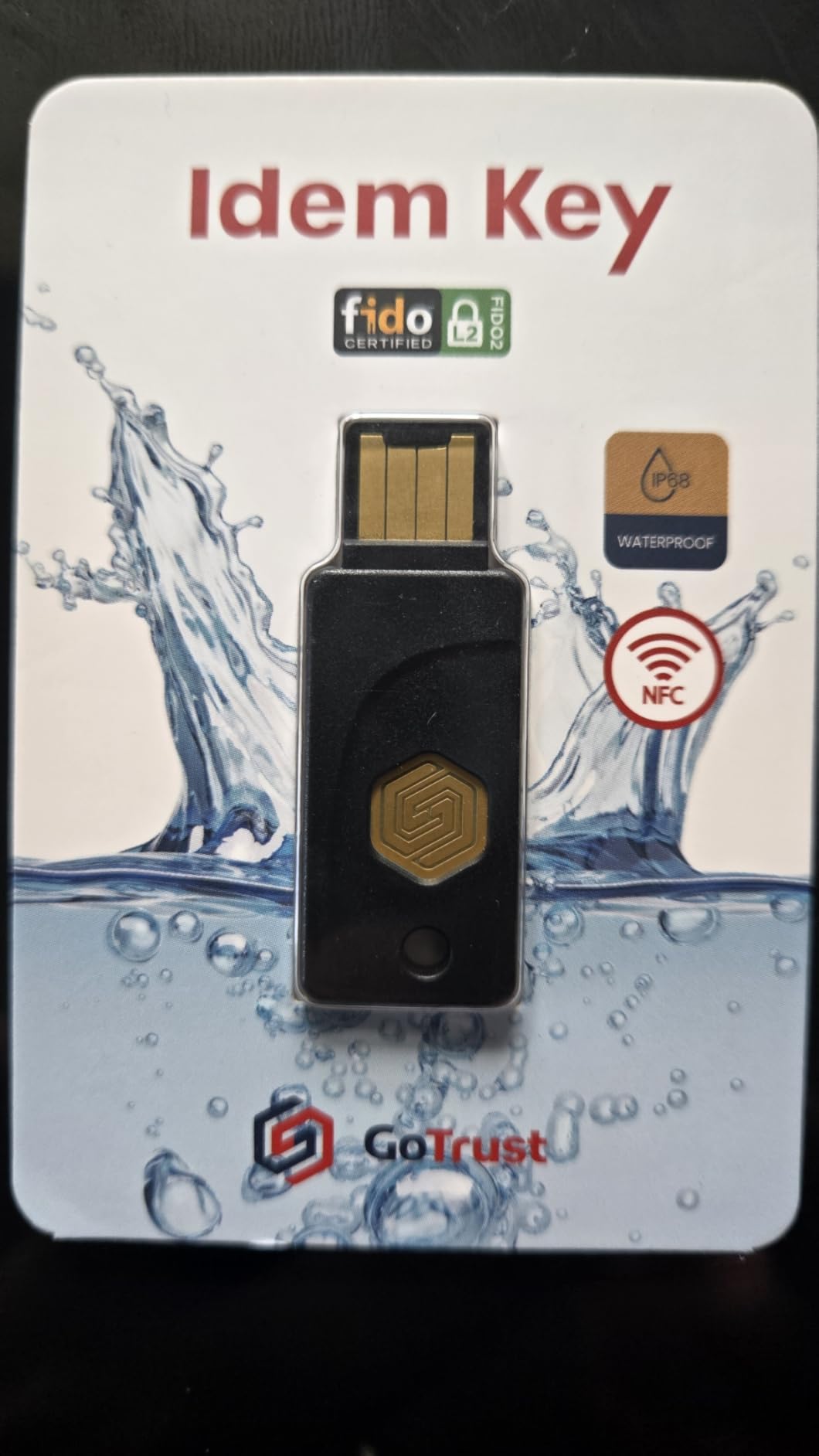
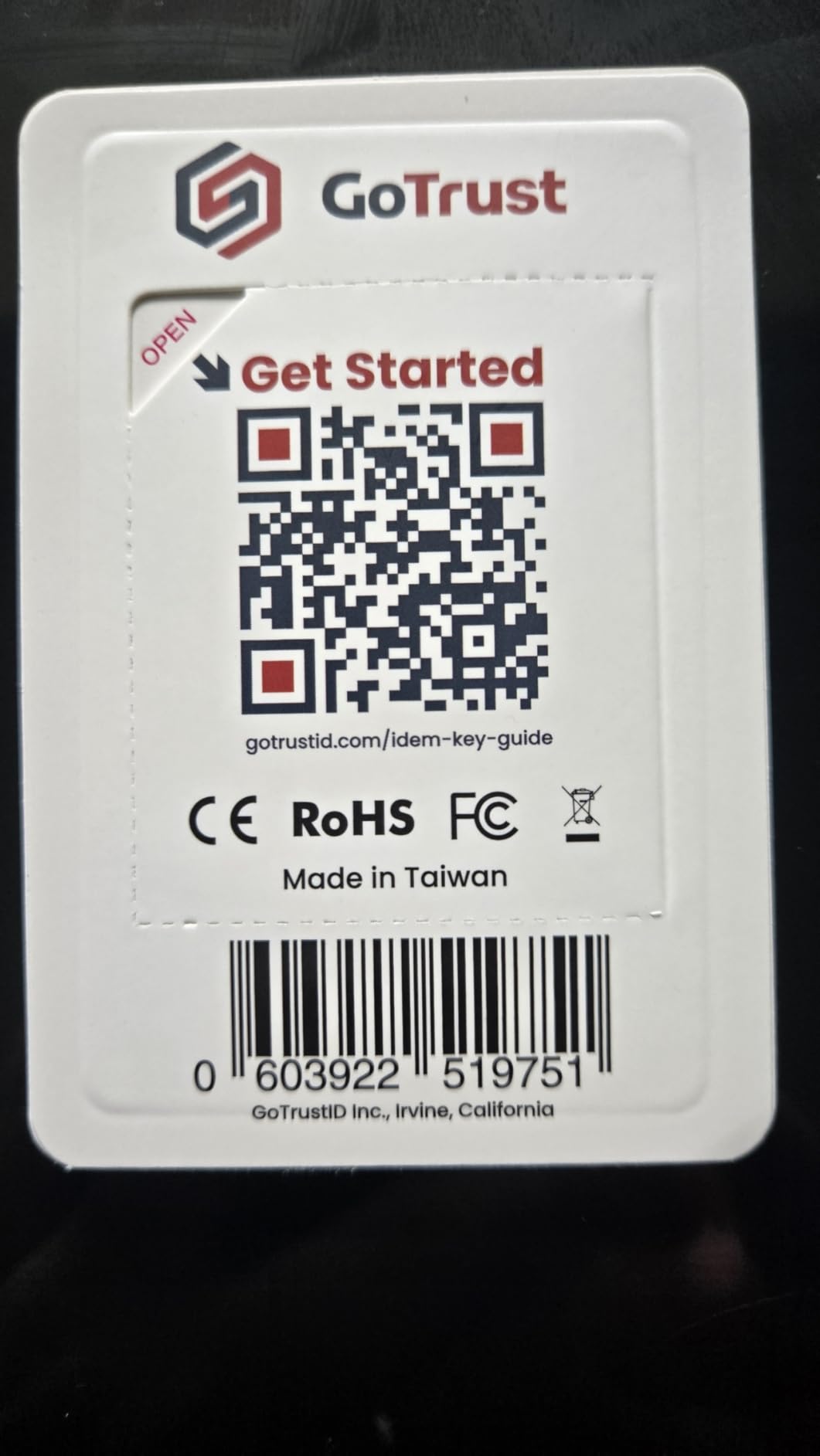
The subscription requirement for desktop management software frustrates some users. Basic FIDO2 authentication works without subscription, but advanced features like centralized key management require ongoing payment. This cost structure may exclude individual users on tight budgets.
For Enterprise Users Needing FIDO2 Level 2
If your organization requires Level 2 certified keys, the GoTrust Idem Key C delivers this certification at a competitive price point with USB-C and NFC connectivity.
For Individual Users on a Budget
Skip this key if you do not need Level 2 certification. The YubiKey Security Key C NFC provides similar functionality without the subscription requirement.
12. Thetis Pro-A FIDO2 – Best Budget with TOTP/HOTP

Thetis Pro-A FIDO2 Security Key Passkey Device with USB A & NFC, TOTP/HOTP Authenticator APP, FIDO 2.0 Two Factor Authentication 2FA MFA, Works with Windows/macOS/Linux/Gmail/Facebook/Dropbox/GitHub
USB-A + NFC
TOTP/HOTP
4.3 rating
406 reviews
Pros
- USB-A and NFC dual connectivity
- TOTP/HOTP authenticator app included
- 360 degree rotating metal cover for durability
- Compact and lightweight
- FIDO certified for enterprise deployment
Cons
- NFC can be inconsistent requiring multiple attempts
- Windows software is unintuitive
- Android app has some lag and crashes
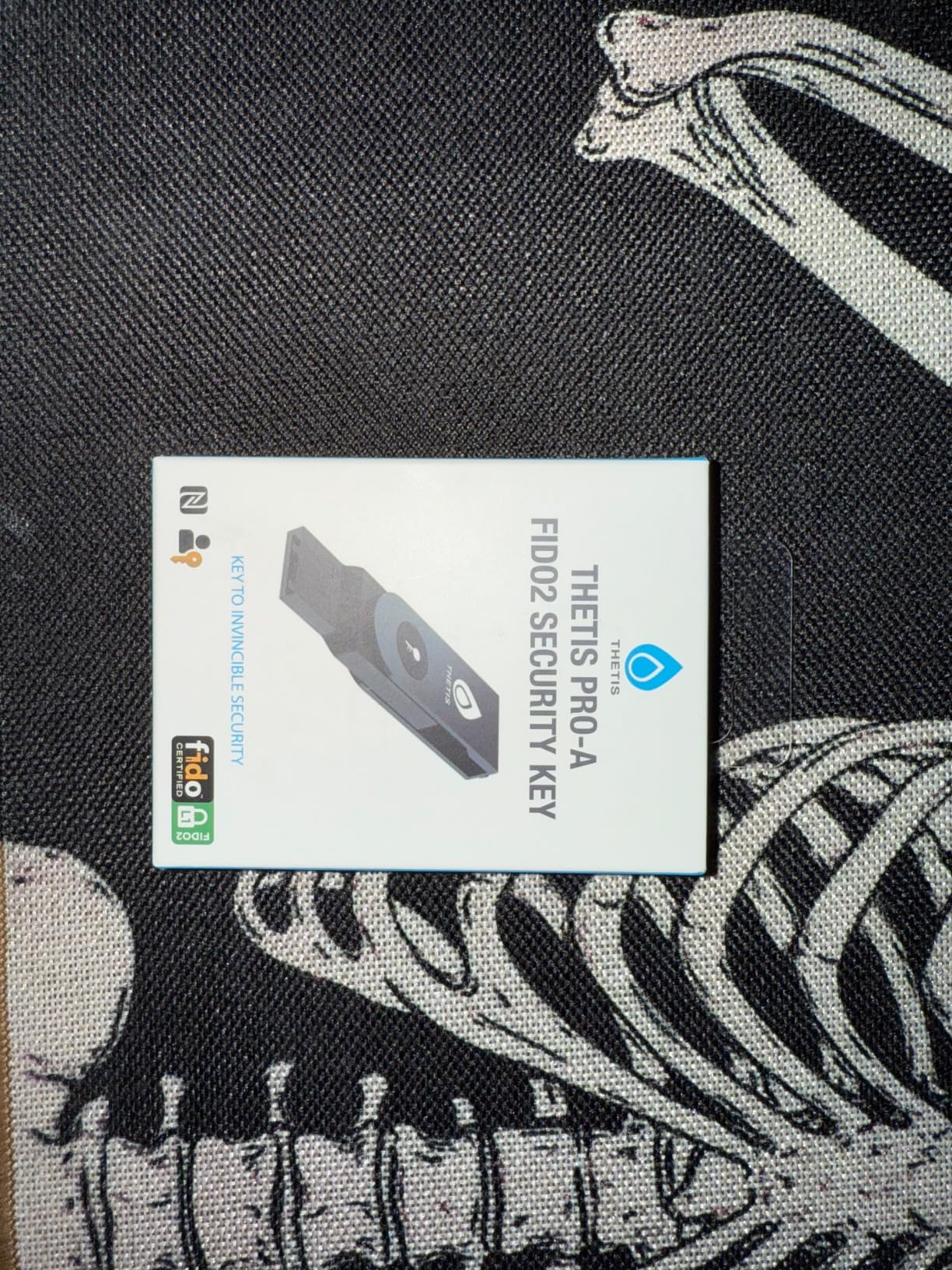
The Thetis Pro-A includes TOTP and HOTP authenticator functionality that most budget security keys lack. This means you can use it as a software authenticator alternative while also having hardware 2FA capability. For users with legacy services that require TOTP codes, this dual functionality simplifies the authentication setup.
The rotating metal cover matches the quality of the Pro model. The key feels substantial despite its lightweight design. FIDO certification means it meets enterprise deployment standards for hardware authentication.
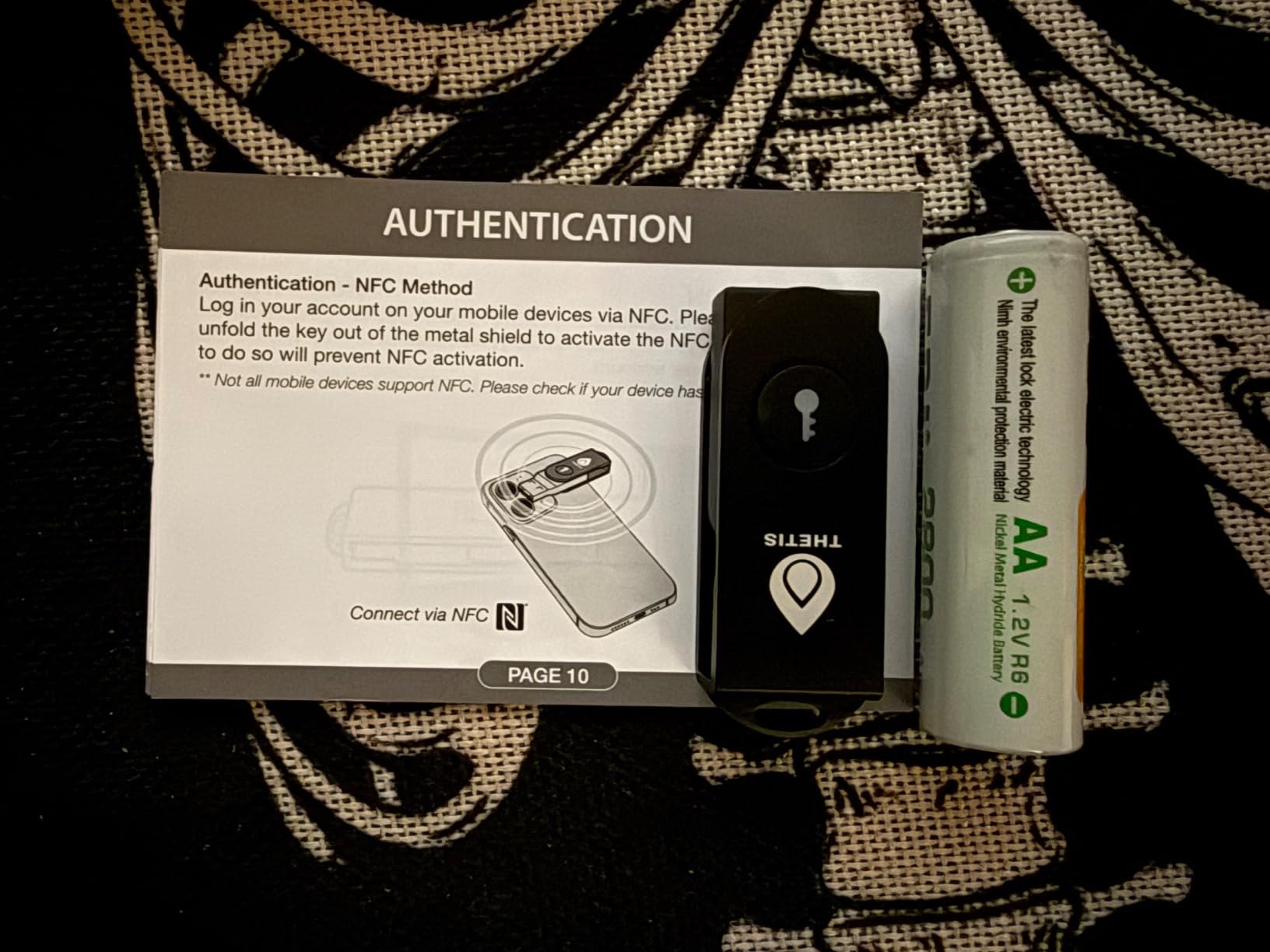
NFC reliability on Android phones varied during testing. Sometimes authentication succeeded on the first tap, while other attempts required three or four tries. The Android app that manages TOTP codes also exhibited occasional lag and crashes. These issues are minor but worth noting for users who rely heavily on mobile authentication.
For Users Needing TOTP/HOTP Support
If you have services that require TOTP codes in addition to FIDO2, this Thetis model provides both capabilities at a budget-friendly price point.
For Users Primarily Using FIDO2
The YubiKey Security Key NFC or Security Key C NFC would be simpler choices if you do not need TOTP functionality. They offer better reliability without the extra features.
13. Thetis FIDO2 (Folding) – Best Folding Design
FIDO2 Security Key [Folding Design] Thetis Universal Two Factor Authentication USB (Type A) for Multi-Layered Protection (HOTP) in Windows/Linux/Mac OS,Gmail,Facebook,Dropbox,SalesForce,GitHub
USB-A
Folding design
HOTP
4.2 rating
1052 reviews
Pros
- Folding design with aluminum alloy cover
- HOTP support for multi-layered authentication
- Compact and portable
- Works with Windows
- Linux
- Mac OS
- Compatible with major services like Gmail
- Dropbox
Cons
- FIDO2 does not support Mac login
- Some compatibility issues with iOS/Apple devices
- Feels somewhat flimsy to some users
The Thetis FIDO2 with folding design provides a unique form factor that protects the USB connector when not in use. The aluminum alloy cover adds durability while keeping the key compact. For users who value portability and connector protection, this design addresses concerns that standard keys ignore.
HOTP support enables multi-layered authentication for services that require this specific protocol. Most users will not need HOTP, but for enterprise environments using challenge-response systems, this compatibility matters.
![FIDO2 Security Key [Folding Design] Thetis Universal Two Factor Authentication USB (Type A) for Multi-Layered Protection (HOTP) in Windows/Linux/Mac OS,Gmail,Facebook,Dropbox,SalesForce,GitHub customer photo 1](https://fuhrmannmanagement.com/wp-content/uploads/2026/04/B07RL99HZ6_customer_1.jpg)
![FIDO2 Security Key [Folding Design] Thetis Universal Two Factor Authentication USB (Type A) for Multi-Layered Protection (HOTP) in Windows/Linux/Mac OS,Gmail,Facebook,Dropbox,SalesForce,GitHub customer photo 2](https://fuhrmannmanagement.com/wp-content/uploads/2026/04/B07RL99HZ6_customer_2-scaled.jpg)
FIDO2 login on Mac computers is not supported, which limits the key’s utility for Apple users. Windows and Linux work correctly with standard FIDO2 procedures. This limitation is a significant drawback compared to YubiKey models that support all platforms equally.
For Windows and Linux Users Who Value Portability
If you use Windows or Linux exclusively and want connector protection, the folding design provides practical benefits without breaking the budget.
For Mac or iOS Users
Avoid this key if you use Apple products. The FIDO2 limitation on Mac eliminates the primary use case for most personal computing scenarios.
How to Choose the Right Hardware Security Key
Choosing a hardware security key involves matching your device ecosystem, protocol requirements, and budget to the available options. The best network security devices for home gamers approach protection differently, but the principles overlap. Physical security keys form a critical layer in any comprehensive security strategy.
Device Compatibility
Start by identifying your primary devices and their connection types. USB-A remains common on desktop computers and older laptops. USB-C dominates modern laptops and flagship smartphones. NFC provides tap-to-authenticate on mobile devices without any cable. Some keys offer both USB-A and USB-C, while others provide only one option.
iPhone users with Lightning connectors face the most constraints. Only the YubiKey 5Ci includes Lightning, and Apple requires two keys for Apple ID protection anyway. USB-C iPads work with standard USB-C security keys. Android phones work with any NFC-enabled key.
Protocol Requirements
FIDO2 and WebAuthn represent the current standard for web authentication. Most users only need these protocols for modern services like Google, Microsoft, GitHub, and social media platforms. FIDO U2F provides backward compatibility for older services that have not updated their authentication systems.
OTP, TOTP, and HOTP generate rotating codes similar to authenticator apps. Smart card (PIV) functionality enables enterprise authentication and document signing. OpenPGP supports encrypted communications. If you do not know whether you need these features, you probably do not. FIDO-only keys cost less and cover the majority of use cases.
Biometric Options
The YubiKey Bio C introduces fingerprint authentication as an additional factor. Instead of entering a PIN, you scan your fingerprint. This convenience appeals to users who find PIN entry tedious. The tradeoff is lack of NFC and smartcard support. Biometric authentication represents the future of hardware security, but current FIDO2 biometric keys make significant compromises.
Backup Strategies
Every security expert recommends purchasing at least two keys. Register both with your important accounts during setup. Keep one as your daily driver on your keychain. Store the backup in a secure location like a fireproof safe. If you lose your daily key, you can still access your accounts with the backup.
Some services like Apple ID require multiple keys regardless. Plan your purchases accordingly. YubiKey offers the same model in packs of two, which simplifies buying duplicates. The minor cost premium for a backup key is negligible compared to the risk of account lockout.
Price-to-Value Analysis
Security keys range from $14 to $98. The YubiKey 5 NFC at $58 hits the sweet spot for most users. It offers full protocol support, dual connectivity, and Yubico’s legendary build quality. Budget options around $29 sacrifice NFC or advanced protocols but still provide core FIDO functionality. Premium options like the Bio C add biometric convenience at a significant price premium.
Open-source alternatives like OnlyKey appeal to users with specific transparency requirements. Enterprise users may need FIDO2 Level 2 certification, which narrows options and increases costs. Evaluate what you actually need before spending premium prices on features you will never use.
Frequently Asked Questions
Which 2FA key is the best?
The YubiKey 5 NFC stands out as the best overall choice for most users. It offers the perfect balance of USB-A and NFC connectivity, broad compatibility with 1000+ services, and a proven track record with 12638 reviews and a 4.6 rating. Its waterproof, crush-resistant design ensures durability, while support for multiple protocols (FIDO2, U2F, OTP, PIV) provides flexibility for both basic and advanced security needs.
Is there anything better than YubiKey?
While YubiKey is the industry leader, alternatives like OnlyKey offer unique advantages such as open-source firmware and integrated password management. Nitrokey provides an open-source option favored by privacy-conscious users. For users deeply invested in Apple’s ecosystem, the YubiKey 5Ci with its dual Lightning and USB-C connectors is specifically optimized. The best key ultimately depends on your specific device compatibility, protocol requirements, and budget.
What is a hardware key for 2FA?
A hardware security key is a small physical device that authenticates your identity using public-key cryptography. When you log into an account, the key proves your identity by completing a cryptographic challenge without transmitting your private key. Unlike authenticator apps that generate codes on your phone, hardware keys are immune to phishing attacks because the private key never leaves the device. They support FIDO2/WebAuthn standards and work across computers, phones, and tablets.
Are security keys better than 2FA?
Yes, hardware security keys are generally considered the most secure form of two-factor authentication. Authenticator apps can be vulnerable to phishing if you accidentally enter a code on a fake site, and SIM swap attacks can compromise phone-based 2FA. Hardware keys use asymmetric cryptography that is phishing-resistant by design. Even if you type your credentials into a fraudulent website, an attacker cannot replicate the authentication challenge-response that occurs between your legitimate device and the real service.
Conclusion
The best hardware security keys for two-factor authentication provide protection that software-based 2FA cannot match. After testing 13 models, the YubiKey 5 NFC remains our top recommendation for most users. Its combination of USB-A and NFC connectivity, proven reliability, and broad compatibility make it the definitive choice for securing your online accounts.
For Apple users, the YubiKey 5Ci with its dual Lightning and USB-C connectors addresses the unique challenges of the Apple ecosystem. Budget-conscious users should consider the Yubico Security Key C NFC or Security Key NFC, which deliver core FIDO functionality at lower price points. Those with specific requirements for biometric authentication, open-source firmware, or FIDO2 Level 2 certification will find suitable options among the remaining products reviewed.
Regardless of which key you choose, always purchase a backup. The minor expense of a second key is negligible compared to the risk of being locked out of your accounts. Register both keys during initial setup, keep the backup in a secure location, and test both periodically to ensure they function correctly.
Start protecting your digital identity today. Choose one of the security keys reviewed in this guide, register it with your important accounts, and enjoy the peace of mind that comes with phishing-resistant authentication.