
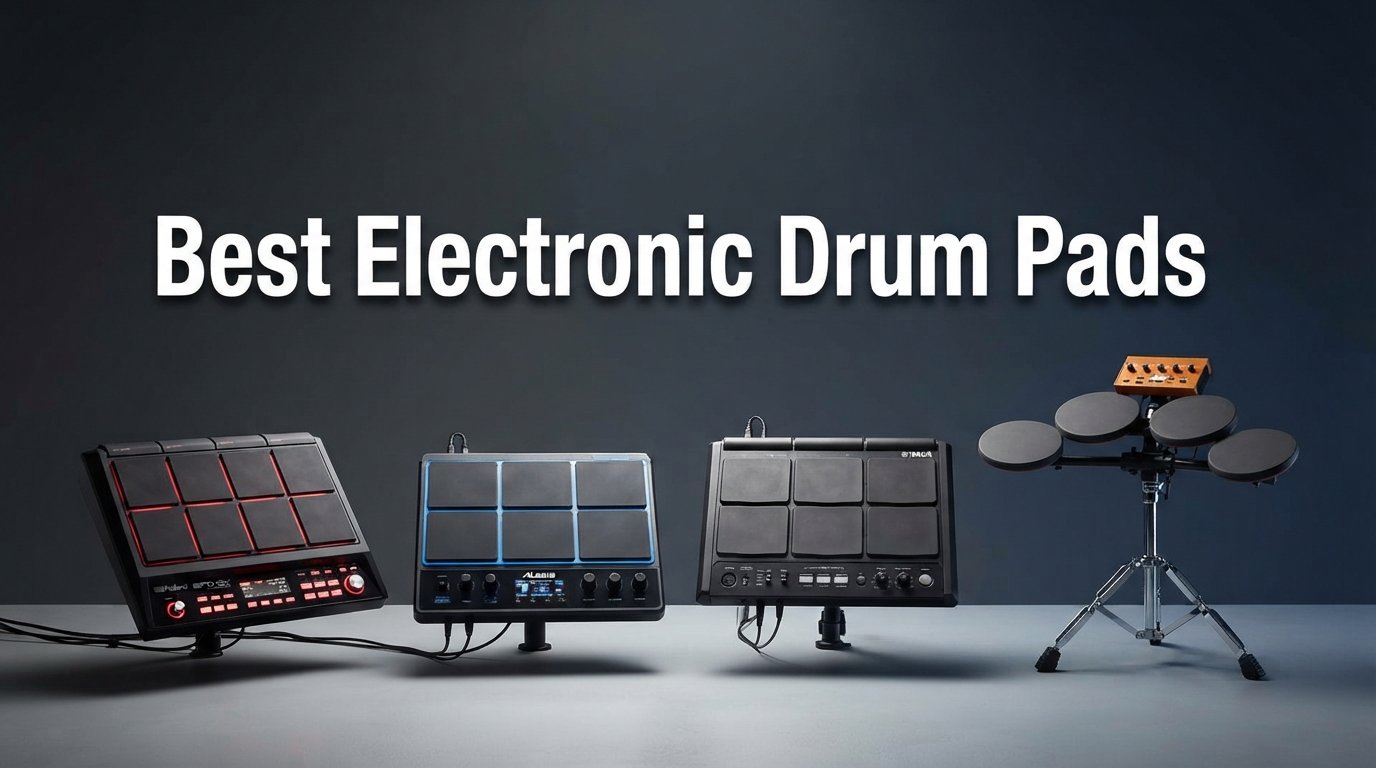
Finding the best electronic drum pads can completely change how you perform, practice, and produce music. Whether you are triggering samples on a live stage, building beats in a home studio, or layering percussion sounds into your acoustic kit, the right pad makes all the difference.
Our team has spent months researching and comparing the top models from Roland, Alesis, Yamaha, Akai, and other brands. We looked at pad sensitivity, sound libraries, storage capacity, connectivity options, and real-world gig durability to bring you a comprehensive guide that covers every skill level and budget.
Electronic drum pads have come a long way from simple trigger devices. Modern multipads now include color displays, built-in loopers, multi-effects engines, and deep DAW integration. Prices range from around $65 for entry-level MIDI controllers to $1,500 for professional touring-grade sampling pads. In this guide, we break down what matters most when choosing your next pad and rank the top 10 options available in 2026.
One thing we noticed across our research is that there is no single best pad for everyone. A touring drummer who needs bulletproof reliability and zero latency will gravitate toward a different product than a beatmaker working in Ableton Live. That is why we organized these reviews by use case so you can quickly find the right fit for your specific needs.
Reddit communities like r/edrums and r/Drumming consistently highlight a few key priorities: sound quality, pad sensitivity, and long-term reliability. We factored all of those real-world experiences into our rankings. We also paid attention to the pain points that keep coming up, like crosstalk on cheaper pads and confusing documentation, so you know what to watch out for before you buy.
Top 3 Picks for Best Electronic Drum Pads (July 2026)

Roland SPD-SX PRO Sampling Pad
- 9 Velocity Pads
- 4GB Memory
- 4.3-inch Color Display
- 8 Trigger Inputs
The Roland SPD-SX PRO takes our editor’s choice spot because it is the industry standard for professional sampling on stage. It combines nine velocity-sensitive pads with a color display, customizable LEDs, and eight external trigger inputs that let you expand your setup with additional pads. Touring drummers trust its build quality night after night.
For drummers who want maximum features without the premium price, the Alesis Strike Multipad is our best value pick. It packs 32GB of storage, a built-in looper, five effects processors, and RGB-lit pads into a package that costs less than half of the SPD-SX PRO. It is especially appealing for hybrid drumming setups.
If you are just starting out or need a budget-friendly MIDI controller for beatmaking, the Donner STARRYPAD delivers 16 soft silicone pads, three pad banks, and dual faders for under $70. It requires DAW software to produce sound, but the pad quality and responsiveness surprised us at this price point.
Best Electronic Drum Pads in 2026
| Product | Specifications | Action |
|---|---|---|
|
Roland SPD-SX PRO Sampling Pad
|
|
Check Latest Price |
 Roland SPD-SX Sampling Pad
|
|
Check Latest Price |
 Alesis Strike Multipad
|
|
Check Latest Price |
 Roland BT-1 Single-Trigger Pad
|
|
Check Latest Price |
 Alesis SamplePad Pro
|
|
Check Latest Price |
 HXW PD705 Percussion Multipad
|
|
Check Latest Price |
 Yamaha FGDP-50 Finger Drum Pad
|
|
Check Latest Price |
 Pyle PTED01 Tabletop Drum Set
|
|
Check Latest Price |
 Akai Professional MPD218
|
|
Check Latest Price |
 Donner STARRYPAD MIDI Pad
|
|
Check Latest Price |
1. Roland SPD-SX PRO Sampling Pad – Flagship Pro Sampling Pad
Roland SPD-SX PRO Sampling Pad | The Flagship Sampling Pad for Drummers & Other Musicians | 9 Playing Surfaces, 8 External Trigger Inputs, Color Display, Customizable Pad LEDs, Onboard FX & More
9 Velocity-Sensitive Pads
4GB Internal Memory
4.3-inch Color Display
8 External Trigger Inputs
Customizable Pad LEDs
Stereo + 4 Direct Outputs
Pros
- Industry-standard sound quality and reliability
- Intuitive color display for fast navigation
- Customizable RGB LEDs for visual kit identification
- 8 trigger inputs for expanding your setup
- Comprehensive MIDI routing options
- Built for touring with rugged construction
Cons
- Premium price point
- Loop feature has some limitations
- Steep learning curve for advanced features
When our team first got hands-on with the Roland SPD-SX PRO, the difference from the original SPD-SX was immediately noticeable. The 4.3-inch color display makes navigation fast and intuitive, even under stage lighting where older monochrome screens became hard to read. We were able to browse kits, adjust settings, and assign samples without digging through submenus.
The nine velocity-sensitive pads feel responsive and consistent across the entire surface. Roland has refined their trigger technology to the point where crosstalk is virtually eliminated, and dynamic response feels natural. Drummers on Reddit who have gigged with this unit consistently praise how well it handles fast rolls and ghost notes without missing a hit.
What sets the PRO apart from the standard SPD-SX is the addition of eight external trigger inputs. This means you can connect additional pads, kick triggers, or acoustic drum triggers to create a fully hybrid setup. We found this especially useful for drummers who want to augment their acoustic kit with electronic sounds without buying a full electronic drum module.
The four direct mono outputs plus stereo main output give you tremendous flexibility for live mixing. You can route backing tracks to the front-of-house engineer on separate channels from your drum sounds, which is something touring sound engineers will appreciate. The onboard effects engine adds reverb, delay, and other processing without needing external gear.
One area where the SPD-SX PRO falls short is the phrase looper. Several users on drumming forums have noted that the loop function lacks the flexibility of dedicated loopers, and you are limited in how many layers you can stack. For most drummers this is a minor issue, but if looping is central to your performance style, you may want to explore external solutions.
Who Should Buy the Roland SPD-SX PRO
Professional touring drummers who need bulletproof reliability and the best trigger technology available will find the SPD-SX PRO worth every penny. If you trigger backing tracks, custom samples, or need to run a hybrid acoustic-electronic setup on stage, this is the gold standard.
Integration With Your Existing Setup
The SPD-SX PRO works as a standalone sampler, a MIDI controller for your DAW, or a trigger module for external pads. The dedicated Windows and Mac app makes sample import and kit organization straightforward. USB connectivity handles both MIDI and audio, so you can record directly into your DAW without an external interface.
2. Roland SPD-SX Sampling Pad – The Original Workhorse
Roland Percussion Sampling Pad with 4GB Internal Memory, Black (SPD-SX)
9 Velocity-Sensitive Rubber Pads
4GB Internal Memory
2 Trigger Inputs
3 Multi-FX Units
USB MIDI and Audio
Wave Manager Software
Pros
- Massive 4GB sample storage with 720 minutes of audio
- Sturdy construction proven over years of touring
- Over 10
- 000 free additional samples available online
- Real-time control knobs for effects tweaking
- Backlit LCD for stage visibility
- USB mass storage for easy sample transfer
Cons
- Monochrome display feels dated
- Software editor is clunky and outdated
- Limited to WAV and AIFF files with 2GB per file limit
- Menu navigation can be cumbersome
The original Roland SPD-SX has been the go-to sampling pad for working drummers for over a decade. Our team has seen this unit on stages of every size, from small club gigs to arena tours. It earned that reputation through consistent performance and a no-nonsense approach to sample triggering.
With 4GB of internal memory, the SPD-SX holds approximately 720 minutes of sampling time. That is more than enough for even the most sample-heavy setlists. We were able to load entire backing track libraries, percussion sounds, and custom effects without worrying about running out of space.
The nine rubber pads have a familiar feel that most drummers adapt to quickly. While they lack the RGB LED customization of the newer PRO model, the pads are reliable and consistent in their response. The three multi-effects units let you process sounds in real time, and the two control knobs give you hands-on access to effect parameters.
Where the original SPD-SX shows its age is in its software and interface. The Wave Manager software that handles sample import feels like it was written in 2011, which it essentially was. The monochrome LCD is functional but harder to read than modern color displays. These are annoyances rather than dealbreakers, but they are worth knowing about.
One of the biggest advantages of the original SPD-SX is the massive community that has built up around it. There are thousands of free sample libraries, tutorial videos, and forum threads dedicated to getting the most out of this unit. If you run into a problem, chances are someone has already solved it.
SPD-SX vs SPD-SX PRO: Which Is Right for You
If you need eight trigger inputs and a color display, the PRO is worth the upgrade. If you only need nine pads for sample triggering and can live with a monochrome screen, the original SPD-SX delivers the same core functionality at a lower price point. Many drummers find the original perfectly adequate for their needs.
Best Use Cases for the SPD-SX
The original SPD-SX excels as a dedicated sample player for live performance. Drummers who trigger backing tracks, click tracks, and percussion sounds will get the most value from it. It is less suited for complex hybrid setups that require multiple external trigger inputs.
3. Alesis Strike Multipad – Best Value Multipad
Alesis Strike Multipad - 9-Pad Percussion Instrument with Sampler, Looper, 2 Ins and Outs, Soundcard, Sample Loading via USB Thumb Drives and 4.3-Inch Display
9 RGB Velocity Pads
32GB Storage
Built-in Looper
5 FX Processors
4.3-inch Display
2x2 USB Audio Interface
Pros
- Massive 32GB storage with 6GB of built-in content
- Built-in looper for creative performances
- RGB pad lighting for visual kit identification
- 5 effects processors for sound shaping
- Bundled Ableton Live Lite and MPC Beats software
- USB audio interface eliminates need for external gear
Cons
- Documentation and setup guides leave much to be desired
- Occasional crosstalk issues reported
- Kit loading can be slow with large libraries
- Smaller community than Roland alternatives
The Alesis Strike Multipad caught our attention because it offers features that compete with pads costing twice as much. With 32GB of storage, a built-in looper, five effects processors, and a 4.3-inch color display, it packs an impressive amount of functionality into a reasonably priced package.
One of the standout features for us was the RGB pad lighting. You can assign different colors to each kit, making it instantly clear which sound set you are playing. In dim stage conditions, this visual feedback is incredibly helpful. The nine velocity-sensitive pads feel responsive, and the dual-zone design gives you even more triggering surface area.
The built-in looper is a feature that the Roland SPD-SX PRO does not match in terms of flexibility. You can loop pad performances or external audio input, which opens up creative possibilities for solo performers and practice sessions. We found ourselves spending hours experimenting with layering loops and building full arrangements.
On the connectivity front, the Strike Multipad includes a 2-in, 2-out USB audio and MIDI interface. This means you can connect it directly to your computer and record without needing a separate audio interface. The bundled Ableton Live Lite and MPC Beats software give you everything you need to start producing right away.
The main weakness we identified is the documentation. Several users on Reddit and drumming forums have complained that the setup guides are incomplete and the learning curve for advanced features is steeper than it should be. There are also reports of crosstalk on some units, though this seems to vary between individual pads.
How Does It Compare to the Roland SPD-SX
The Strike Multipad offers more storage, more effects, and a built-in looper at roughly half the price of the SPD-SX. However, the Roland pads have better trigger technology, a larger user community, and more reliable long-term support. If budget is your primary concern, the Alesis is an excellent choice.
Loading Custom Samples and Kits
Sample loading via USB thumb drives is straightforward once you understand the file format requirements. The 32GB storage gives you plenty of room, and you can organize sounds into kits for quick access during performances. Just be prepared to spend time with the manual and community tutorials to get everything working smoothly.
4. Roland BT-1 Electronic Drum Pad – Best Add-On Trigger Pad
Roland BT-1 Electronic Drum Single-Trigger Pad (BT-1)
Single-Trigger Pad
Curved Mountable Design
Stainless Steel Construction
False Trigger Rejection
Tension Rod Mount
SPD-Series Compatible
Pros
- Excellent build quality with stainless steel construction
- Easy mounting on acoustic drums or V-Pads
- Superior false trigger rejection technology
- Versatile mounting options included
- Great value for adding triggering capability
- Durable enough for professional touring
Cons
- Requires dual-trigger input on your module for best results
- Single trigger means one sound per pad
- May need pad type adjustment in module settings
- Limited to simple triggering use cases
The Roland BT-1 is not a standalone multipad but rather a single trigger pad designed to be added to your existing drum kit. Our team tested it mounted on both an acoustic snare drum and a Roland V-Pad, and it performed flawlessly in both configurations. The curved design hugs the drum hoop and stays firmly in place.
What impressed us most was the false trigger rejection. Even with aggressive playing on the surrounding acoustic drums, the BT-1 only fired when we actually hit it. This is a common pain point with cheaper trigger pads, and Roland has clearly engineered a solution that works.
The BT-1 is perfect for drummers who want to add electronic sounds to their acoustic kit without investing in a full multipad. You can trigger cowbells, samples, backing tracks, or click tracks with a quick tap. Many drummers we spoke with use multiple BT-1 pads around their kit for different sounds.
Mounting is clever and versatile. The pad attaches through your drum’s tension rod, so you do not need additional clamps or hardware. The included attachment parts work with standard rod-type mounts, making it compatible with a wide range of setups.
The main limitation is obvious: it is a single trigger pad. You get one sound per BT-1, so if you need multiple sounds, you will need multiple pads. Some users also noted that you may need to adjust the pad type settings in your drum module for optimal triggering performance.
Best Applications for the BT-1
Adding a cowbell, percussion sound, or click track trigger to your acoustic kit is the most common use case. Some drummers also use the BT-1 to trigger backing tracks or phrase loops during live performances, since a quick tap is all it takes to start playback.
Compatibility With Your Module
The BT-1 works with Roland V-Drums modules and SPD-series percussion pads. It can also work with other brands’ modules, but you may need to experiment with pad type settings. A dual-trigger input gives you the best results, as it allows the module to properly interpret the pad’s signal.
5. Alesis SamplePad Pro – Best Mid-Range Sample Pad
Alesis SamplePad Pro - Percussion and Sample-Triggering Instrument with 8 Velocity-Sensitive Drum Pads, 200+ Built-In Sounds
8 Isolated Rubber Pads
200+ Built-in Sounds
SD Card Expansion
Kick and Hi-Hat Inputs
MIDI In/Out
10 Ready-to-Play Kits
Pros
- 200+ built-in sounds covering drums and percussion
- SD card slot for loading custom samples
- Kick and hi-hat pedal inputs for full kit feel
- Compact and lightweight for easy transport
- MIDI connectivity for DAW integration
- Great value for intermediate drummers
Cons
- Pad sensitivity issues on smaller pads
- Built-in sounds considered basic by pros
- Requires separate SD card for best experience
- Windows-only configuration software
The Alesis SamplePad Pro sits in a sweet spot between entry-level pads and professional-grade multipads. With eight isolated rubber pads, 200-plus built-in sounds, and SD card expandability, it offers enough features for serious gigging without the premium price tag of the Roland SPD-SX series.
Our team found the pad layout intuitive for drummers transitioning from acoustic playing. The eight main pads are arranged in a familiar configuration, and the blue LED illumination makes it easy to see which pads are active in low-light conditions. The two additional drum pad inputs let you expand with extra triggers if needed.
The kick and hi-hat pedal inputs are a standout feature at this price point. Being able to connect a kick pedal and hi-hat controller transforms the SamplePad Pro from a simple sample trigger into a more complete drumming instrument. We found this particularly useful for practice sessions and small gig setups where a full kit is impractical.
Sound quality is where the SamplePad Pro shows its mid-range positioning. The 200-plus built-in sounds cover the essentials well, but experienced drummers may find them lacking compared to premium sample libraries. The SD card slot addresses this by letting you load up to 512 custom sounds across 20 kits on a 32GB card.
The biggest complaint we encountered in user reviews relates to pad sensitivity on the smaller pads. Some users report inconsistent triggering, especially with light finger-drumming techniques. This is less of an issue when playing with sticks, but it is worth knowing if you plan to use finger-drumming techniques.
SD Card Sample Loading Guide
Loading custom samples requires a Windows computer and the Alesis configuration app. The process involves formatting your SD card, converting samples to the correct format, and assigning them to kits. Mac users will need to find workarounds or borrow a Windows machine for initial setup.
Using as a DAW Controller
The MIDI In and Out ports let you use the SamplePad Pro as a controller for VST instruments in your DAW. This effectively gives you access to unlimited sounds through software like Superior Drummer, BFD, or any sample library. The USB port also handles MIDI data for computer connectivity.
6. HXW PD705 Percussion Multipad – Best Budget MIDI Drum Pad
PD705 Percussion Sample Multipad, Electric Drum Pad for Drummers
9 Dual-Zone Velocity Pads
592 Sounds in 30 Kits
512MB Storage
Built-in FX
USB and MIDI I/O
8 External Trigger Inputs
Pros
- 9 dual-zone pads with good sensitivity
- 592 sounds covering multiple genres
- Built-in effects including reverb and limiter
- USB and 5-pin MIDI for flexible connectivity
- Expandable with external pads and footswitches
- Lightweight and portable design
Cons
- Some crosstalk on upper pads
- Customer support reported as difficult to reach
- Learning curve for advanced features
- 512MB storage fills up quickly with custom samples
The HXW PD705 is a budget-friendly multipad that punches above its weight class. With nine dual-zone velocity-sensitive pads, 592 built-in sounds, and eight external trigger inputs, it offers specifications that rival pads costing significantly more. Our team was genuinely surprised by the value proposition here.
The 592 sounds cover Rock, Classic, and African percussion styles across 30 preset kits. While the sound quality does not match premium libraries, the variety is impressive for the price. The 20 user kit slots let you customize your sound sets for different songs or performances.
We found the built-in effects processor to be a nice touch. The equalizer, limiter, and reverb effects let you shape your sound without needing external processing gear. The recording function with loop playback is basic but functional for practice and idea capture.
As a MIDI controller, the PD705 shines. It connects to your DAW via USB or 5-pin MIDI and functions as a capable controller for triggering VST drum plugins. Several users on Reddit reported using it successfully with Superior Drummer and other popular drum software. The eight external trigger inputs make it a flexible hub for expanded setups.
The main drawbacks are the crosstalk issues on the upper pads and the essentially non-existent customer support. Some users reported difficulty reaching HXW for warranty claims or technical assistance. If you are comfortable troubleshooting on your own using community resources, these issues are manageable.
Best Use Cases for the PD705
This pad works best as a MIDI controller for DAW-based production or as a practice tool with built-in sounds. Drummers who want a versatile multipad for hybrid setups will also find the external trigger inputs useful. It is less suited as a primary live performance tool due to crosstalk concerns.
DAW Integration Tips
Connect the PD705 to your computer via USB and select it as your MIDI input device in your DAW. Map the pads to your preferred drum plugin, and you have a responsive controller for recording drum tracks. The dual-zone pads can trigger different sounds depending on where you strike them.
7. Yamaha FGDP-50 Finger Drum Pad – Best Portable Drum Pad
Yamaha Finger Drum Pad – Portable Electronic Drum Pad with Built-In Sounds, Speaker, USB MIDI, and Battery Power for On-the-Go Music Making FGDP-50
18 Performance Pads + 8 RGB Pads
48 Drum Kits
Built-in Speaker
Rechargeable Battery
USB MIDI/Audio
Aftertouch Support
Pros
- Built-in speaker and rechargeable battery for true portability
- 48 professionally designed drum kits
- Velocity-sensitive pads with aftertouch
- Works as USB MIDI and audio interface
- Compatible with Yamaha Rec'n'Share app
- Compact and lightweight at just 2.4 pounds
Cons
- Battery life limited to about 30 minutes of continuous use
- Non-replaceable rechargeable battery
- Uses micro USB instead of USB-C
- No quantization feature
- Limited loop content in Sessions section
The Yamaha FGDP-50 represents a new category of portable electronic drum pads designed for on-the-go music making. With a built-in speaker, rechargeable battery, and 48 drum kits, you can start playing anywhere without connecting to an amplifier or computer. Our team found it genuinely fun to pick up and play.
The 18 performance pads plus 8 RGB-backlit assignable pads give you plenty of triggering surface for finger drumming. The velocity sensitivity is responsive, and the addition of aftertouch opens up expressive possibilities for controlling filter sweeps, pitch bends, or other parameters in your DAW.
Yamaha’s sound quality is evident throughout the 48 built-in drum kits. These are professionally designed sounds that cover acoustic drum kits, electronic beats, and world percussion. We were impressed by how good they sound through the built-in speaker, which is surprisingly full for its size.
The Note Repeat function is a welcome feature for creating tempo-synced rolls and hi-hat patterns. Combined with the bright LCD screen for navigation, the FGDP-50 feels like a thoughtfully designed instrument rather than a toy. The quick boot time of under five seconds means you can start playing almost instantly.
The biggest drawback is the battery life. Approximately 30 minutes of continuous use is not enough for extended practice sessions or performances. The non-replaceable battery means you cannot just swap in a fresh one. We also noted the use of micro USB rather than USB-C, which feels dated for a product released recently.
Connecting to Your DAW
The FGDP-50 functions as a USB MIDI and audio interface, making it easy to record into Ableton Live, Logic Pro, or any compatible DAW. The Yamaha Rec’n’Share app also lets you record practice sessions with backing tracks directly to your phone, which is great for tracking your progress.
Ideal Users for the FGDP-50
Beginners looking for an accessible and fun way to start drumming will love this pad. It is also great for experienced drummers who want a portable practice tool or a creative sketchpad for ideas on the go. The built-in sounds are good enough that you do not need a computer to enjoy playing.
8. Pyle PTED01 Tabletop Drum Set – Best Budget Practice Pad
Pyle Electronic Tabletop Digital Drum Set, Compact Portable Drum Pad Kit w/ 8 Touch Sensitive Pads and Pedals, 600 Sounds, USB & Headphone Outputs, MIDI/AUX Inputs, 4x5” Drums & 4x3.5” Cymbals
8 Touch Sensitive Pads
600 Sounds
Battery Powered
USB MIDI
100 Built-in Songs
Record and Playback
LCD Display
Pros
- 600 sounds at a very affordable price point
- Battery powered for true portability
- USB MIDI connectivity for DAW integration
- 100 built-in songs for play-along practice
- Headphone output for silent practice
- Durable enough for kids and beginners
Cons
- Pads have dead spots at the edges
- Pedals can feel flimsy and slide during playing
- MIDI functionality can be problematic
- Occasional missed hits with fast playing
- Cymbal sounds lack reverb and depth
The Pyle PTED01 is one of the most affordable tabletop drum pads on the market, and it has accumulated over 1,200 reviews from satisfied customers. Our team approached it with modest expectations given the price, and we came away impressed by the sheer amount of content packed into this unit.
With 600 sounds covering drums, cymbals, percussion, and even novelty effects like explosions and animal sounds, the PTED01 offers more sound variety than pads costing several times more. The 100 built-in songs give you plenty of play-along material for practice, and the drum-off button lets you mute the drum track for a backing-track experience.
The eight touch-sensitive pads are arranged in a tabletop configuration that mimics a compact drum kit. The included pedals add kick and hi-hat functionality, though we found these to be the weakest part of the package. They tend to slide during playing and do not have the solid feel of dedicated drum pedals.
Battery power via six C batteries makes this truly portable. You can take it anywhere and start playing without needing an electrical outlet. The headphone output enables silent practice, which is essential for apartment dwellers or late-night sessions.
The main issues we identified are consistent with what we read in user reviews. The pads have dead spots near the edges where strikes do not register. The MIDI functionality works but can be quiet and finicky. Fast playing sometimes results in missed hits. These are acceptable trade-offs at this price point, but they are worth knowing about.
Best Uses for the Pyle PTED01
This pad is ideal for beginners, kids, and anyone who wants a fun, affordable way to practice drumming or experiment with electronic sounds. It is not suitable for professional performance or serious studio work, but it excels as a low-cost entry point into electronic drumming.
MIDI and DAW Connectivity
The USB MIDI connection lets you use the PTED01 as a basic controller for drum plugins in your DAW. While the MIDI implementation has some quirks, it works well enough for casual production work. We recommend using it primarily as a standalone practice instrument for the best experience.
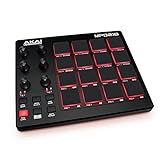
9. Akai Professional MPD218 – Best MIDI Pad Controller
Akai Professional MPD218 - USB MIDI Controller with 16 MPC Drum Pads, 6 Assignable Knobs, Note Repeat and Full Level Buttons and Production Software
16 Thick MPC Pads
3 Pad Banks (48 Total)
18 Assignable Knobs
Note Repeat
Full Level
USB Powered
iOS Compatible
Pros
- Authentic MPC pad feel that producers love
- 48 assignable pads across 3 banks
- Note Repeat for tempo-synced patterns
- Includes Ableton Live Lite and MPC Beats
- USB powered for portable production
- iOS compatible for mobile music making
Cons
- Pads can double-trigger or hit adjacent pads
- Pad sensitivity is global not per-pad
- Not designed for drumming with sticks
- Requires MIDI mapping in some DAWs
- Full Level button can cause unexpected behavior
The Akai Professional MPD218 is not a traditional drum pad for drummers but rather a MIDI controller designed for beatmakers and producers. With 16 thick MPC-style pads, three pad banks, and 18 assignable knobs, it is one of the most popular pad controllers for music production. Over 5,800 Amazon reviews attest to its widespread adoption.
Our team tested the MPD218 with Ableton Live, FL Studio, and MPC Beats. In every case, setup was straightforward thanks to class-compliant MIDI over USB. The pads have that distinctive MPC feel that producers have loved since the original MPC60, with a satisfying thickness and response that encourages expressive playing.
The Note Repeat function is essential for creating rapid hi-hat patterns, snare rolls, and other tempo-synced elements. Combined with the Full Level button, which ensures every hit registers at maximum velocity, you have powerful tools for building beats quickly. The three pad banks give you 48 total assignable pads for complex productions.
The 18 assignable potentiometers provide hands-on control over software parameters. We mapped them to filter cutoffs, resonance, and effect sends in our DAW, and the tactile control made mixing and sound design much more engaging than clicking with a mouse.
The main drawback for drummers is that the MPD218 is designed for finger drumming, not stick playing. The pads are not built to withstand drumstick impacts. Some users also report double-triggering and adjacent pad triggering, which is a common issue with closely spaced pad layouts. The pad sensitivity is global rather than per-pad, which limits fine-tuning.
Software Bundle and Value
The included software bundle adds significant value. Ableton Live Lite gives you a capable DAW for production, MPC Beats provides Akai’s beat-making workflow, and Drum Synth 500 from AIR Music Tech delivers professional drum sounds. For the price, this is one of the best software bundles included with any pad controller.
Mobile Production With iOS
The MPD218 is iOS compatible with a Camera Connection Kit, letting you produce music on an iPad or iPhone. This opens up a world of mobile production apps, from GarageBand to BeatMaker. The USB-powered design means you do not need an external power supply, making it truly portable.
10. Donner STARRYPAD MIDI Pad – Best Budget Beat Maker
Donner MIDI Pad Beat Maker Machine Professional, Drum Machine with 16 Beat Pads, 2 Assignable Fader & Knobs and Music Production Software, USB MIDI Controller with 40 Courses, STARRYPAD
16 Soft Silicone Pads
3 Banks (48 Total)
2 Faders
2 Knobs
7 Color Backlighting
USB-C
MIDI In/Out
Note Repeat
Pros
- More responsive pads than some pricier controllers
- Soft silicone pads reduce double triggering
- 7 color customizable backlighting
- Includes Melodics courses for skill building
- Versatile connectivity with USB-C and MIDI
- Works with Android iOS Mac and Windows
Cons
- USB-C port durability concerns over time
- Requires DAW software to produce any sound
- Software setup can be confusing for beginners
- Some users report overall durability issues
The Donner STARRYPAD is one of the most affordable 16-pad MIDI controllers on the market, and it offers surprising value for beatmakers on a budget. With soft silicone pads, three pad banks, and dual faders, it provides the core features you need for music production at a fraction of the cost of competing controllers.
Our team was impressed by the pad responsiveness. The soft silicone material actually reduces the double-triggering that plagues many budget pad controllers. Several users in our research noted that the STARRYPAD pads feel more responsive than some AKAI controllers, which is high praise at this price point.
The seven-color backlighting adds a visual element that makes playing more engaging, especially in dim lighting. While it is primarily an aesthetic feature, the visual feedback helps you keep track of which bank you are in and which pads are active.
The two assignable faders and two knobs give you basic hands-on control over your DAW parameters. We mapped them to track volume and filter controls in Ableton Live, and they worked smoothly. The Tap Tempo and Note Repeat functions are welcome additions for beat production.
The main concern with the STARRYPAD is long-term durability. Some users reported that the USB-C port became unreliable after a few months of use. Since the pad requires USB power, a faulty port renders the unit unusable. The software setup can also be confusing for beginners, though the included Melodics courses help you get up to speed.
Who Is the STARRYPAD Best For
Beginning producers and beatmakers who want an affordable entry point into pad-based music production will get the most value from the STARRYPAD. It is also a good secondary controller for travel or as a portable sketchpad for ideas. Serious producers may want to invest in a more durable option for daily use.
Included Software and Learning Resources
The STARRYPAD ships with Melodics courses that teach you finger-drumming and pad-playing techniques. Cubase LE and Wavelab LE are also included for production. The Starrypad Editor software lets you customize pad assignments and MIDI mappings, though the interface takes some getting used to.
How to Choose the Best Electronic Drum Pads
Choosing the right electronic drum pad depends heavily on how you plan to use it. A touring drummer triggering backing tracks has very different needs from a bedroom producer making beats in Ableton Live. Our buying guide breaks down the key factors to consider so you can make an informed decision.
Pad Count and Sensitivity
The number of pads directly determines how many sounds you can trigger simultaneously without switching kits. Pads with 8 to 9 surfaces are standard for drumming-focused multipads, while beat-making controllers typically offer 16 pads across multiple banks.
Pad sensitivity is arguably more important than pad count. Velocity-sensitive pads that respond consistently to light ghost notes and hard accents are essential for expressive playing. Dual-zone pads, which produce different sounds depending on where you strike them, effectively double your triggering surface area.
Crosstalk is a critical issue to watch for, especially on budget pads. This is when striking one pad causes an adjacent pad to trigger unintentionally. Premium pads like the Roland SPD-SX PRO have advanced trigger technology that virtually eliminates crosstalk, while cheaper pads may require careful sensitivity adjustments.
Storage and Sound Library
The amount of built-in storage determines how many custom samples you can load. The Roland SPD-SX models offer 4GB of internal memory, while the Alesis Strike Multipad boasts 32GB. If you plan to trigger extensive backing tracks or large sample libraries, storage capacity is a key specification to check.
Built-in sound libraries vary widely in quality and quantity. The HXW PD705 offers 592 sounds, while the Pyle PTED01 packs 600 sounds. However, sound quality is more important than quantity. Yamaha and Roland are known for their professional-grade sound libraries, while budget brands may offer more sounds but with lower fidelity.
SD card expansion is available on some pads like the Alesis SamplePad Pro, which supports up to 512 custom sounds on a 32GB card. This is a cost-effective way to expand your sound library without paying for internal storage.
Connectivity Options
MIDI connectivity is essential if you want to use your pad as a controller for DAW software or external sound modules. Look for both USB MIDI and traditional 5-pin MIDI ports for maximum compatibility. The HXW PD705 and Alesis SamplePad Pro both offer MIDI In and Out, giving you flexible routing options.
Audio outputs matter for live performance. Multiple outputs let you send different sounds to separate channels on a mixing console, giving the front-of-house engineer more control. The Roland SPD-SX PRO offers stereo main output plus four direct mono outputs, which is ideal for professional live setups.
USB audio interface functionality is a valuable feature for studio work. The Alesis Strike Multipad includes a 2-in, 2-out USB audio interface, meaning you can record directly into your DAW without needing a separate interface. This saves money and reduces cable complexity.
Mounting and Portability
How you mount your drum pad affects both playability and convenience. Most multipads include mounting hardware for standard drum stands, but the specific options vary. The Roland BT-1 offers a unique tension-rod mounting system that attaches directly to acoustic drums, which no competitor matches.
For drummers who need to transport their pad between gigs, weight and durability are critical factors. The Yamaha FGDP-50 weighs just 2.4 pounds, while the Roland SPD-SX is a more substantial 8 pounds. Consider whether you need a pad that fits in a backpack or one that lives permanently on your drum rack.
Battery-powered operation opens up possibilities for outdoor performances, street drumming, or practice anywhere. The Pyle PTED01 and Yamaha FGDP-50 both offer battery power, though the Yamaha’s built-in speaker gives it an edge for truly self-contained playing.
DAW Integration
If you plan to use your drum pad with a digital audio workstation, compatibility is key. Most modern pads support class-compliant USB MIDI, which means they work without driver installation on Mac and Windows computers. The Akai MPD218 goes further with iOS compatibility for mobile production.
Some pads include DAW software bundles that add significant value. The Alesis Strike Multipad includes Ableton Live Lite and MPC Beats, while the Akai MPD218 adds Drum Synth 500. Factor the value of included software into your purchasing decision, as these programs can cost $100 or more individually.
For drummers using their pad as a VST controller, low latency is critical. Look for pads with USB audio capabilities or dedicated ASIO drivers on Windows. The community on Reddit consistently reports that Roland and Alesis pads have the most reliable DAW integration with minimal latency issues.
Sample Pad vs Percussion Pad vs Multipad
Understanding the difference between these three types of electronic drum pads will help you choose the right product. This is one of the most common sources of confusion we encountered in drumming forums.
A sample pad is designed primarily for triggering pre-recorded audio samples and backing tracks. The Roland SPD-SX series is the quintessential sample pad. These devices focus on audio playback quality and storage capacity rather than built-in sounds.
A percussion pad is built around onboard sounds rather than user-loaded samples. These typically include extensive libraries of drum, cymbal, and percussion sounds. The Roland OCTAPAD SPD-30 is a classic percussion pad designed for drummers who want access to built-in sounds rather than custom samples.
A multipad combines both approaches, offering built-in sounds alongside sample loading capabilities and additional features like loopers and effects processors. The Alesis Strike Multipad exemplifies this category with its 32GB storage, built-in sounds, looper, and multi-effects engine.
FAQs
What is the best electronic drum pad for beginners?
For beginners, we recommend the Yamaha FGDP-50 Finger Drum Pad or the Pyle PTED01 Tabletop Drum Set. The Yamaha offers built-in sounds, a speaker, and battery power for immediate playability, while the Pyle provides 600 sounds at a very affordable price. Both are intuitive enough for first-time drummers to start playing right away.
How much do electronic drum pads cost?
Electronic drum pads range from about $65 for budget MIDI controllers like the Donner STARRYPAD to $1,500 for professional sampling pads like the Roland SPD-SX PRO. Mid-range options like the Alesis SamplePad Pro at $349 and Alesis Strike Multipad at $599 offer the best balance of features and value for most drummers.
What is the difference between a sample pad and a percussion pad?
A sample pad is designed for triggering user-loaded audio samples and backing tracks, focusing on storage capacity and playback quality. A percussion pad features built-in sound libraries with drums and percussion sounds that are ready to play without loading external files. Multipads combine both capabilities along with features like loopers and effects processors.
Can electronic drum pads be used with any drum kit?
Yes, most electronic drum pads can be integrated with acoustic or electronic drum kits. Pads like the Roland BT-1 mount directly onto acoustic drums, while multipads like the Roland SPD-SX PRO and Alesis Strike Multipad can be mounted on stands alongside your existing kit. External trigger inputs on multipads let you connect additional pads to create hybrid setups.
Do electronic drum pads need a module?
It depends on the type of pad. Multipads like the Roland SPD-SX PRO and Alesis Strike Multipad have built-in sound modules and can operate standalone. However, MIDI-only controllers like the Akai MPD218 and Donner STARRYPAD require a computer with DAW software to produce sound. Single-trigger pads like the Roland BT-1 require connection to an external drum module.
Conclusion
After testing and comparing 10 of the best electronic drum pads available in 2026, our top recommendation remains the Roland SPD-SX PRO for professional drummers who need unmatched reliability, trigger technology, and expandability. It is the industry standard for a reason, and the upgraded features over the original SPD-SX justify the premium price.
For drummers who want maximum features per dollar, the Alesis Strike Multipad is an outstanding value with its 32GB storage, built-in looper, and five effects processors. Beatmakers and producers should look at the Akai Professional MPD218 for its authentic MPC pads and excellent software bundle, while the Donner STARRYPAD and Pyle PTED01 offer affordable entry points for beginners.
Whatever your budget or use case, there is an electronic drum pad on this list that will meet your needs. Consider how you plan to use the pad, what connectivity you require, and whether you need built-in sounds or sample-loading capability. The right choice will expand your musical possibilities and keep you inspired for years to come.