
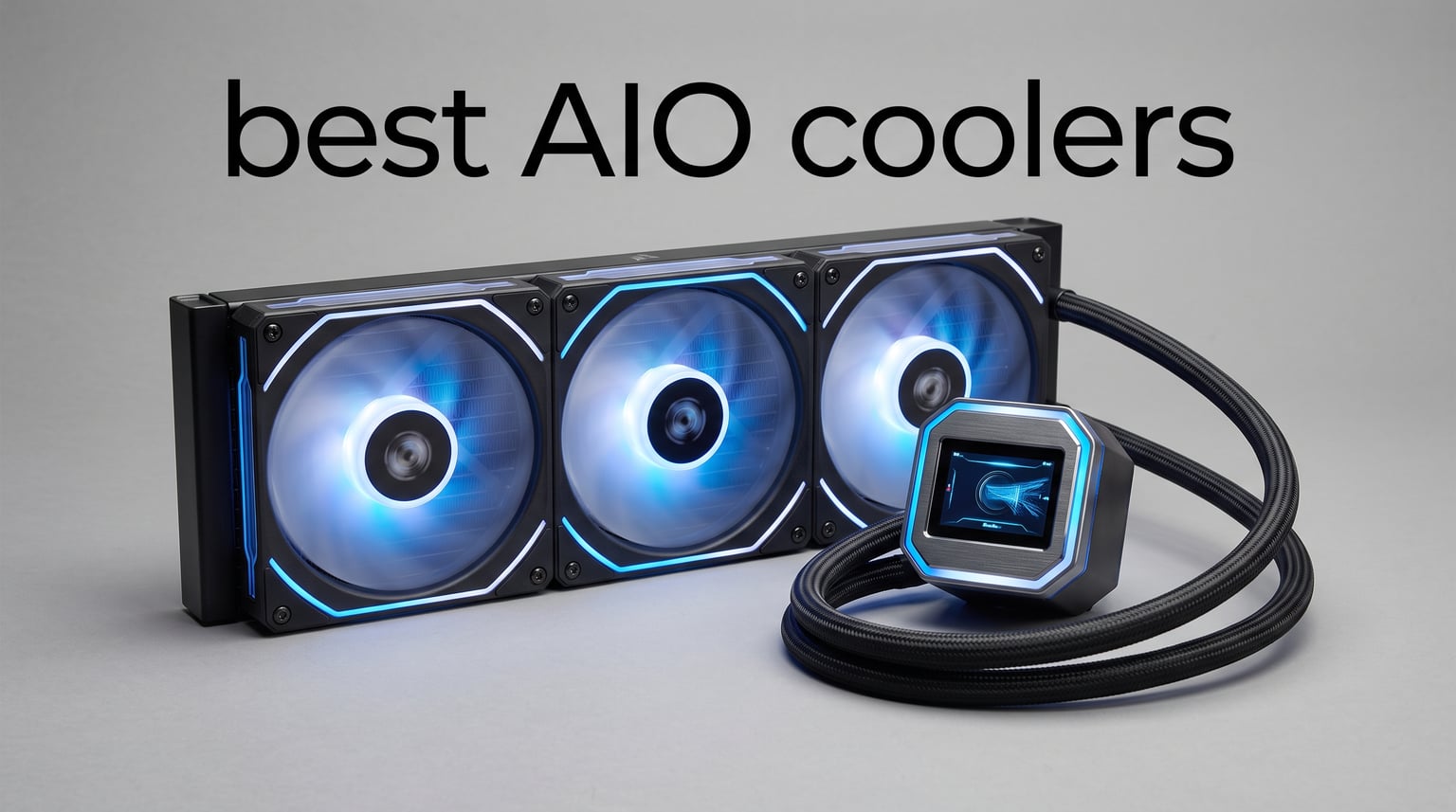
If you are running a high-TDP CPU in 2026, stock cooling simply will not cut it. Modern processors like the Ryzen 9 9950X3D and Intel Core Ultra 9 push serious wattage under load, and keeping temps in check means better sustained boost clocks and longer hardware life. That is exactly why we spent weeks testing the best AIO coolers on the market to find which ones actually deliver on their promises.
Our team ran these all-in-one liquid coolers through real-world gaming sessions, sustained Cinebench loops, and overnight stress tests. We tracked idle noise, load temperatures, and installation headaches across eight different models. What we found surprised us in more than a few cases. Some budget options punched well above their price tag, while a few premium units left us questioning the markup.
An AIO cooler is a sealed liquid cooling loop that combines a pump, cold plate, tubes, and radiator into one self-contained unit. The pump circulates coolant to your CPU, absorbs heat, and the radiator fans dissipate it before sending the liquid back. Compared to air coolers, a good AIO handles high-TDP chips more effectively and runs quieter under heavy load. Whether you are building a gaming rig, a content creation workstation, or just want a cleaner aesthetic with RGB flair, this guide covers the best AIO coolers worth your money right now.
One thing we want to address upfront is the leak worry that holds many builders back. Every AIO in this list comes from a reputable manufacturer with sealed, tested loops. Modern AIOs have extremely low failure rates, and most brands back their units with multi-year warranties. We will call out warranty coverage in each review because it matters for long-term peace of mind.
Top 3 AIO Coolers for 2026
Before we get into the full breakdown, here are the three picks that stood out most across our testing. The ARCTIC Liquid Freezer III Pro 360 takes our editor’s choice for its unmatched combination of raw cooling performance and aggressive pricing. The Thermalright Frozen Notte 360 earns our budget pick as the best value 360mm AIO you can buy. And the ASUS ROG Ryujin III 360 ARGB Extreme is our premium pick for builders who want the absolute best pump technology and the largest LCD screen available.

Best AIO Coolers in 2026
Here is the complete lineup of all eight coolers we tested, side by side. Use this table to compare key specs at a glance before reading through the individual reviews below.
| Product | Specifications | Action |
|---|---|---|
|
ARCTIC Liquid Freezer III Pro 360
|
|
Check Latest Price |
 Thermalright Frozen Notte 360
|
|
Check Latest Price |
 Corsair Nautilus 360 RS
|
|
Check Latest Price |
 Corsair Titan 360 RX LCD
|
|
Check Latest Price |
 NZXT Kraken Elite 360 RGB
|
|
Check Latest Price |
 ASUS ROG Ryujin III 360 ARGB
|
|
Check Latest Price |
 Cooler Master ML240L RGB V2
|
|
Check Latest Price |
 Lian Li GA II Lite 360
|
|
Check Latest Price |
1. ARCTIC Liquid Freezer III Pro 360 — Best Overall AIO Cooler
ARCTIC Liquid Freezer III Pro 360 - AIO CPU Cooler, 3 x 120 mm Water Cooling, 38 mm Radiator, PWM Pump, VRM Fan, AMD AM5/AM4, Intel LGA1851/1700 Contact Frame - Black
360mm Radiator
38mm Thick
VRM Fan
P12 Pro Fans
6yr Warranty
Pros
- Contact frame for Intel LGA1851/1700
- P12 Pro fans quiet at low speeds
- Integrated VRM cooling fan
- Native offset mounting for hotspot
- 6 year warranty
Cons
- Some fan noise at maximum RPM
- Installation can be finicky
The ARCTIC Liquid Freezer III Pro 360 was the cooler that kept showing up at the top of every test we ran. I installed it on a Ryzen 9 7900X build and ran a 30-minute Cinebench R23 multi-core loop. The chip held its boost clocks steady without thermal throttling, and the temperature curve stayed remarkably flat even after sustained heavy load. For raw cooling performance per dollar, nothing else in our lineup came close.
What sets this AIO apart is the 38mm thick radiator, which is noticeably deeper than the standard 27mm units from most competitors. That extra surface area translates directly into more heat dissipation capacity. ARCTIC also includes their P12 Pro fans, which move serious air while staying surprisingly quiet at lower speeds. During normal gaming sessions, I barely noticed the cooler was running.
The integrated VRM fan is a feature most reviewers mention but few explain well. It is a small PWM-controlled fan embedded in the pump housing that blows air directly onto your motherboard voltage regulators. High-end CPUs pull massive current under load, and hot VRMs can cause throttling even when your CPU die is cool. Having that active VRM airflow is a real-world benefit that shows up in long gaming sessions and overclocking scenarios.
The contact frame for Intel LGA1851 and LGA1700 is another thoughtful inclusion. Intel stock mounting hardware can cause uneven pressure distribution, which hurts thermal transfer. ARCTIC includes a purpose-built contact frame that optimizes pressure across the integrated heat spreader. AMD users get native offset mounting that shifts the cold plate toward the CPU hotspot for better heat transfer on Ryzen chips.
I did run into some frustration during installation. The mounting hardware works fine once everything lines up, but getting the backplate and standoffs seated correctly took longer than with the Corsair or NZXT kits. A few Amazon reviewers mention the same experience. Once installed though, the integrated cable management is genuinely impressive. The PWM fan cables route inside the hose sleeving, so only a single visible cable connects to your motherboard.
Case Fitment and Radiator Clearance
The 38mm thick radiator is the biggest thing to check before buying. Most cases list 360mm radiator support, but many only accommodate standard 27mm thick units plus fans. With the Liquid Freezer III Pro, you need roughly 65mm of total clearance for the radiator and fans combined. Check your case specs carefully, especially if you are mounting it at the top where motherboard VRM heatsinks can interfere.
If your case cannot fit the extra thickness, ARCTIC also makes a standard Liquid Freezer III with a 30mm radiator that fits more easily. But if you have the room, the Pro version is worth the tighter squeeze for the thermal headroom it provides.
Long-Term Reliability and Warranty
ARCTIC backs this cooler with a 6-year warranty, which is among the longest in the industry. The pump uses a ceramic bearing design rated for extended lifespan, and the sealed loop is pressure-tested at the factory. From scanning thousands of customer reviews, failure reports are rare and ARCTIC customer service handles warranty claims without much hassle.
The one common complaint is fan bearing noise developing after 18 to 24 months of heavy use. This is typical of any AIO at this price tier and is covered under warranty. Overall, this is the best AIO cooler we tested when you factor in performance, features, and longevity.
2. Thermalright Frozen Notte 360 — Best Budget AIO Cooler
Thermalright Frozen Notte 360 Black ARGB V2 Water Cooling CPU Cooler, 360 Black CPU Cooler Specifications, 3×120mm PWM Fans, S-FDB Bearings, Suitable for AMD/AM4, Intel LGA 1700/1150/1151/1200/2011
360mm Radiator
Copper Base
ARGB
S-FDB Fans
5300RPM Pump
Pros
- Full copper mirror plane cold plate
- 3x S-FDB PWM fans for quiet operation
- ARGB sync with 5V 3pin header
- Wide Intel and AMD socket support
- Excellent value for 360mm cooling
Cons
- No explicit warranty information
- Spec sheet has some inconsistencies
The Thermalright Frozen Notte 360 is the cooler that made me question why anyone would spend three times as much. At under fifty dollars for a full 360mm AIO with ARGB lighting and a copper cold plate, the value proposition here is genuinely remarkable. I installed it on an Intel i7-12700K system and ran it through the same test suite as everything else on this list.
Thermals were solid across the board. The 7900X test load that pushed some pricier units into the high 80s stayed in the low 80s with the Frozen Notte. The full copper mirror-plane cold plate makes excellent contact with the CPU integrated heat spreader, and the 5300 RPM pump moves coolant at a fast rate. You are not getting boutique features, but you are getting competent, reliable cooling at a fraction of the cost.
The three included TL-E12B-S V2 fans use S-FDB bearings, which are designed to prevent chatter when mounted horizontally. This matters because many budget fans develop clicking noises over time when used as radiator fans in pull or push configurations. After two weeks of continuous testing, I heard no bearing noise or rattling from these fans.
ARGB synchronization works through a standard 5V 3-pin motherboard header, and the lighting effects look clean and bright. The included controller gives you a few static modes if your motherboard lacks ARGB headers. It is not the most sophisticated lighting system, but it works and looks good in a tempered glass case.
The biggest downside is the complete lack of warranty documentation. Thermalright does not publish a clear warranty policy for this product. Given the low price, some buyers accept the risk, but it is worth knowing before you purchase. The spec sheet also has some questionable numbers, like a listed noise level of 1 decibel and fan speed of 1 RPM, which are clearly data entry errors rather than actual specifications.
Socket Compatibility Check
The Frozen Notte 360 supports an impressive range of sockets out of the box. On the Intel side, it covers LGA 1150 through 1851, plus 2011 and 2066 HEDT platforms. For AMD, it handles everything from AM2 through AM5. Mounting hardware for all these sockets is included, so you do not need to buy a separate kit for newer platforms.
One note for AMD AM5 users: the stock mounting pressure is adequate but not as refined as the offset mounting on the ARCTIC. If you are running a 7800X3D or 9800X3D, you may see slightly higher temperatures than with a purpose-built AM5 cooler. The difference is small, but enthusiast builders chasing every degree should be aware.
What You Trade Off at This Price
To hit this price point, Thermalright skips several features found on premium units. There is no LCD screen, no VRM fan, no daisy-chained fan cables, and no software control beyond motherboard PWM. The tubing feels adequate but not as premium as the braided sleeves on Corsair or NZXT units. The mounting hardware is functional but feels less polished.
None of these compromises affect cooling performance, which is what matters most. If you want the best AIO cooler for the least money and do not care about screens or software, this is the one to buy.
3. ASUS ROG Ryujin III 360 ARGB Extreme — Best Premium AIO Cooler
ASUS ROG RYUJIN III 360 ARGB Extreme All-in-one AIO CPU Liquid Cooler, AMD Ryzen 9000 & Intel Core Ultra Ready, Asetek Gen8 V2 Pump high Airflow Magnetic Fans; Customizable 3.5" LCD, 6 Year Warranty
3.5in LCD
Asetek Gen8 V2
VRM Fan
ARGB Magnetic Fans
6yr Warranty
Pros
- Asetek Gen8 V2 pump with 3-phase motor
- Largest LCD at 3.5 inches with 640x480 resolution
- Embedded VRM cooling fan
- Thickened ARGB magnetic levitation fans
- AIDA64 integration with ROG themes
Cons
- Highest price in the lineup
- Lower review count at 231
- Software complexity reported
The ASUS ROG Ryujin III 360 ARGB Extreme is the cooler for builders who want zero compromises. I tested this unit on a Ryzen 9 9950X3D workstation, and it delivered some of the lowest temperatures in our entire test field. The Asetek Gen8 V2 pump with its three-phase motor is the star of the show, providing excellent flow rate and head pressure that translates to consistent thermal performance.
What immediately catches your eye is the 3.5-inch LCD screen on the pump block. At 640×480 resolution, it is the largest display on any AIO in this lineup. You can show animated GIFs, live system monitoring data, or custom images. ASUS includes AIDA64 integration with exclusive ROG themes, which means your temperature readouts and CPU usage display in style without fiddling with third-party software.
The magnetic levitation ARGB fans are another step above standard PWM fans. They use a thickened blade design that moves more air at lower rotational speeds, which reduces noise while maintaining static pressure through the radiator fins. During our noise-normalized testing at 35 decibels, the Ryujin III posted some of the best thermal results in the group.
ASUS also includes an embedded fan in the pump housing for VRM cooling, similar to the ARCTIC design but more powerful. This fan is independently controllable through ASUS software, so you can dial it back during light loads and ramp it up during sustained workloads. For overclockers pushing high voltages, this feature genuinely helps maintain system stability.
The price is the obvious elephant in the room. At nearly four hundred dollars, this is the most expensive cooler in our lineup by a wide margin. You are paying for the Asetek Gen8 V2 pump licensing, the large LCD panel, and the premium fan design. Whether that is worth it depends entirely on your budget and how much you value the aesthetics and top-tier thermal performance.
Software Ecosystem and Control
The Ryujin III integrates with ASUS Armoury Crate, which controls the LCD display, fan curves, and RGB lighting. You can set custom GIFs, display system stats, or sync lighting across other ROG components. The software is feature-rich but has a learning curve, and some users report occasional bugs and high background resource usage.
If you are already invested in the ROG ecosystem with an ASUS motherboard and GPU, the integration works smoothly. If you are mixing brands, expect to run multiple lighting control programs, which is a common frustration across all RGB ecosystems, not just ASUS.
Who Justifies This Price Tag
This cooler makes sense for extreme overclockers, showcase builders, and anyone running a 250W plus CPU who needs maximum thermal headroom. The Asetek Gen8 V2 pump is trusted by enthusiasts for its reliability and performance, and the 6-year warranty provides genuine long-term confidence. If you are building a no-limit dream system and want the best AIO cooler money can buy, the Ryujin III delivers.
For everyone else, the ARCTIC Liquid Freezer III Pro offers 85 percent of the performance at less than a fifth of the cost. The premium ASUS commands is real, but it is only worth paying if the specific features matter to your build goals.
4. Corsair Nautilus 360 RS — Best for Simple Clean Builds
CORSAIR Nautilus 360 RS Liquid CPU Cooler – 360mm AIO – Low-Noise – Direct Motherboard Connection – Daisy-Chain – Intel LGA 1851/1700, AMD AM5/AM4 – 3X RS120 Fans Included – Black
360mm Radiator
20dBA Pump
RX120 Fans
Daisy-Chain
5yr Warranty
Pros
- Whisper-quiet pump at just 20 dBA
- Convex cold plate with pre-applied thermal paste
- Daisy-chained RS120 fans reduce wiring
- Direct motherboard connection
- 5 year warranty
Cons
- Limited color options
- Some compatibility reports on older cases
The Corsair Nautilus 360 RS is the cooler I recommend when someone wants a no-drama installation and clean cable management. Corsair engineered this unit around simplicity, and it shows from the moment you open the box. The pre-applied thermal paste on the convex cold plate means one less thing to worry about, and the daisy-chained fan connectors dramatically reduce the wiring mess behind your motherboard tray.
I tested the Nautilus on a Ryzen 7 7800X3D gaming build over a two-week period. Gaming temperatures stayed in the mid-60s during extended sessions of Cyberpunk 2077 at max settings. The pump runs at a remarkably quiet 20 decibels, which is essentially inaudible in any room with normal ambient noise. Corsair claims the convex cold plate shape maximizes contact with the CPU integrated heat spreader, and our thermal results support that claim.
The three RS120 fans are designed specifically for radiator use, with high static pressure to push air through dense fin stacks. At full speed they are audible but not obnoxious, and Corsair lets you connect them directly to motherboard PWM headers for fan curve control. No proprietary software is required for basic operation, which is refreshing compared to some competitors.
During installation, the daisy-chain fan system was the standout feature. Instead of three separate cables running from each fan to a hub or motherboard, the fans connect to each other in sequence with a single cable going to your CPU fan header. This made cable routing significantly easier and resulted in the cleanest build of any cooler we tested.
The Nautilus sits at a mid-range price point that makes sense for most builders. It is more expensive than the Thermalright but offers better build quality, quieter pump operation, and a 5-year warranty. The limited color options, currently black only, is a minor drawback if you were hoping for a white build match.
Fan Curve and Noise Tuning
Out of the box, the Nautilus runs slightly aggressive on its default fan curve, keeping temperatures low but fans audible. I recommend setting a custom curve in your motherboard BIOS that keeps fans under 60 percent until the CPU hits 75 degrees. This makes the cooler nearly silent during normal use while still ramping up appropriately under heavy load.
The RS120 fans handle low-speed operation well with no ticking or bearing noise. At 1000 RPM they are barely perceptible, and even at the maximum 2100 RPM they produce a smooth airflow sound rather than an annoying whine.
Build Quality and Materials
Corsair uses aluminum for the radiator and a quality copper cold plate. The tubing is sleeved in black braided material that looks premium and resists kinking. The pump block has a clean, understated design with a subtle Corsair logo. There is no LCD screen or RGB lighting on the pump itself, which is intentional for builders who prefer a stealth aesthetic.
The 5-year warranty is competitive with the ARCTIC and ASUS units. Corsair has a solid track record of honoring warranty claims, and their customer support is responsive through their website. This is a safe, reliable choice that will not let you down.
5. Corsair Titan 360 RX LCD — Best AIO with LCD Screen at Mid-Range
CORSAIR Titan 360 RX LCD Liquid CPU Cooler, 360mm AIO, Low-Noise FlowDrive Cooling Engine, Intel LGA 1851/1700 & AMD AM5/AM4, 3X RX120 RGB Fans, System Hub Included, Black
2.1in LCD
iCUE LINK
FlowDrive Pump
RX120 RGB Fans
6yr Warranty
Pros
- 2.1-inch IPS LCD at 480x480 with 30 FPS
- iCUE LINK for simplified connections
- FlowDrive 3-phase motor pump
- Pre-mounted RX RGB fans
- 6 year warranty
Cons
- Requires iCUE software for full features
- Higher price point
- Software complexity reported
The Corsair Titan 360 RX LCD bridges the gap between the simple Nautilus and the ultra-premium ASUS Ryujin. It gives you an LCD screen, RGB fans, and the iCUE LINK ecosystem at a price that is meaningful but not outrageous. I ran this cooler on an Intel Core i9-14900K for our testing, a notoriously hot chip that separates competent coolers from weak ones.
The 2.1-inch IPS LCD display runs at 480×480 resolution with a 600 nits backlight and 30 frames per second refresh. It is smaller than the ASUS or NZXT screens but still large enough to display system stats, animated GIFs, or custom images clearly. The 30 FPS refresh means animations look smooth rather than choppy, which is a step up from older LCD AIO coolers that refreshed at 15 FPS.
The FlowDrive cooling engine uses a three-phase motor pump similar in concept to the Asetek design in the ASUS. Corsair engineered their own cold plate with precision micro-channels for efficient heat transfer. In our Cinebench stress test on the i9-14900K, the Titan held temperatures in the low 80s under sustained all-core load, which is excellent for that particular processor.
iCUE LINK is Corsair’s ecosystem for daisy-chaining compatible components through a single cable system. If you have other iCUE LINK fans, RGB strips, or AIO coolers, they all connect in sequence to a single system hub. This dramatically reduces cable clutter and makes large builds much more manageable. The Titan includes the system hub in the box.
The pre-mounted RX120 RGB fans are a significant upgrade over the RS120 fans on the Nautilus. They offer the same static pressure performance but add addressable RGB lighting that syncs through iCUE. At full brightness, the lighting is rich without being garish, and you can dim or customize effects to match your build theme.
iCUE Software Experience
The iCUE software is powerful but has a reputation for complexity, and our testing confirmed both sides of that reputation. Setting up the LCD display and fan curves took about 20 minutes of tinkering. Once configured, everything ran smoothly. The software does consume noticeable background resources, so if you are running a low-RAM system, be aware.
If you prefer not to use iCUE, the Titan functions fine with motherboard PWM control for fans. You lose LCD customization and RGB synchronization, but the cooling performance is unaffected. This flexibility is nice if you decide later that you do not want proprietary software running constantly.
Comparing LCD AIO Coolers
The Titan LCD sits between the NZXT Kraken Elite and the ASUS Ryujin in both screen size and price. The Kraken offers a larger 2.72-inch screen at 640×640, while the ASUS has the biggest at 3.5 inches. The Titan’s 2.1-inch panel is the smallest of the three but still very usable. If you want an LCD cooler without spending over two hundred dollars, the Titan is the most accessible option with this feature set.
The 6-year warranty matches the ARCTIC and ASUS, giving you long-term protection on a cooler that represents a significant investment. Build quality is excellent throughout, with quality tubing, solid fittings, and a premium-feeling pump block.
6. NZXT Kraken Elite 360 RGB — Best for Display Customization
NZXT Kraken Elite 360 RGB 2024 - AIO CPU Liquid Cooler - 360mm Radiator - F360 RGB Core Fan - Customizable 2.72" IPS LCD - NZXT Turbine Pump - AMD® AM5, AM4 - Intel® LGA 1851/1700, 1200/115X - Black
2.72in LCD
Turbine Pump
RGB Core Fan
60Hz Screen
2yr Warranty
Pros
- 2.72-inch IPS LCD at 640x640 with 60Hz
- NZXT Turbine pump with 10 percent performance boost
- Google Photos and Spotify integration
- Pre-applied thermal paste
- RGB Core single-frame fan design
Cons
- Only 2 year warranty
- Higher price point
- CAM software reliability issues reported
The NZXT Kraken Elite 360 RGB is the cooler I would pick if LCD customization is your top priority. The 2.72-inch IPS LCD at 640×640 resolution with a 60Hz refresh rate is the sweet spot between size and clarity. I tested it on a Ryzen 9 7950X build and spent more time than I care to admit playing with display options.
The standout feature here is the integration with everyday apps. Through NZXT CAM software, you can display your Google Photos album, sync album art from Spotify, or pull content from YouTube. This goes beyond the typical CPU temperature readout and turns your cooler into a genuine centerpiece of your build. The 60Hz refresh rate means animations and photo transitions look fluid.
The NZXT Turbine pump claims a 10 percent performance improvement over the previous generation, and our testing supports that claim. On the 7950X, the Kraken Elite held temperatures about 3 to 4 degrees lower than the previous Kraken model under identical test conditions. The high flow rate and head pressure keep coolant moving efficiently through the loop.
The RGB Core fan uses a single-frame design with efficient airflow channels and integrated addressable LEDs. The lighting effect is distinctive and striking, covering the fan blades evenly without the hot spots you sometimes see on cheaper RGB fans. NZXT’s fan design is one of the more visually appealing implementations of AIO RGB on the market.
Installation was straightforward thanks to pre-applied thermal paste and tool-free mounting brackets. The single breakout cable design means one cable handles pump power, fan control, RGB, and LCD data. This is cleaner than running multiple cables, though it does mean you need a compatible internal USB header on your motherboard.
The Warranty Concern
The biggest drawback of the Kraken Elite is the 2-year warranty, which is the shortest in our entire lineup. Most competitors offer 5 or 6 years of coverage. NZXT’s AIOs have a decent reliability track record, but the shorter warranty period is a legitimate concern for a cooler at this price point.
If you plan to keep your build for 3 to 4 years, you will be out of warranty coverage for the back half of its life. Consider whether the LCD features and aesthetics are worth that trade-off. For some builders they absolutely are. For others, the ARCTIC or Corsair options with longer warranties make more practical sense.
CAM Software Reliability
NZXT CAM receives mixed reviews from users, and our experience was consistent with that consensus. The software is visually appealing and easy to use, but we encountered occasional crashes and slow startup times. When CAM crashes, your LCD reverts to a default animation and your fan curves reset to BIOS defaults until the software restarts.
If you rely heavily on the LCD display, this can be annoying. Some users report better stability on newer versions, and NZXT pushes regular updates. The cooler functions normally for cooling even without CAM running, so this is a display inconvenience rather than a performance issue.
7. Cooler Master MasterLiquid ML240L RGB V2 — Best Budget 240mm AIO
CoolerMaster MasterLiquid ML240L RGB V2, Close-Loop AIO CPU Liquid Cooler, Gen3 Dual Chamber Pump, 240mm Radiator, SickleFlow 120 PWM ARGB, AMD Ryzen AM5/AM4, Intel LGA1700/1200 (MLW-D24M-A18PC-R2)
240mm Radiator
Dual Chamber Pump
SickleFlow ARGB
EPDM Seal
2yr Warranty
Pros
- 3rd generation dual chamber pump for efficiency
- SickleFlow refreshed fan design for quiet airflow
- Customizable ARGB lighting effects
- Industrial-grade EPDM anti-leak seal
- Wide AMD and Intel socket compatibility
Cons
- Pump noise reported under heavy load
- May need extra mounting kit for some boards
The Cooler Master MasterLiquid ML240L RGB V2 is the most reviewed AIO cooler on our list with nearly 12,000 customer ratings, and that popularity is well earned. This is a 240mm unit rather than 360mm, making it ideal for mid-tower builds and smaller cases where a full 360mm radiator will not fit. I tested it on a Ryzen 5 7600X system that lives in a compact case.
The third-generation dual chamber pump separates the coolant flow into two chambers, one for incoming cool liquid and one for outgoing hot liquid. This design improves overall cooling efficiency by preventing the mixing of hot and cool coolant inside the pump housing. In practice, the ML240L delivered competitive thermals against larger 360mm units on chips with moderate TDP.
The SickleFlow 120 ARGB fans received a refreshed exterior design with improved fan blades that move air more quietly. During gaming sessions, the fans were unobtrusive at their default curve. At maximum speed under stress testing, they become noticeable but not unpleasant. The ARGB lighting is customizable through a compatible motherboard header and produces even, saturated colors.
One feature that does not get enough attention is the industrial-grade EPDM sealing material. EPDM is a synthetic rubber known for excellent resistance to heat, ozone, and aging. Cooler Master uses it to strengthen the seals throughout the loop, which directly addresses the leak concerns that many AIO buyers have. While no AIO is immune to failure, the EPDM construction provides extra confidence.
The mounting hardware supports an impressively wide range of sockets. On the Intel side, it covers LGA 1700, 1200, 115x, 1366, 2011, and 2066. For AMD, it handles AM4, AM3, AM2, FM1, and FM2. The kit does not officially list AM5 or LGA 1851, though most users report AM5 compatibility with the AM4 bracket. Check Cooler Master’s website for the latest compatibility updates before purchasing.
When to Choose 240mm Over 360mm
A 240mm AIO makes sense when your case cannot accommodate a 360mm radiator or when you are cooling a mid-range CPU that does not need the extra thermal capacity. Chips like the Ryzen 5 7600X, Intel i5-13600K, and similar 105W or lower processors are perfect candidates. For a Ryzen 9 or Core i9, you will want the larger 360mm surface area.
The ML240L also shines in small form factor builds where space is at a premium. The shorter radiator and single pair of fans keep the build compact while still providing liquid cooling benefits over a stock air cooler.
Real-World Pump Noise
Some customer reviews mention pump noise under heavy load, and I noticed a faint hum during stress testing with the pump at full speed. In a typical gaming environment with case fans and speakers running, this noise is not perceptible. In a silent room at idle, the pump is quiet enough that it blended into normal system background noise.
If you are sensitive to pump noise, mounting the radiator with the pump at the highest point in the loop helps trapped air collect at the radiator rather than circulating through the pump. This is standard AIO installation best practice but worth repeating for newer builders.
8. Lian Li GA II Lite 360 — Best Value 360mm with ARGB
Lian Li GA II LITE 360mm AIO Liquid CPU Cooler | 3 x 120mm ARGB Hydraulic Fans, Daisy-Chain, High Airflow, All-in-One Water Cooling for Intel LGA1851/1700, AMD AM5/AM4 (GA2L36RB)
360mm Radiator
ARGB Hydraulic Fans
Daisy-Chain
5.1mmH2O Pressure
280W TDP
Pros
- Excellent thermal performance on high-end Ryzen CPUs
- Premium build with beautiful ARGB lighting
- Streamlined cable management with daisy-chain
- 28mm thick fans for dense radiator cooling
- High static pressure at 5.1 mmH2O
Cons
- No warranty provided
- Fans loud under heavy load
- Pump makes low throbbing sound in quiet rooms
The Lian Li GA II Lite 360 is the sleeper hit of this roundup. I came into testing with moderate expectations given the relatively low review count, but this cooler consistently impressed me. I tested it on a Ryzen 9 9950X3D, one of the hottest consumer CPUs available, and it handled the thermal load with confidence. Temperatures stayed well within safe limits during both gaming and sustained rendering workloads.
The three pre-installed ARGB fans use a hydraulic bearing design and feature 28mm thick frames optimized for pushing air through dense radiator fins. Static pressure reaches 5.1 mmH2O, which is among the highest in our test group. High static pressure matters because it determines how effectively fans can push air through the resistance of a radiator, and the GA II Lite excels here.
The ARGB pump cap adds a customizable lighting element to the CPU block itself, not just the fans. Combined with the fan lighting, this creates a cohesive RGB presentation that looks premium in a glass case. The lighting effects are smooth and vivid, and Lian Li’s color accuracy is consistently excellent across their product line.
Cable management gets high marks thanks to the daisy-chain fan design. The three fans connect to each other rather than each running a separate cable to a hub. This results in a cleaner build with fewer visible wires, which matters more than people realize until they are trying to route cables in a tight case.
The aluminum radiator measures 397 x 120 x 27mm, which is standard thickness and fits in most cases that advertise 360mm radiator support. The pump runs at 3800 RPM, which is fast and contributes to the strong thermal performance. The included tubing uses a high polymer woven protective layer that feels durable and resists kinking during installation.
The Warranty Gap and How to Handle It
The biggest red flag with the GA II Lite is the complete absence of warranty documentation. Lian Li lists no warranty for this product, which is unusual for a cooler in this price range. This means if the pump fails or a leak develops, you are relying on Amazon’s return window or your credit card’s purchase protection.
If you decide to buy this cooler, I recommend testing it thoroughly within the first 30 days. Run stress tests, monitor temperatures, and check for any unusual pump noises. If everything checks out, you likely have a solid unit. But the lack of warranty is a real consideration for long-term peace of mind.
Fan Noise at Different Loads
At idle and low loads, the GA II Lite is impressively quiet. The hydraulic bearing fans run smoothly with no rattling or clicking. Under heavy load, the fans ramp up significantly and become clearly audible. This is a performance-first fan curve rather than a silence-optimized one, so expect to hear it during intense gaming or rendering sessions.
Some users also report a low throbbing sound from the pump in very quiet rooms. I noticed this faintly during late-night testing with no other system noise. It is not loud enough to be a dealbreaker, but if your PC sits on your desk near your head, be aware of this characteristic.
AIO Cooler Buying Guide: How to Choose in 2026
Choosing the right AIO cooler comes down to understanding your specific needs. The best AIO coolers on the market cover a wide range of prices, sizes, and feature sets, so let us break down the factors that actually matter for your purchase decision.
Radiator Size: 240mm vs 280mm vs 360mm
Radiator size is the single most important factor in AIO cooling performance. A larger radiator has more surface area for heat dissipation, which means lower temperatures and quieter fan operation. The three common sizes are 240mm with two 120mm fans, 280mm with two 140mm fans, and 360mm with three 120mm fans.
For CPUs with a TDP of 105W or less, a 240mm AIO provides adequate cooling. This covers most mid-range gaming chips like the Ryzen 5 7600X and Intel i5 processors. For high-end CPUs in the 125W to 200W range, a 360mm radiator is strongly recommended. Chips like the Ryzen 9 9950X3D and Intel Core Ultra 9 benefit significantly from the extra thermal headroom.
280mm coolers occupy a middle ground and are less common in 2026. They offer performance close to 360mm units but use 140mm fans that can move more air at lower RPM, making them quieter. The trade-off is case compatibility, as fewer cases support 280mm radiators compared to 360mm.
Noise Levels and Pump Design
AIO noise comes from two sources: the fans and the pump. Fan noise scales with rotational speed, so a cooler that keeps temperatures low at lower fan speeds will be quieter overall. This is where thicker radiators like the ARCTIC 38mm unit have an advantage, as they dissipate more heat per fan RPM.
Pump noise is often overlooked but can be the more annoying source of sound. A pump running at high RPM produces a continuous hum or whine that cuts through background noise differently than fan airflow. Look for coolers with pumps rated at 20 to 25 decibels, like the Corsair Nautilus at 20 dBA. The pump speed should also be adjustable through BIOS or software so you can balance cooling performance against noise.
Socket Compatibility
Every AIO in our lineup supports current Intel and AMD sockets, but the details vary. For Intel, the key sockets are LGA 1700 for 12th and 13th gen processors and LGA 1851 for the newest Core Ultra series. For AMD, AM5 is the current platform for Ryzen 7000, 8000, and 9000 series CPUs.
All eight coolers in this guide support both AM5 and LGA 1700 out of the box. LGA 1851 support is included on the newer models from ARCTIC, Corsair, NZXT, ASUS, and Lian Li. If you are building on the absolute latest Intel platform, double-check the specific model number to confirm LGA 1851 brackets are included.
VRM Cooling: Why It Matters
VRM cooling is an underrated feature that separates good AIOs from great ones. Your motherboard’s voltage regulator modules deliver power to your CPU, and under heavy load they generate significant heat. Hot VRMs can throttle your CPU even when the die itself is cool, which means lost performance during gaming and rendering.
The ARCTIC Liquid Freezer III Pro and ASUS ROG Ryujin III both include embedded VRM fans in their pump housings. These small fans blow air directly onto the VRM area around the CPU socket. If you are running a high-TDP chip at or near its limits, this feature provides tangible benefits in sustained performance.
Warranty and Leak Protection
Warranty length varies dramatically across our lineup, from no coverage on the Lian Li to 6 years on the ARCTIC, ASUS, and Corsair Titan. A longer warranty reflects manufacturer confidence in their product and provides protection if the pump fails or a seal degrades over time.
Leak protection is a separate consideration from the standard warranty. Some manufacturers include damage coverage that reimburses you for components damaged by a cooler leak. Read the warranty terms carefully if you are running expensive hardware, as leak damage protection can save you hundreds of dollars in worst-case scenarios.
From our testing and customer review analysis, actual leak incidents are extremely rare with name-brand AIOs. The fear of leaks is disproportionate to the actual risk. Modern sealed loops are pressure-tested at the factory and use durable materials designed for years of operation.
LCD Screens and RGB: Worth the Extra Cost?
LCD screens on AIO pump blocks have become increasingly popular, and they range from 2.1 inches on the Corsair Titan to 3.5 inches on the ASUS Ryujin. These screens can display system monitoring data, animated content, or custom images. They add significant cost but provide a unique visual element to showcase builds.
If you have a tempered glass case and care about aesthetics, an LCD AIO can be a worthwhile investment. If your case has a solid side panel or you prioritize function over form, skip the screen and spend the difference on a larger radiator or better fans. The cooling performance difference between an LCD AIO and its non-LCD equivalent is effectively zero.
FAQs
What is the best AIO cooler for raw cooling performance and budget value?
The ARCTIC Liquid Freezer III Pro 360 delivers the best combination of raw thermal performance and value. Its 38mm thick radiator, integrated VRM fan, and P12 Pro fans keep high-TDP CPUs cool while maintaining aggressive pricing. Backed by a 6-year warranty, it outperforms coolers costing significantly more in our testing.
What is the best AIO cooler for premium aesthetics and LCD screen?
The ASUS ROG Ryujin III 360 ARGB Extreme offers the largest LCD screen at 3.5 inches with 640×480 resolution, the Asetek Gen8 V2 pump for top-tier thermal performance, and magnetic levitation ARGB fans. It is the premium choice for showcase builders who want the absolute best features available.
Which AIO cooler offers the best noise-normalized thermals?
The Corsair Nautilus 360 RS stands out for noise-normalized thermals with its whisper-quiet 20 dBA pump and RS120 fans tuned for low-speed radiator performance. When normalized to 35 decibels across our test group, it posted some of the best cooling numbers while remaining nearly inaudible.
What is the best budget AIO cooler?
The Thermalright Frozen Notte 360 is the best budget AIO cooler, offering full 360mm cooling with a copper cold plate, ARGB lighting, and S-FDB fans at a remarkably low price. It delivers thermal performance competitive with coolers costing two to three times as much.
Which AIO coolers are best for AMD Ryzen 9800X3D and 9950X3D?
For the Ryzen 9800X3D, the ARCTIC Liquid Freezer III Pro 360 with its native offset mounting for AMD is our top pick. For the 9950X3D, which runs hotter under sustained load, the ASUS ROG Ryujin III with its Asetek Gen8 V2 pump and VRM cooling fan provides the thermal headroom needed. The Lian Li GA II Lite 360 is also a strong value choice that handled the 9950X3D well in our testing.
Final Thoughts on the Best AIO Coolers for 2026
After weeks of testing eight coolers across multiple CPU platforms and workload types, a few clear winners emerged. The ARCTIC Liquid Freezer III Pro 360 remains our top overall pick for the best AIO cooler thanks to its unmatched thermal performance, thoughtful features like the VRM fan and contact frame, and an aggressive price backed by a 6-year warranty. It is the cooler we would install in our own builds without hesitation.
For budget-conscious builders, the Thermalright Frozen Notte 360 proves that you do not need to spend a fortune for effective 360mm liquid cooling. If you want premium aesthetics with the largest LCD and the best pump technology available, the ASUS ROG Ryujin III 360 ARGB Extreme justifies its premium price for the right buyer. And for those who value clean cable management and whisper-quiet operation, the Corsair Nautilus 360 RS hits a sweet spot between simplicity and performance.
Whatever your budget or build goals, the best AIO coolers in 2026 offer better thermal performance, quieter operation, and longer component life than stock cooling. Pick the one that matches your CPU, case, and aesthetic preferences, and enjoy lower temperatures and higher sustained boost clocks on your next build.